814 Matrix ETERNITY NE System Manual
• Change the User Password of the DISA extensions, if you have selected DISA PIN Authentication-Multiple
Calls on a trunk. The default User Password (1111) will not work. See “User Password” and “System
Security” for more information and instructions.
• Configure the related timers, DISA Idle State Timer and DISA Inactivity Timer, if required. See “System
Timers and Counts” for instructions.
• If you have selected the DISA CLI Authentication-Multiple Calls or CLI Authentication-One Call on a trunk,
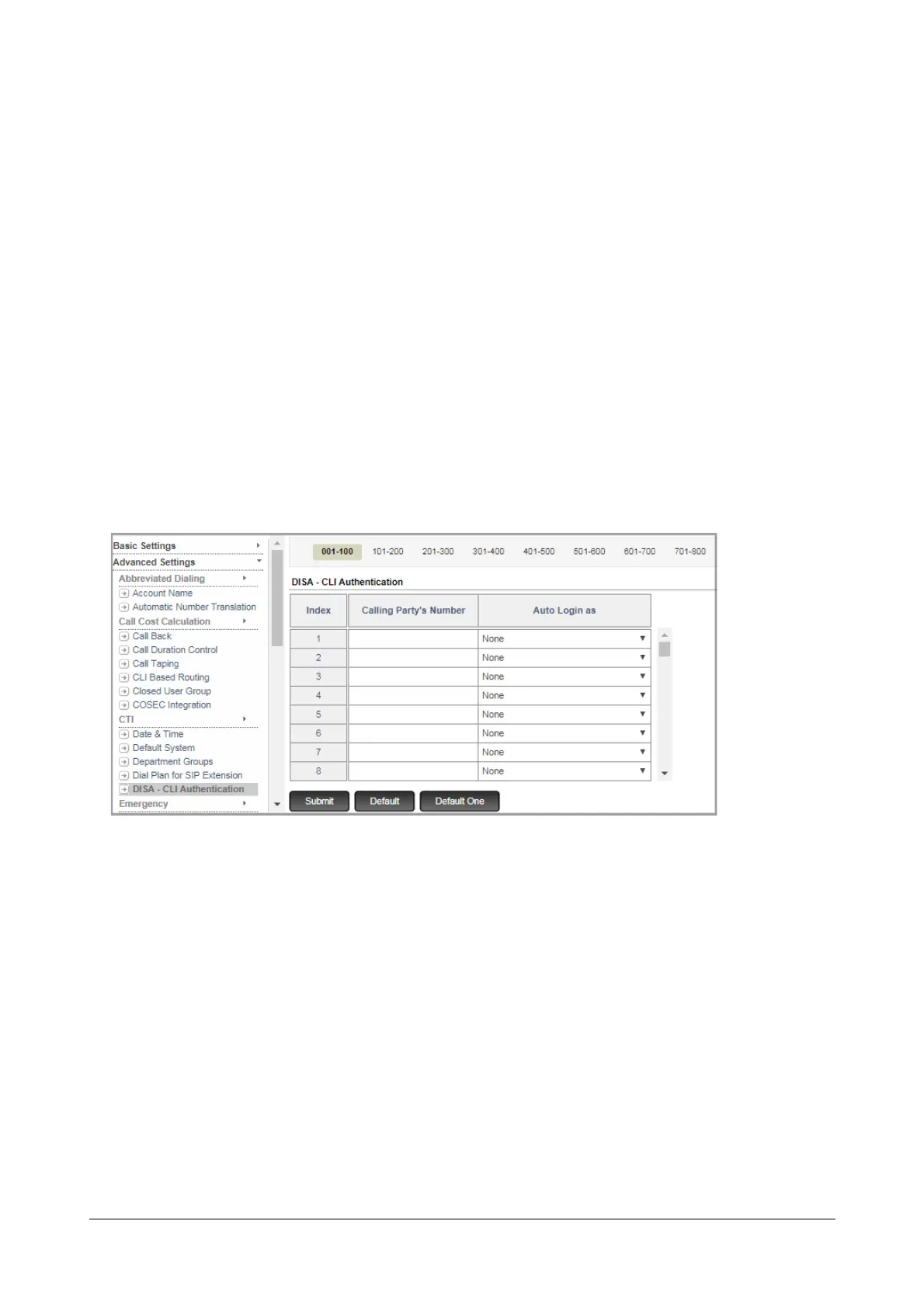
you must configure the CLI Authentication Table.
To configure the DISA CLI Authentication Table,
• Make a list of remote users and their numbers whom you want to allow DISA.
• For each remote user’s number on your list, write the Extension number of SARVAM UCS you want to
allow this extension user to log in.
• Login as System Engineer.
• Under Advanced Settings, click DISA - CLI Authentication.
• You can configure as many as 999 numbers in this table, by clicking the tabs of the index on the top of the
table.
• Refer to the list of remote user numbers and the corresponding SARVAM UCS extension numbers you
made.
•In Calling Party’s Number, enter the number of the remote users whom you want to allow access to DISA
using CLI Authentication. The system will match the CLI of the callers with the numbers you store here.
• For each Calling Party Number, in Auto Login as, select the extension you want to allow access to after
the Calling Party Number is authenticated.
• Click Submit.



 To Next Page