Matrix ETERNITY NE System Manual 77
• On successful registration, the Home screen appears.
The phone will register successfully, only if the SIP Extension parameters in ETERNITY have been
correctly configured as per your installation scenario.
Refer to the SPARSH VP330 User Guide to know more.
Connecting Extended SPARSH VP710 as Extended SIP Extension
You are recommended to complete the following steps before connecting the Matrix Extended SPARSH VP710 to
ETERNITY NENX:
• Decide the location where you want to place Matrix Extended SPARSH VP710 within your LAN.
• Log in to Jeeves. For instructions, read the topic “Configuring SARVAM UCS”.
• You must configure the necessary parameters in ETERNITY NENX so that Extended SPARSH VP710 can
register as a SIP Extension. For instructions, see “Configuring Matrix Extended SPARSH VP710”.
Now, follow the steps described below to install Extended SPARSH VP710.
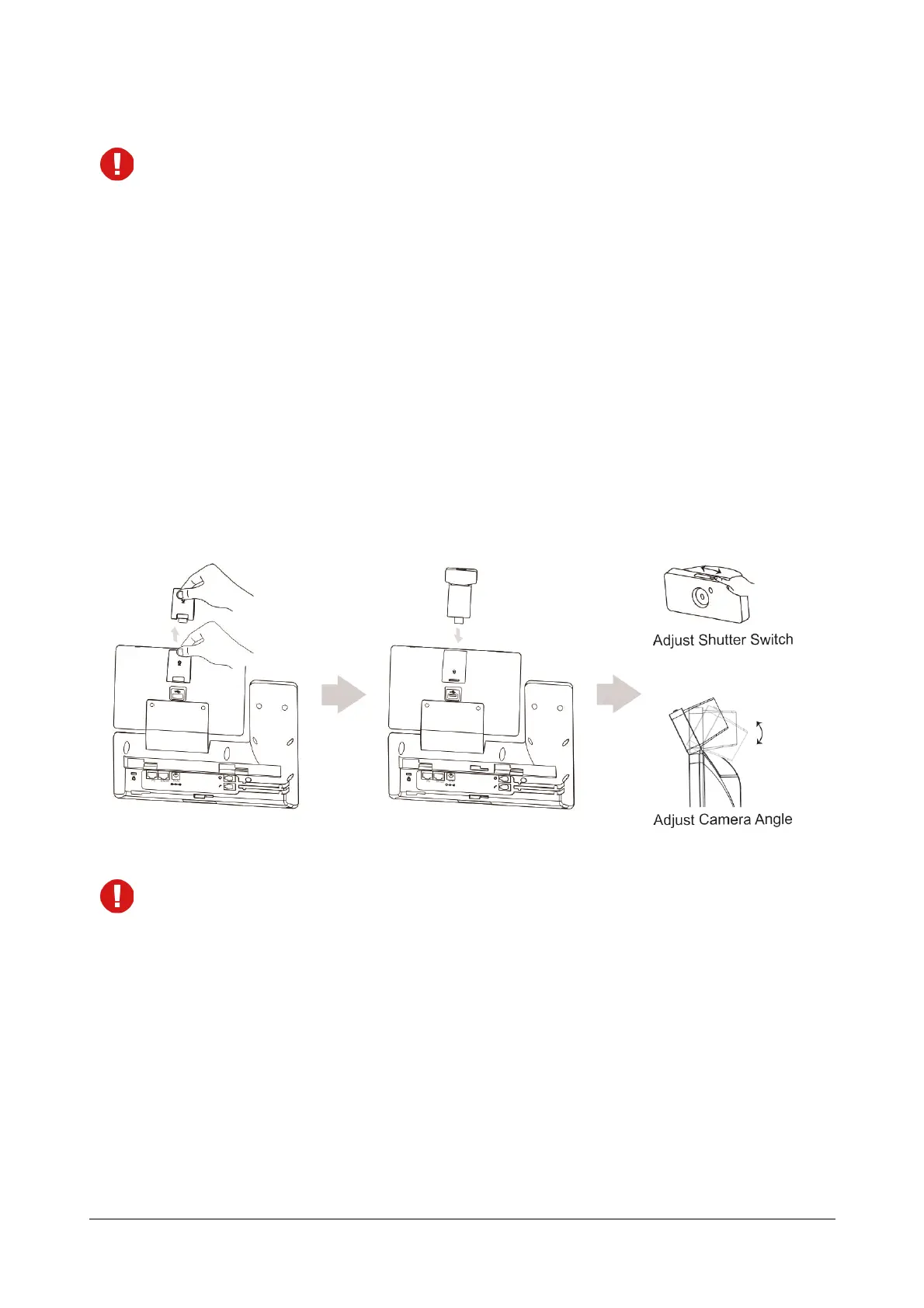
1. Inserting the camera
It is recommended to use only the Matrix original Camera, supplied with the IP Phone for video calling. The
use of any third-party camera may cause damage to the phone. Damages to the phone caused by using
third-party camera is not covered by Matrix warranty.



 To Next Page