876 Matrix ETERNITY NE System Manual
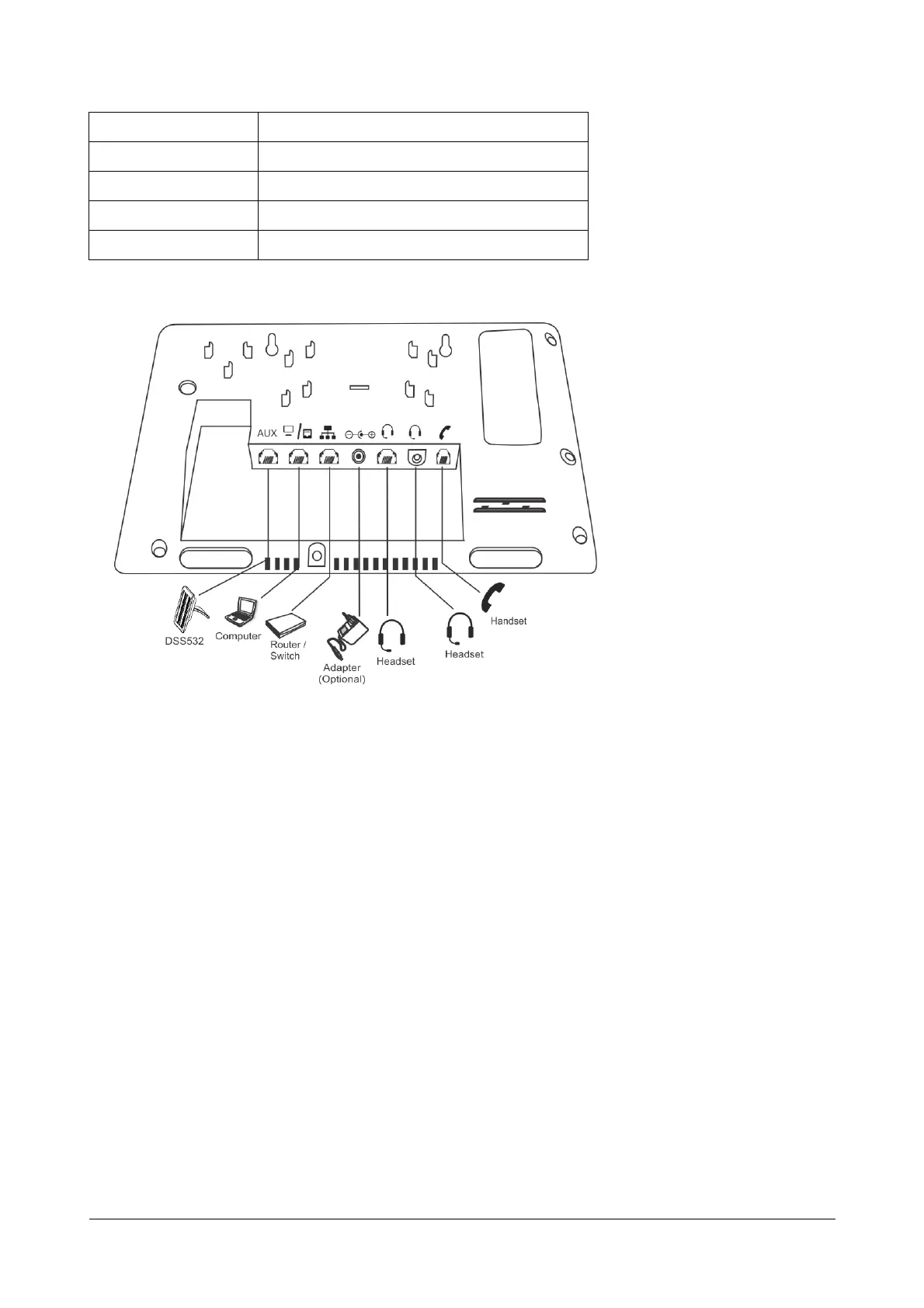
Bottom View
LCD Display
The LCD display of the phone is backlit. The LCD backlight can be turned on and off as well as adjusted for
contrast and brightness from the Display Settings of the Phone Menu.
Ringer LED
The Ringer LED will glow in Blue (1 sec ON – 500 msec OFF) to indicate incoming internal and external calls.
Navigation Keys
The functions of each are described briefly below.
• Up Key: To scroll upwards while navigating the Menu/sub-menu or to access Phone Settings and set the
Ringtone (when phone is in the idle state).
• Down Key: To scroll downwards while navigating the Menu/sub-menu.
• Forward Key: To move forward when dialing a number or scroll to view the Context Sensitive Key options.
• Back Key: To move backwards when dialing a number, to go back one level in the Menu or scroll
backwards to view the Context Key options.
7 Speaker Key
8 Volume Decrease Key
9 Dial Pad/ Key Pad Keys
10 Context Sensitive Keys
11 Handset



 To Next Page