Matrix ETERNITY NE System Manual 877
• Menu or Select / OK Key : To enter the Menu; when the phone is in the idle state (without any
incoming or outgoing call being made).
Menu Key functions as the Select / OK Key to make a selection from the Menu/sub-menu options or to
complete an action. When there is an incoming call it functions as the Answer Key.
• Cancel Key : To Cancel all features set by you or exit the Menu/sub-menu.
Feature Keys
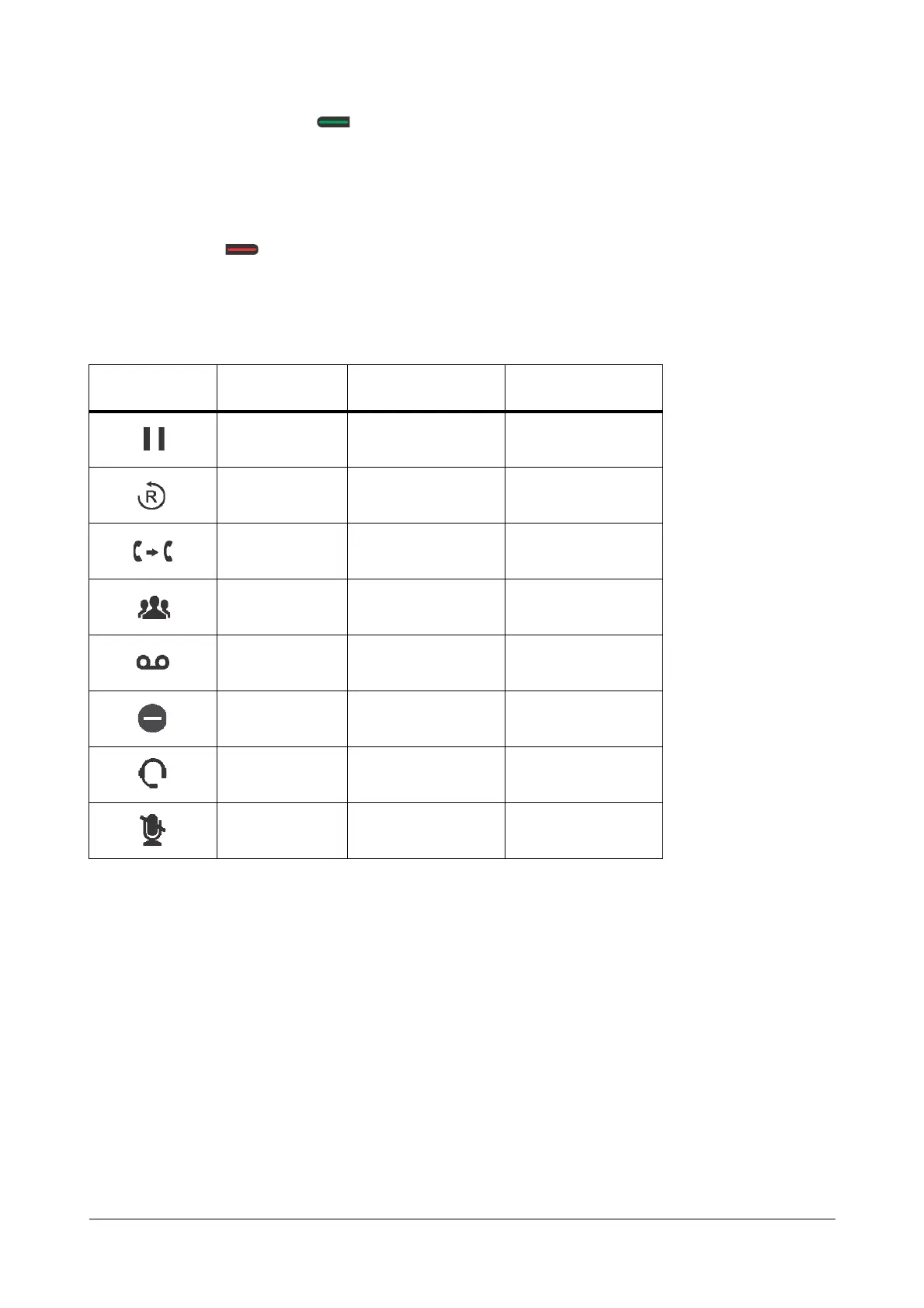
There are 8 Feature keys assigned to important or frequently accessed features of SARVAM UCS.
These Feature keys are programmable. For instructions on programming these keys, see “Phone Key Settings”
under “Configuring Matrix SPARSH VP510”. You cannot change the labels of these keys and therefore it is
recommended that you avoid programming these keys.
A few of these Feature keys are equipped with an LED to indicate the status of the feature assigned to it. You may
re-assign other features to these keys. We recommend you to assign those features that require LED indication to
the Feature keys equipped with an LED.
Not all features require LED indication. For example, the feature Call Pick-Up does not require an LED. So when
you assign this feature to a feature key, the LED of the key remains inactive, when Call Pick-Up is accessed.
Feature like Auto Redial requires an LED to show that it has been set or canceled. So, the LED of the Feature key
to which the Auto Redial feature has been assigned will glow Blue, when Auto-Redial is set, and the LED is turned
off when the feature is canceled.
Feature icon
Assigned
Feature
LED Programmable
Hold No Yes
Redial No Yes
Transfer No Yes
Conference No Yes
Voicemail Single Color - Blue Yes
Do Not Disturb Single Color - Blue Yes
Headset Single Color - Blue No
Mute Single Color - Blue No



 To Next Page