80 Matrix ETERNITY NE System Manual
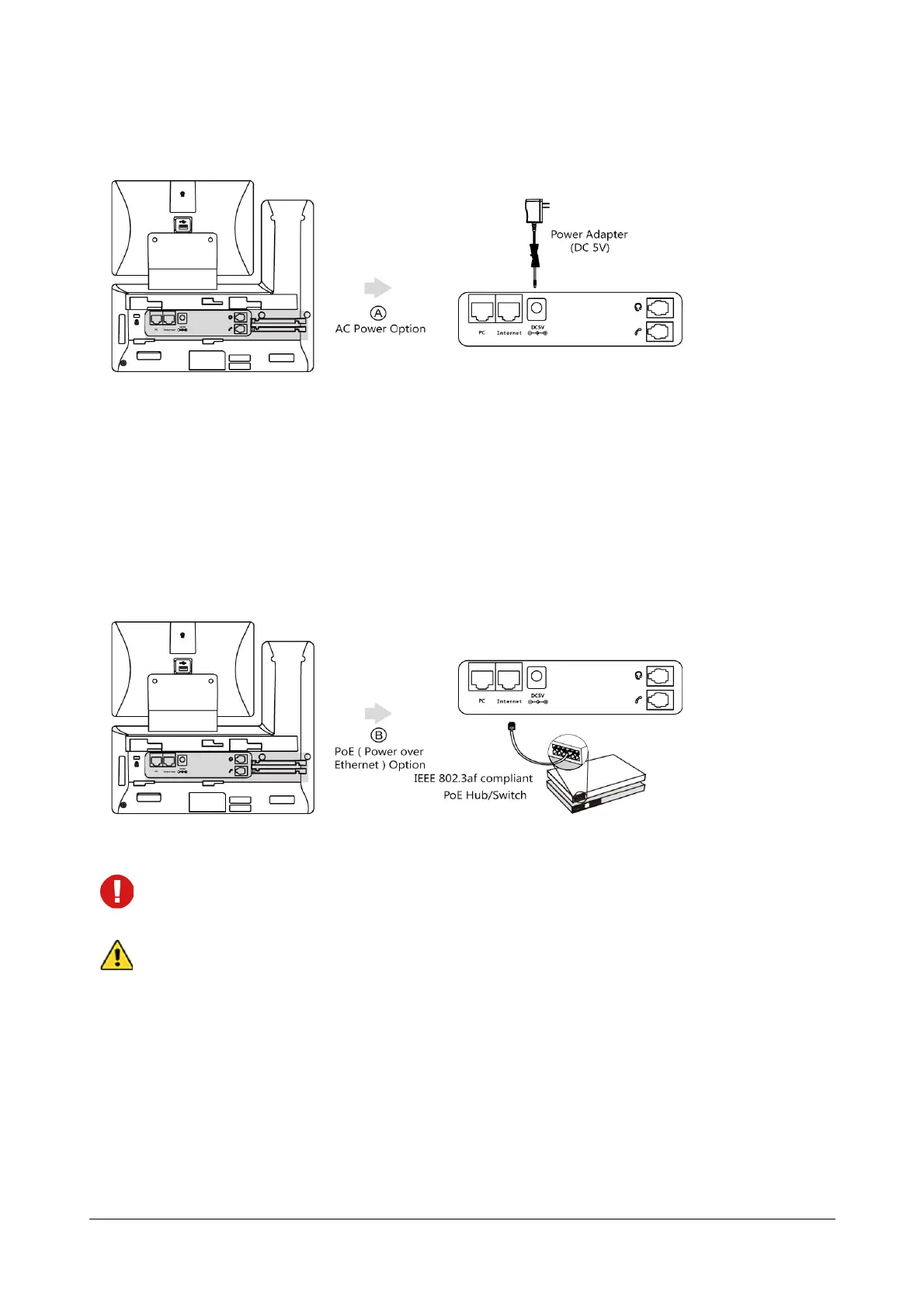
• Connect the DC plug on the power adapter to the DC5V port on the phone and connect the other end
of the power adapter into an electrical power outlet.
Power over Ethernet (PoE)
With the included or a regular Ethernet cable, the IP Phone can be powered from a PoE-compliant switch
or hub.
To connect the PoE:
• Connect the Ethernet cable between the Internet port on the phone and an available port on the in-line
power switch/hub.
If in-line power switch/hub is provided, you don’t need to connect the phone to the power adapter. Make
sure the switch/hub is PoE-compliant.
Do not unplug or remove power while the phone is updating firmware.
After the IP Phone is assembled and connected to the power supply, it automatically begins the
initialization process.
During this process, the IP Phone displays the start up screen “Welcome Initializing…please wait”.
Once the IP Phone is initialized, it displays two different phone modes:
• Standard SIP
• Extended SIP



 To Next Page