Matrix ETERNITY NE System Manual 931
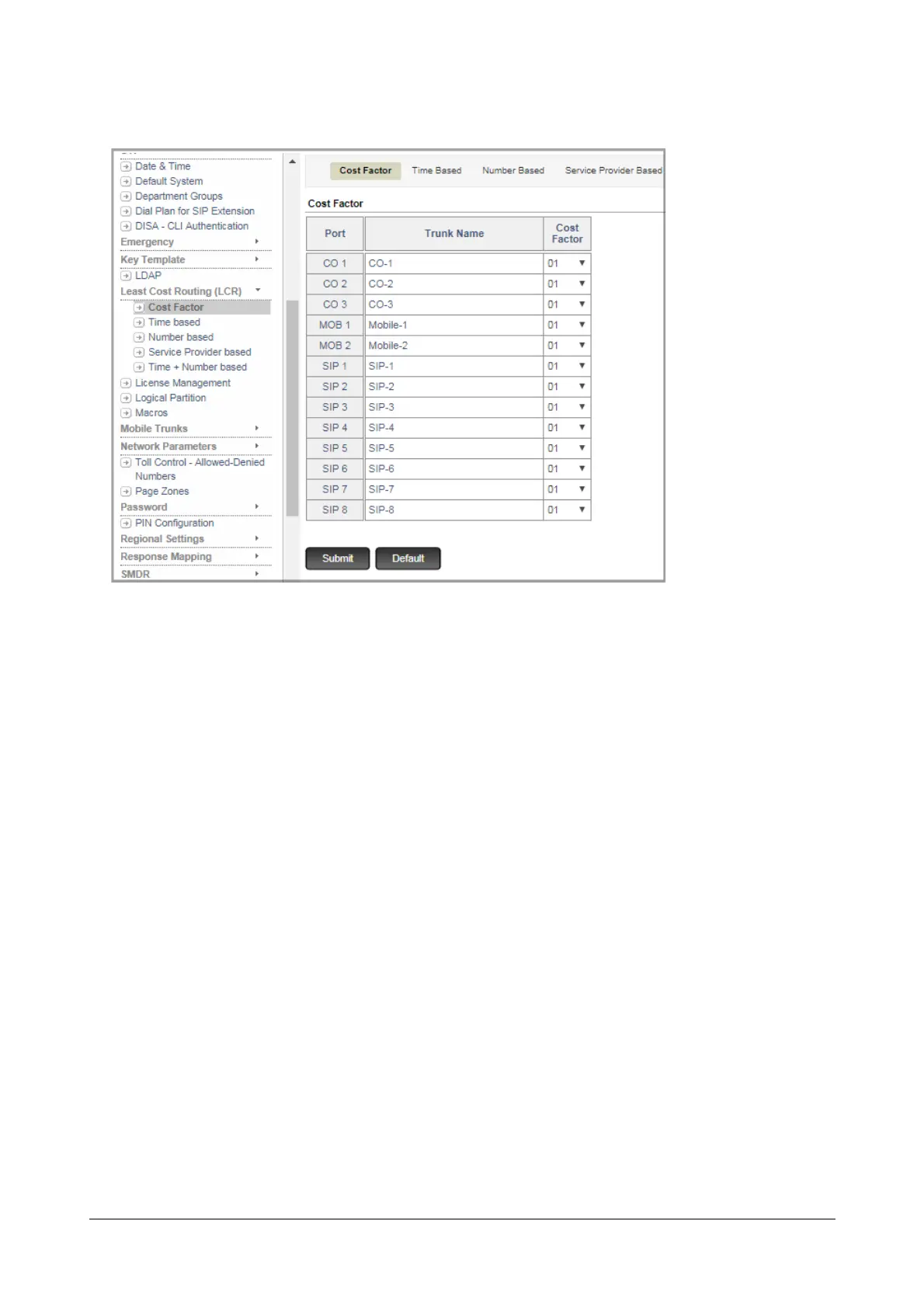
• Click Cost Factor.
•The Cost Factor table displays all the Port Type-Number of the system and the Trunk Names.
•In Cost Factor column of the table, assign a cost factor to each trunk type. For instance, assign Cost
Factor 01 to CO1 and Cost Factor 02 to CO2. Similarly, assign Cost Factor 03 to Mobile Trunk 1, Cost
factor 04 to Mobile Trunk 2, Cost Factor 05 to SIP trunk 1.
Configuring Time based LCR
• You can configure Time based LCR for as many as 8 different Time Zones.
• On a sheet of paper, make a table for Time based LCR.
• Define the Time Zone, that is, the start and end time, when the LCR should be applied for the outgoing
calls. The Time Zone you define is stored at an Index number from 1 to 8.
• For each Time Zone that you define, select the trunk as your first preference, that is, Preference 1. Select
the trunk of your second, third and fourth preferences. When the trunk you selected as first preference is
busy, the system will route the call through the next trunk you have set that is free.
• Refer to the table you prepared for assigning Cost Factor to trunks.
• For example, you want calls made during 9 am to 8 pm to be routed through BSNL CO trunks (CO-001
and CO-002). If these trunks are busy, you want the system to route calls through the Mobile trunk of
BSNL. When this line is busy, you want the system to attempt to route calls through the Mobile trunk of
Reliance.
• You want calls made between 8 pm to 9 am to be routed through BSNL CO1 trunk only.
• At Time Zone Index 1, define the Time Zone start and end time in 24 Hours:Minutes format, enter the Cost
Factor you assigned to CO-001 (01) and CO-002 (02) as Preference 1 and Preference 2 respectively.



 To Next Page