932 Matrix ETERNITY NE System Manual
Enter the cost factor you assigned to Mobile-01 (07) and Mobile-02 (08) as Preference 3 and Preference 4
respectively.
• Similarly, at Time Zone Index 2, define the Time Zone in 24 Hours:Minutes format. Enter the Cost factor
you assigned to CO1, i.e. 01 as Preference 1, 2, 3, and 4. When calls are made during this time period,
they will be routed through CO1 only.
• If you have finished defining Time Zones and the preferred trunks for the time zones, configure the Time-
based LCR using Jeeves.
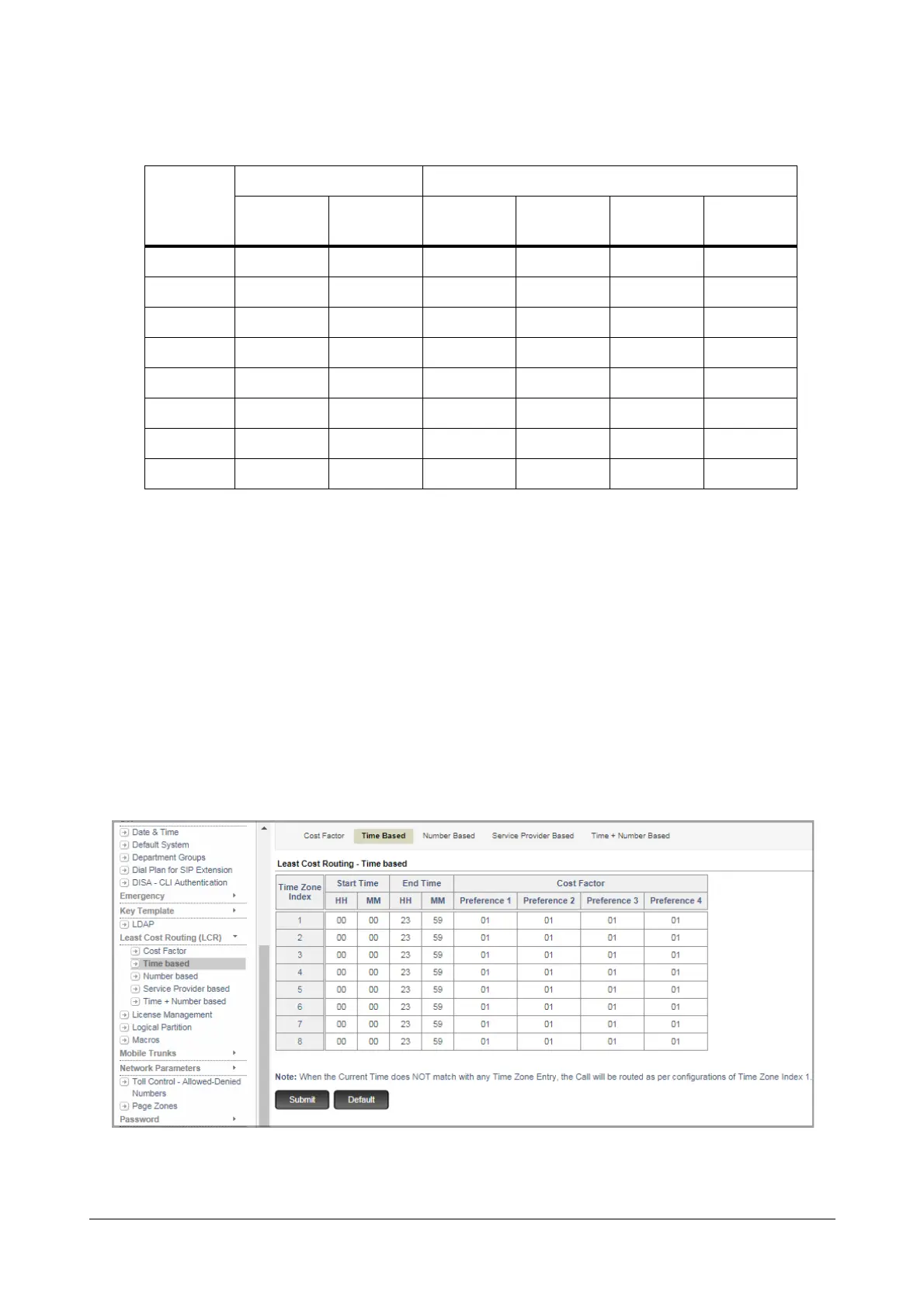
Configuring Time based LCR using Jeeves
• Login as System Engineer.
• Under Advanced Settings, click Least Cost Routing (LCR).
• Click Time based.
• Enter the values of the Time based LCR you prepared on the sheet of paper in the appropriate fields.
Time Zone
Index
Time Zone Cost Factor
Start Time
(HH:MM)
End Time
(HH:MM)
Preference
1
Preference
2
Preference
3
Preference
4
1 09:00 20:00 01 02 07 08
2 20:01 08:59 01 01 01 01
3
4
5
6
7
8



 To Next Page