Matrix ETERNITY NE System Manual 939
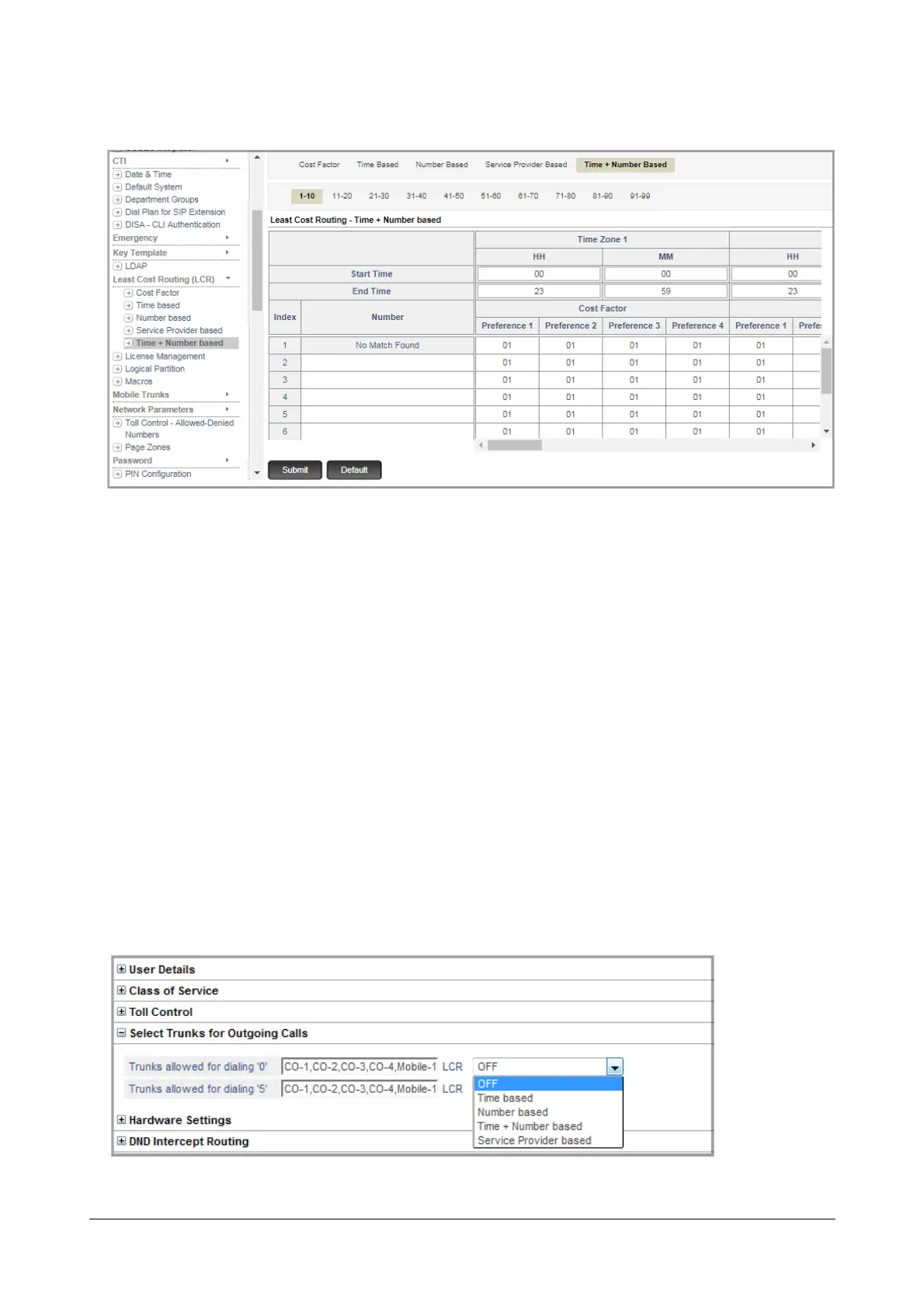
• Click Time+Number Based.
• Enter the values of the Time+Number based LCR you prepared on the sheet of paper in the appropriate
fields.
• In Number, you can enter a complete telephone number, a truncated phone number or an area code. You
may enter upto 64 characters (Digits + “Wildcard Characters”) in this field. Valid characters: 0 to 9, *, #, X,
T, Comma [,], Hyphen [-], Caret [^ ]. Default: Blank.
• Click Submit.
Configuring LCR Type on Trunks
After assigning Cost Factor to trunks and configuring the LCR Type - Time based, Number based, Service Provider
based, Time and Number based you must now apply the desired LCR Type on the outgoing trunks selected for the
extension types: SLT and SIP.
• Under “Basic Settings”, open the following Extension type:
• “SLT Extensions”
• “SIP Extensions”
• Select the desired Extension number, for example SLT 201.
• Click Select Trunks for Outgoing Calls option for the Extensions.



 To Next Page