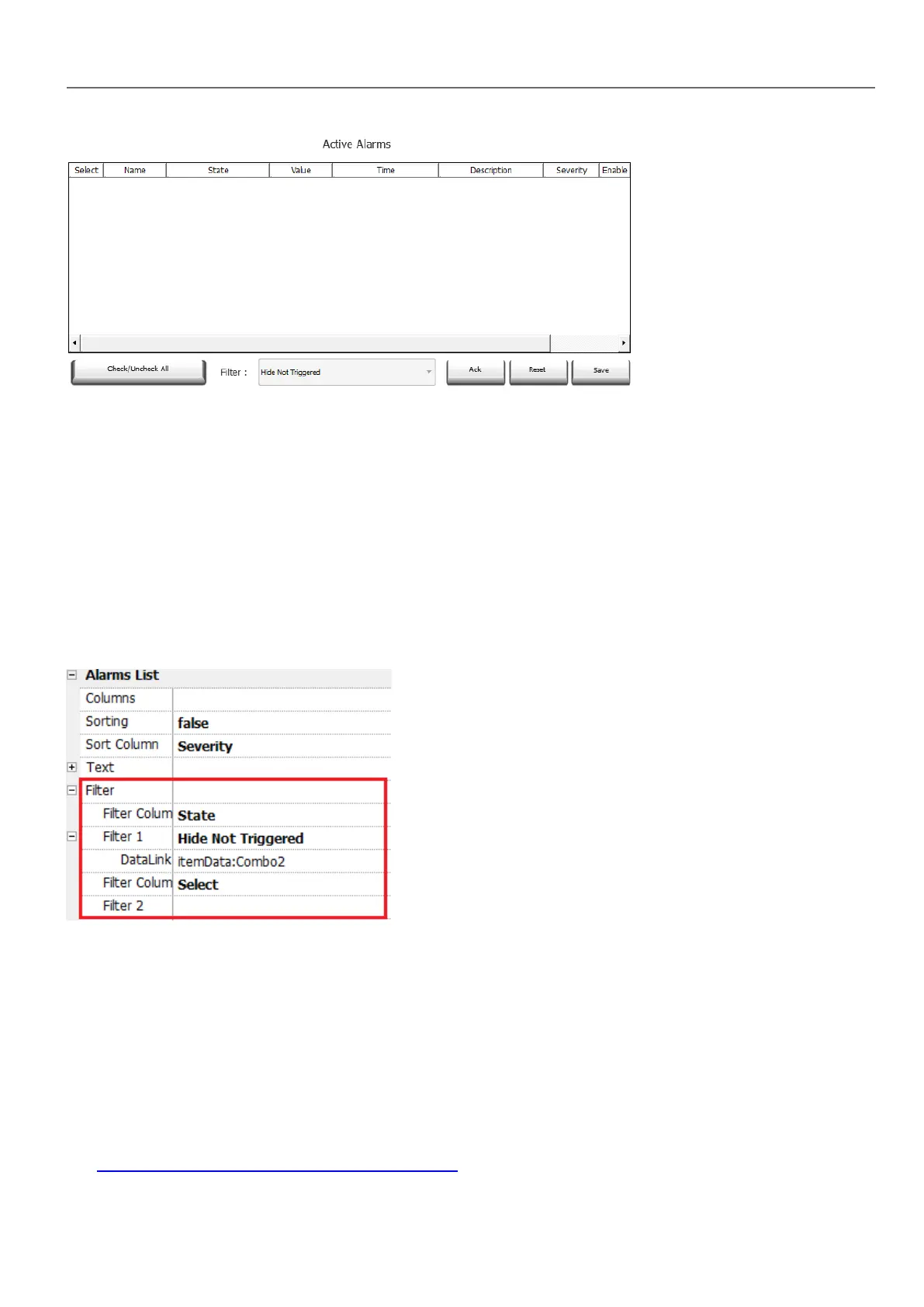
Alarm filters
Path: ActiveAlarm widget> Properties pane> Filter
Define filters used to display only some of the configured alarms. Filters are based on alarm fields, which means you can
filter alarms according to name, severity, description and so on.
Filter 1 is the default filter. It's managed by the combo box Filter 1, and has two options: Show all alarms and Hide Not
Triggered which, when selected, allows to display only active alarms.
Filter 2 is, by default, not configured and available for customization.
Filter's expressions make use of AWK language, the expressions are applied to the data contained in the selected Filter
column of the Alarm widget.
Setting filters
Path: ActiveAlarm widget> Properties pane> Filter
To set one of the two available filters:
1. Select Filter Column 1 and choose the value to filter for (e.g.: Name, State, Time, Groups)
2. In DataLink attach a combo box widget. Use Shift+ left-click to select the combo box.
3. In the Properties pane select list property and open dialog to customize combo box values
4. In the combo box configuration dialog, specify String List and the regular expression to filter values.
See http://www.gnu.org/software/gawk/manual/gawk.html for details on how to use regular expressions.
HMWIN Studio |User Manual| v206 (2017-06-30) | EN| © 2014-2017 Panasonic Electric Works Europe AG
173
15 Alarms



 To Next Page