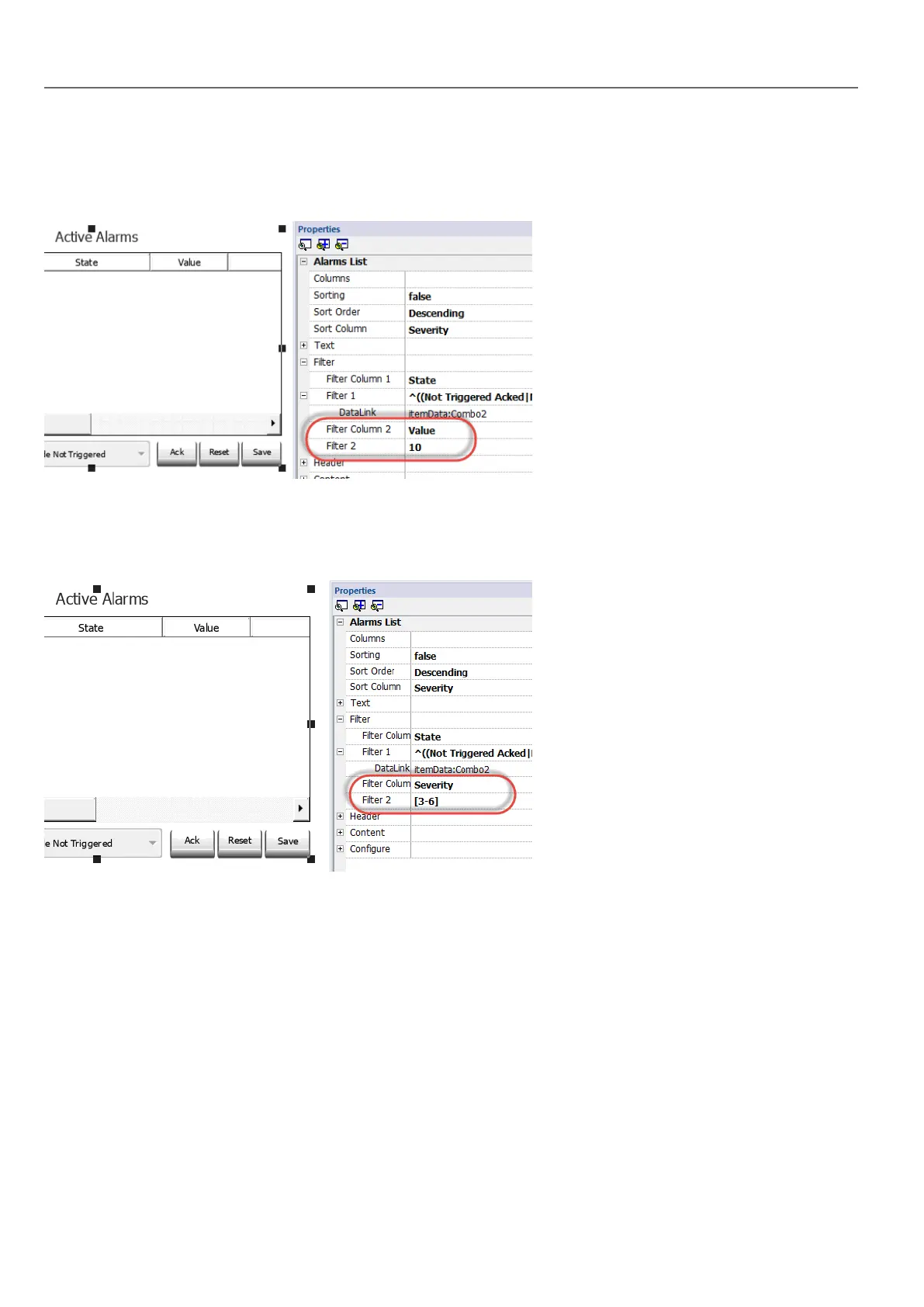
Filters first example
You want to show all alarms matching Filter 1 with value equal to 10. Then properties settings: Filter column 2 = Value,
Filter 2 = 10
Filters second example
You want to show all alarms matching a Severity value from 3 to 6 (Normal to Critical). Then properties settings: Filter
column 2 = Severity, Filter 2 = [3-6]
Filters third example
You want to show all alarms matching a value from 11 to 19. Then properties settings: Filter column 2 = Severity, Filter 2
= ^(1[1-9]$)
Meaning:
^ = match must starts from the beginning of the string
1[1-9] = first char must be 1 and the second char must be between 1 and 9
$= end of the comparison.
174
HMWIN Studio |User Manual|v206 (2017-06-30) |EN|© 2014-2017 Panasonic Electric Works Europe AG
Active Alarms widget



 To Next Page