l H264 using AVI/MP4 container, CABAC off and Level 3 (suggested)
l MPEG2 using AVI container
l MPEG4 using AVI container
They use the DPS processor (video hardware acceleration) and BSP 1.55 or above is required to play them. Maximum
resolution is 720x576 pixels and bit rate 4200 kb/s. 720p, 1080p and audio are not supported.
Software video codecs
This is only:
l Microsoft MPEG4 v3 using an AVI container.
The videos encoded with Microsoft MPEG4 v3 are not using the hardware acceleration and have more limitations. To
prevent the videos from running jerky, a maximum resolution of 640x512 pixels and a bit rate of 1300 kb/s are suggested. In
addition, the size of the Media Player widget used on the page should have the same size as the videos in the playlist, in
order to avoid upscaling and downscaling. Audio is not supported.
Converting a video
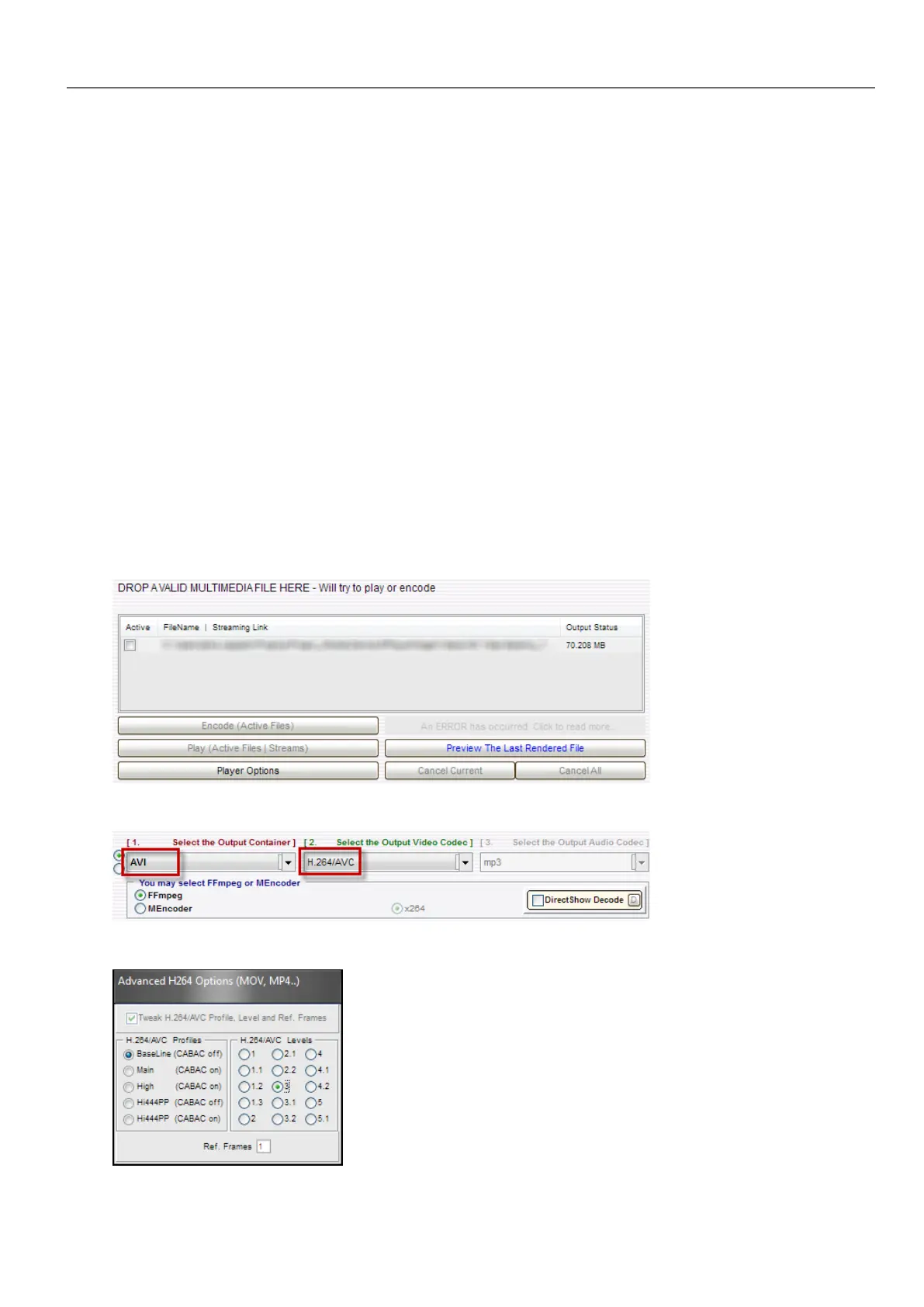
This procedure describes ho to convert a video using eRightSoft SUPER © video converter.
1. Drag and drop the video to convert in SUPER.
2. Select AVI from the Output Container list and H.264/AVC from the Output Video Codec.
3. Click H264 Profile: choose Baseline as profile and level 3 in the dialog.
HMWIN Studio |User Manual| v206 (2017-06-30) | EN| © 2014-2017 Panasonic Electric Works Europe AG
301
32 Special widgets



 To Next Page