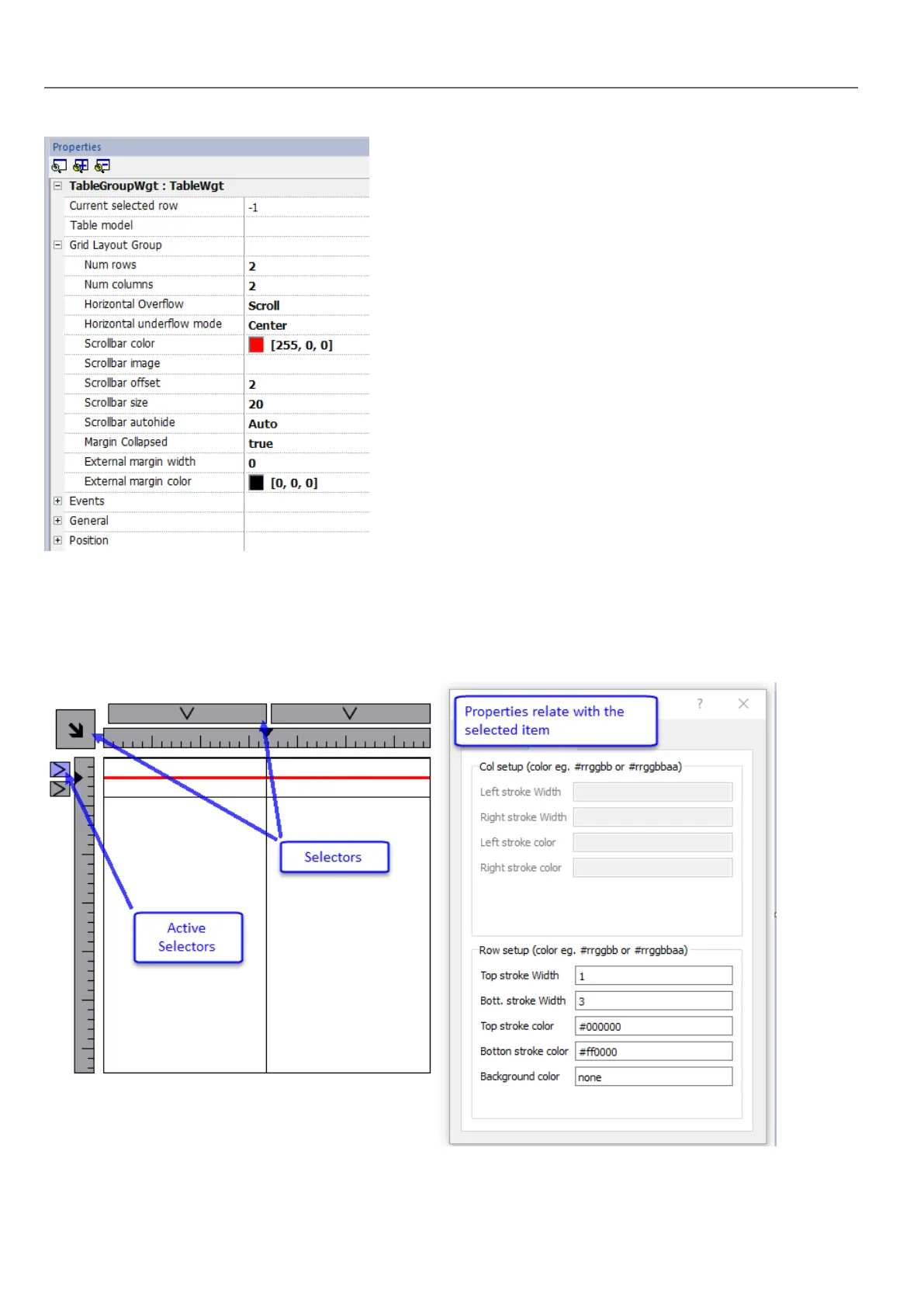
Edit Mode
In edit mode, it is possible configure the format and the content of each cell of the table. Each row of the table will act as a
row template.
To configure the look of the table, click on table's selectors to select the item to configure.
To configure the contents of cells, drag and drop the widgets inside the cells.
308
HMWIN Studio |User Manual|v206 (2017-06-30) |EN|© 2014-2017 Panasonic Electric Works Europe AG
Table widget



 To Next Page