Multilanguage
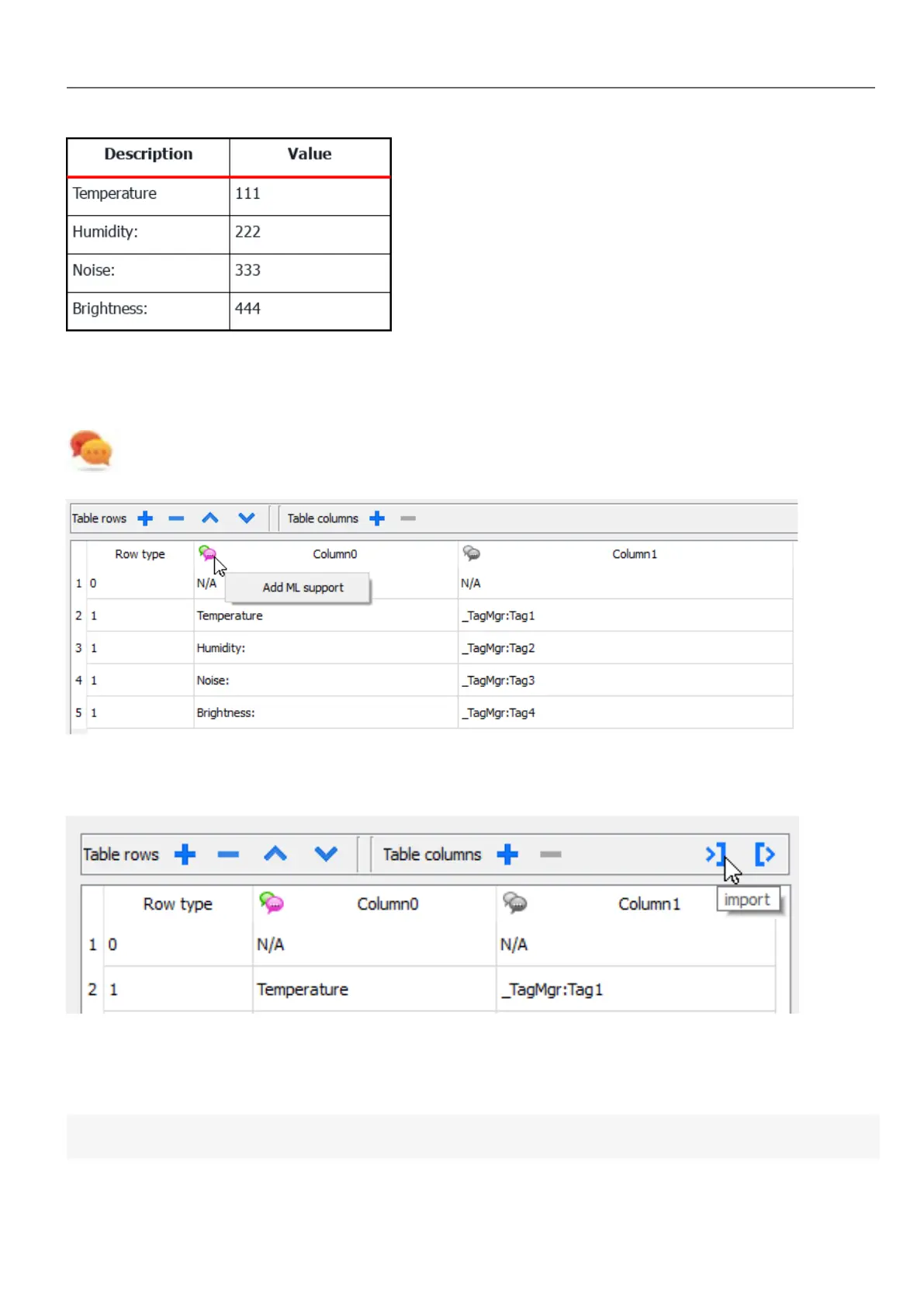
To enable the Multilanguage support right click on the Multilanguage icon of the column. The icon will change color to
indicate that the support is enabled.
Avoid enabling the Multilanguage support when not necessary to better performance.
Import/Export Data Source
The configuration of the Data Source can be imported/exported using xml files
JavaScript JSON table
In alternative to the Data Source Widget, for data to fill the table could be provided from a JavaScript code using a JSON
table. In this case, we have to fill an array of JSON elements with the data to use and assign the array to the table widget.
var myTable = page.getWidget("TableWgt1");
HMWIN Studio |User Manual| v206 (2017-06-30) | EN| © 2014-2017 Panasonic Electric Works Europe AG
311
32 Special widgets



 To Next Page