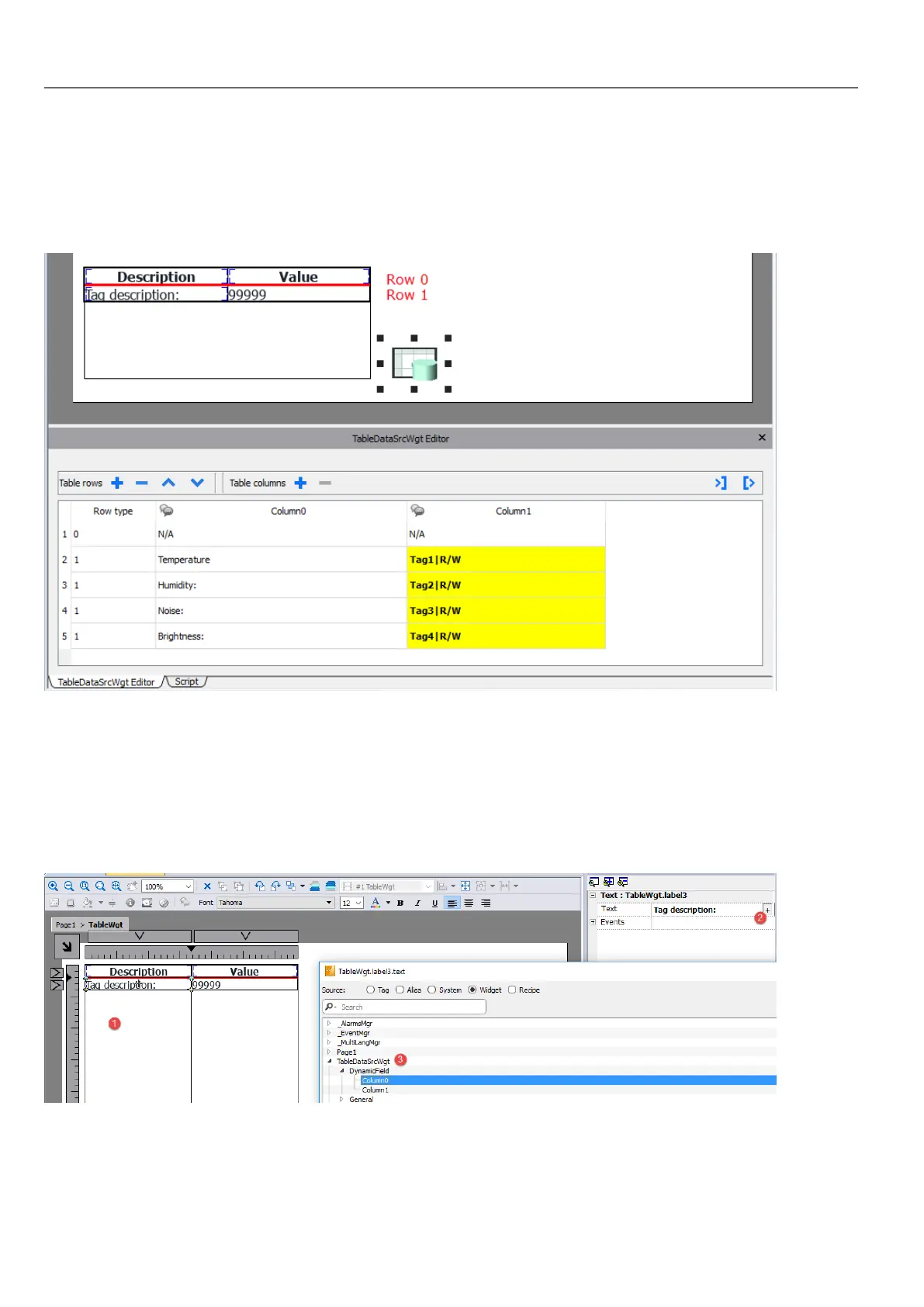
l Row 0
Header of the table. Contains only static text.
l Row 1
Template of rows with data. On the first column we added a label that will contain the description and on the second
column a field that will contain the value.
Each row must be assigned a row type. The row will take on the format of the corresponding row template. Widgets that
were placed in each cell of the row template will appear in rows of that type.
Define links with data source
1. Double click over the Table widget to enter in edit mode and select a widget
2. Select the property that is to be read from the data source
3. Select the column of the data source that will provide the data
The below picture is showing how our example will be rendered at runtime
310
HMWIN Studio |User Manual|v206 (2017-06-30) |EN|© 2014-2017 Panasonic Electric Works Europe AG
Table widget



 To Next Page