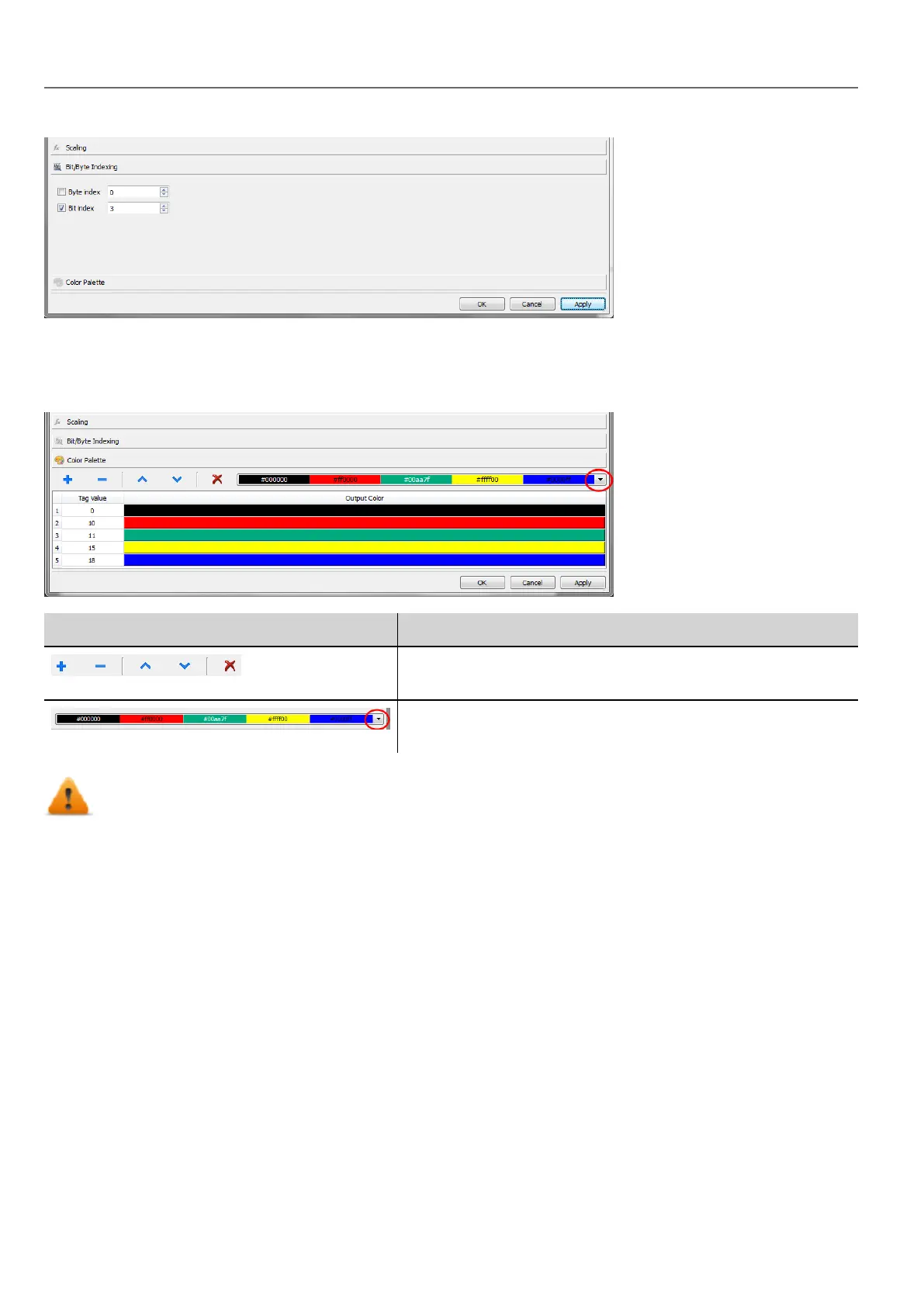
Mapping tag values to color
Allows you mapping numeric tag values to colors. You can use this option to change the color of a button.
Section Function
From the toolbar add/remove or move up/down the colors lines. The
tag value is editable and you can modify the sequence values.
Last defined color combination is saved automatically and can be
retrieved from the color toolbar.
Note that the mapping tag value to color will return a string data type (e.g. “#FF0000”)
Datalink Serialization
Instead of use the above “Attach to…” dialog box, datalinks can be entered, or modified, manually.
Click a button in the Properties pane and enter the text that describe the datalink
34
HMWIN Studio |User Manual|v206 (2017-06-30) |EN|© 2014-2017 Panasonic Electric Works Europe AG
"Attach to" parameters



 To Next Page