Opening older projects
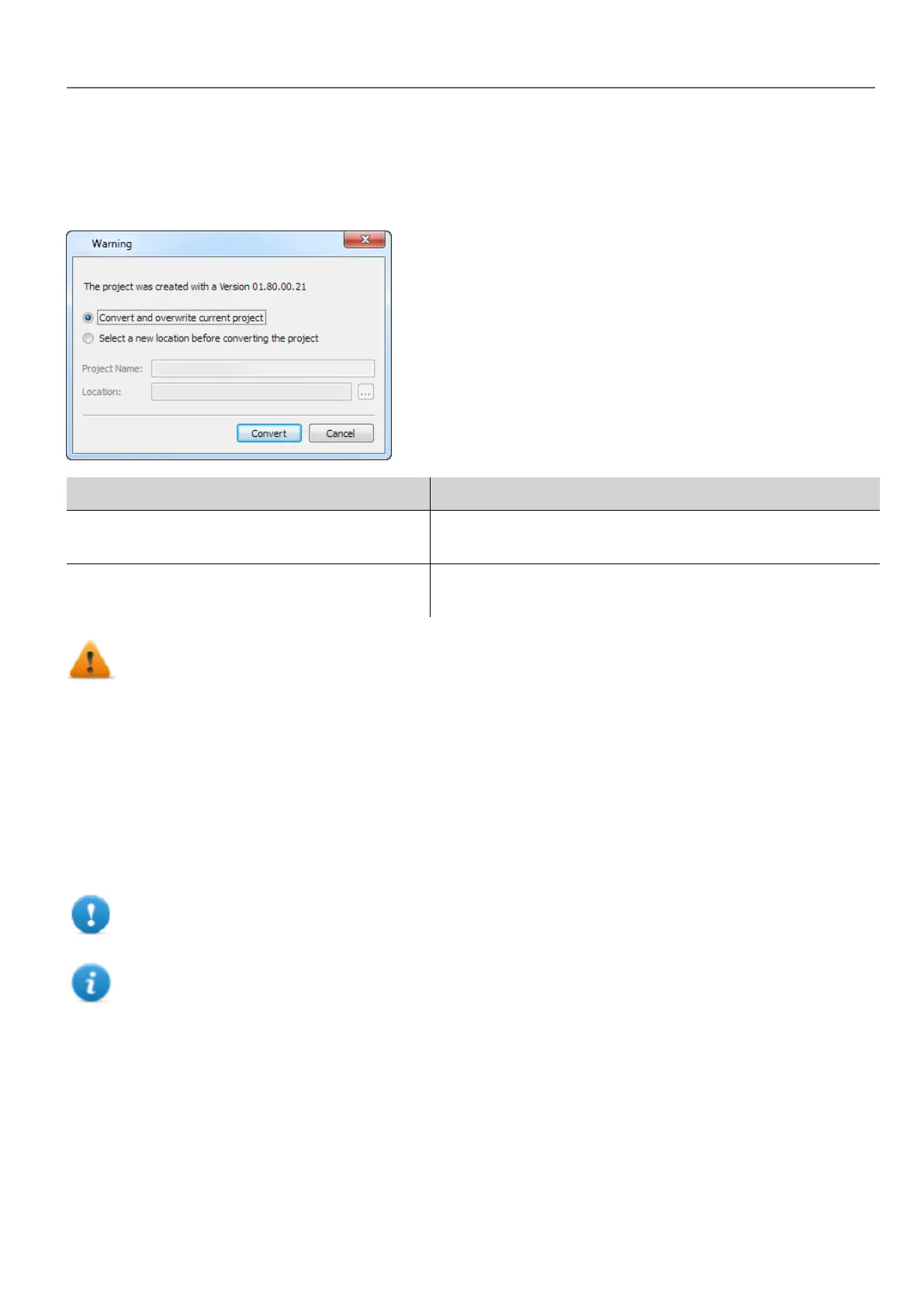
When opening a HMWIN Studio project (.jpr file) created with an older version of the software HMWIN Studio asks to
convert the project to the current version:
Option Description
Convert and overwrite current project The project is converted without a backup copy of the original
version
Select a new location before converting the
project
The project is copied inside the specified folder and then
converted.
WARNING: Do not edit projects with a version of HMWIN Studio older than the version used to create
them. This will damage the project and may cause runtime instability.
Multilanguage for HMWIN Studio
HMWIN Studio is available in multiple languages. All languages are installed by default as part of HMWIN Studio.
The default language is English. To change it go to Help > Change Language.
Crash reports
A crash report dialog appears whenever HMWIN Studio freezes or crashs.
Important: Always save crash report files since they may contain useful information for technical
support.
Note: Crash reports are unavailable in Windows XP.
HMWIN Studio |User Manual| v206 (2017-06-30) | EN| © 2014-2017 Panasonic Electric Works Europe AG
5
1 Getting started



 To Next Page