Playback
Playing Back Clips
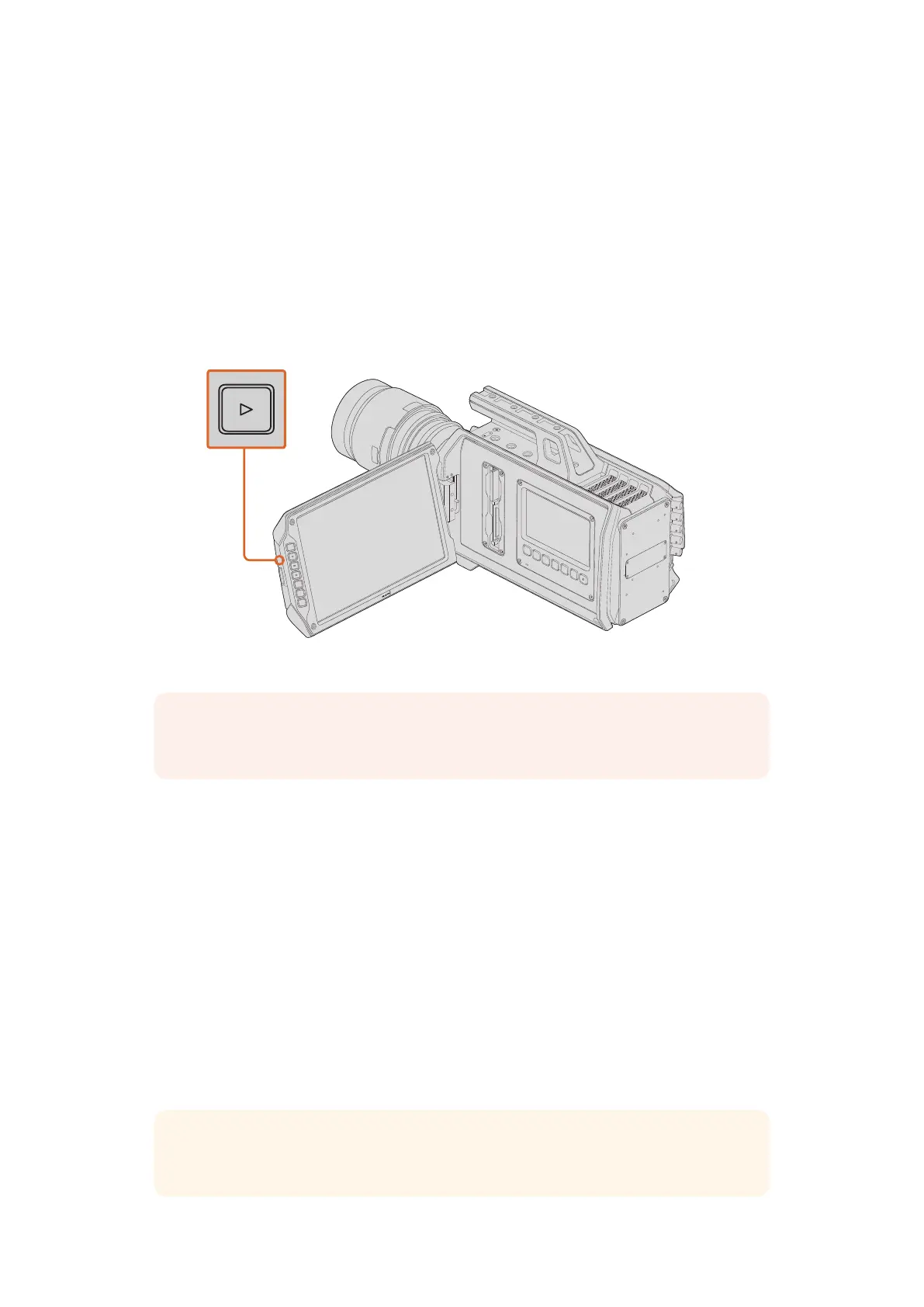
Once you have recorded your video, you can use the transport control buttons to play back
your video.
Press the ‘play’ button once for instant playback to see your recorded video on Blackmagic
URSA's fold out monitor. Your clips can also be viewed on URSA's touchscreens and any display
connected to your URSA's SDI outputs.
URSA Camera
The controls of your camera work just like a CD player, so pressing the ‘forward skip’ button
willskip to the start of the next clip. Press the ‘reverse skip’ button once to go to the start of the
current clip or press twice to skip back to the start of the previous clip. Hold the ‘forward’ or
‘reverse skip’ button to play or reverse at 2x speed. Once shuttling forward or backwards, press
the 'fast forward' or 'reverse skip' buttons twice for 4x playback, three for 8x and four times for
16x speed. On Blackmagic URSA EF you can also use the forward and reverse skip buttons to
open or close the iris on compatible lenses.
When recording a clip using a sensor frame rate that differs from your project frame rate, your
clip’s playback speed will also differ. For example, imagine you have set your camera’s project
frame rate to match your post production timeline of 24 frames per second. If you record a clip
with your sensor frame rate set to 80 frames per second, your clips will play back in slow motion
on both the camera and on your post production timeline.
To ensure your clips play back at normal speed, select 'match' from the 'sensor frame rate'
settings in the 'recording' setting touchescreen menu.
IRIS
FOCUS
PEAK
DISP
MENU
SLATE
REC
ZOOM
DISP
PGM
NOTE It's worth mentioning that only clips sharing the same codec, frame size and
frame rate your camera is currently set to will be available for playback.
TIP Refer to the 'recording settings' section of this manual for more information about
frame rates.
1717Playback












 To Next Page