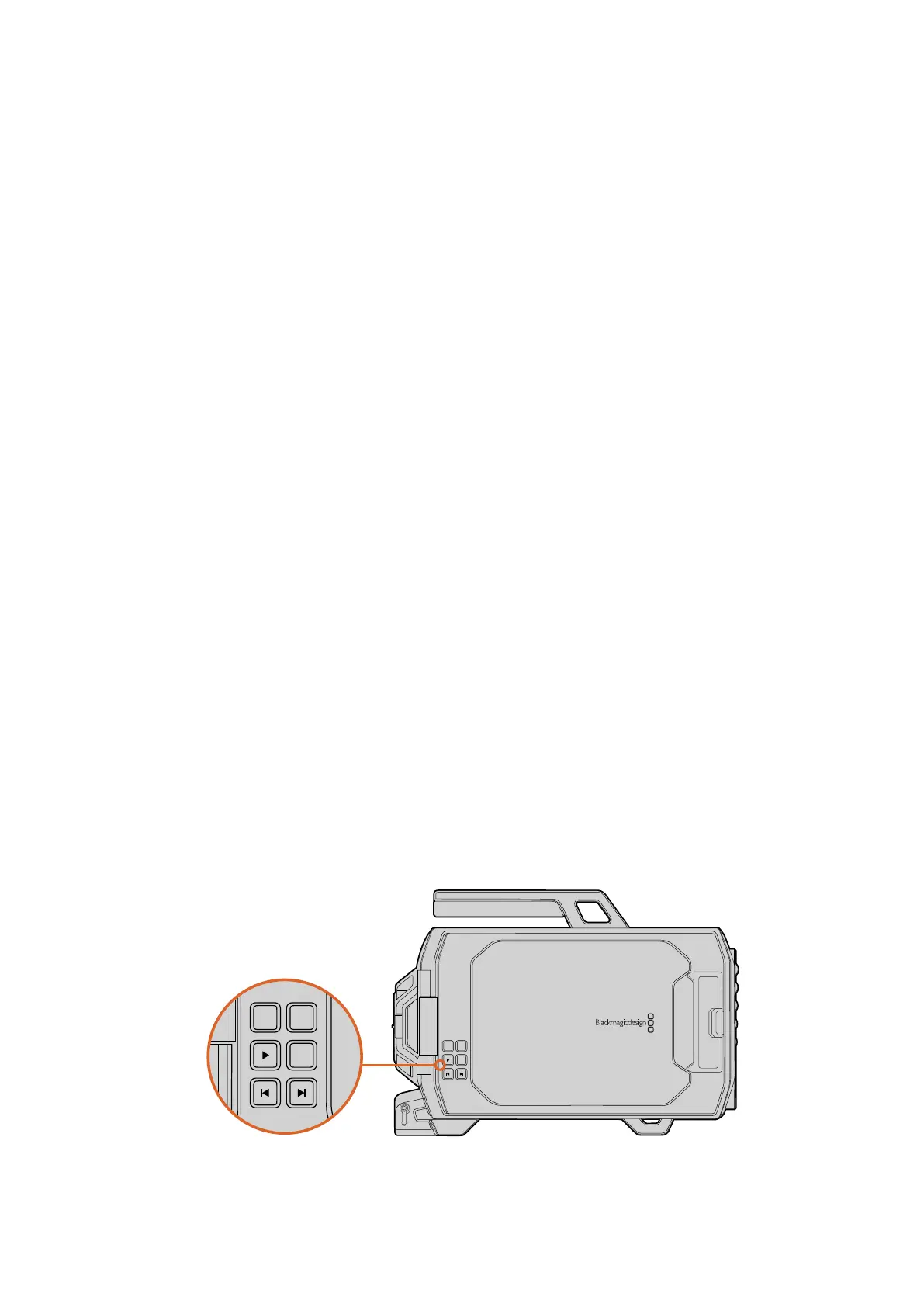
10” LCD Viewfinder Buttons
The control buttons on the edge of the fold out monitor provide common features you need for
recording and playback, plus display options for when you want to turn specific overlays on or
off, for example turning off the the status overlays, but keeping the focus peaking visible.
Record
Press the button marked ‘REC’ to record your clips. Press again to stop recording.
Play
Press the ‘play’ button to play back your clips. Your Blackmagic URSA will play
continuously through all the recorded clips.
Forward and Reverse Skip
These two buttons are used to skip backwards and forwards through your clips. On
Blackmagic URSA EF, these buttons can also be used to open and close the iris when
using compatible EF lenses.
Zoom
When shooting in 4K and Ultra HD, the ‘zoom’ feature helps you find sharp focus by
zooming into your picture. Press ‘zoom’ to display a 1:1 pixel view of your Ultra HD or 4K
image. Press again to return to standard view.
Display
The display button is marked ‘DISP’ and is used to enable overlays on the fold out
monitor. Pressing the display button will cycle through the different displays.
For example, status information with peaking and guides, status information with
peaking, guides only, or picture only.
Program
The program button is marked ‘PGM’ and is used to switch Blackmagic URSA’s 10”
monitor between camera view and the program input. If you have an SDI video signal
connected to your camera’s ‘PGM’ input, this is the image you will see when switching
the 10” monitor to the program view.
DOP Station Buttons andTouchscreen
All of Blackmagic URSA’s settings are easily adjusted using the work station buttons and
touchscreen. The buttons and touchscreens on both the DOP station and the camera assist and
audio station each perform the same functions, but work independently. For example, the
camera assistant can be adjusting settings from the camera assist and audio station, while the
camera operator is changing settings on the DOP station.
FOCUS
REC
IRIS
FOCUS PEAK DISP MENU SLATE
2
IRIS
SDI OUT
0
-6
-12
-18
-24
-30
-36
-42
-48
L R
SDI IN
REF IN
TIMECODE IN
TIMECODE OUT
12V
CH1
SOLO
CH1
MUTE
CH2
MUTE
CH2
SOLO
FOCUS PEAK DISP MENU SLATE
PUSH PUSHPUSH
REC
ZOOM
DISP
PGM
1
CFAST
IRIS
FOCUS
REC
IRIS
FOCUS PEAK DISP MENU SLATE
2
IRIS
SDI OUT
0
-6
-12
-18
-24
-30
-36
-42
-48
L R
SDI IN
REF IN
TIMECODE IN
TIMECODE OUT
12V
CH1
SOLO
CH1
MUTE
CH2
MUTE
CH2
SOLO
FOCUS PEAK DISP MENU SLATE
PUSH PUSHPUSH
1919Blackmagic URSA Overviewand Connectors












 To Next Page