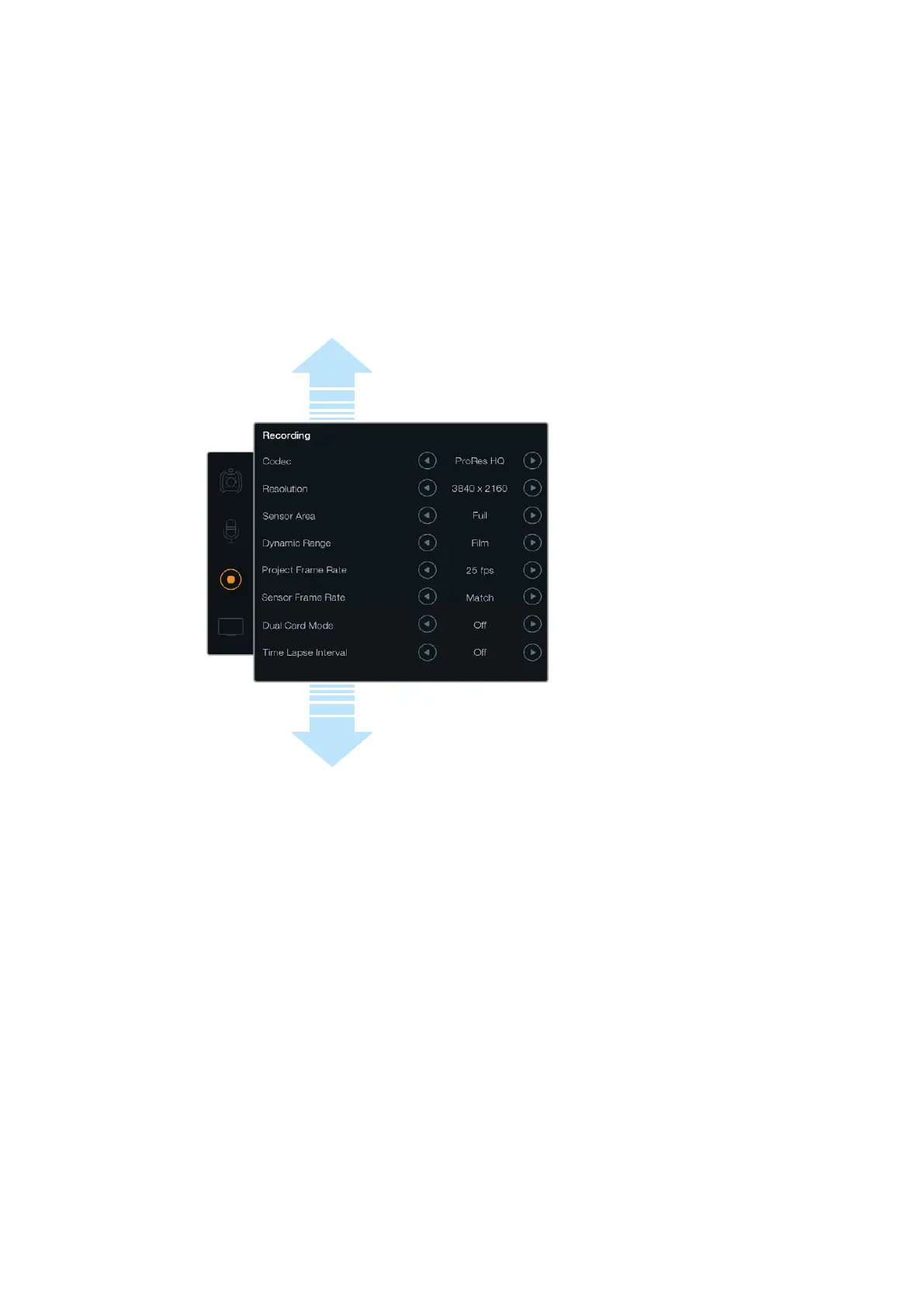
Recording Settings
To set the video format recorded to your CFast 2.0 cards, tap the circular record icon, then tap
the relevant arrow icons.
Codec
The ‘codec’ setting lets you choose between various CinemaDNG RAW and Apple ProRes
codecs such as RAW, RAW 3:1, ProRes 444 XQ, and more. The amount of video you can record
on a CFast card will increase when choosing codecs that utilize higher compression. Refer to
the ‘record duration table’ in the ‘recording’ section for more information.
Resolution
This setting works in combination with the ‘codec’ setting. Select the resolution for your desired
recording format.
For example, if you want to record clips using 4K RAW, select 4000x2160. Now choose which
CinemaDNG RAW codec you wish to use by adjusting the codec setting.
Sensor Area
Use this setting to select between ‘full’ and ‘window’ shooting modes. URSA can be set to use
the ‘full’ sensor area up to 120 frames per second. For even higher frame rates up to 150 frames
per second you can use ‘window’ mode. Window mode allows higher frame rates and takes a
1080 HD resolution image from the center of the super 35mm sensor.
Dynamic Range
Adjust the ‘dynamic range’ setting by tapping the dynamic range arrow icons. Blackmagic URSA
has two dynamic range settings:
Film
The ‘film’ setting shoots video using a log curve giving you 12 stops of dynamic range
and maximizes the information in your video signal to help you get the most out of
color grading software, such as DaVinci Resolve. When recording in CinemaDNG RAW
formats, only the film dynamic range setting is available.
Scroll the menu
to reveal more
recording settings.
32Blackmagic URSA Settings












 To Next Page