Video
The ‘video’ setting uses the REC709 color standard for high definition video. This lets
you work faster by recording directly to the compressed video formats your camera
supports, which are compatible with popular post production software.
Frame Rate
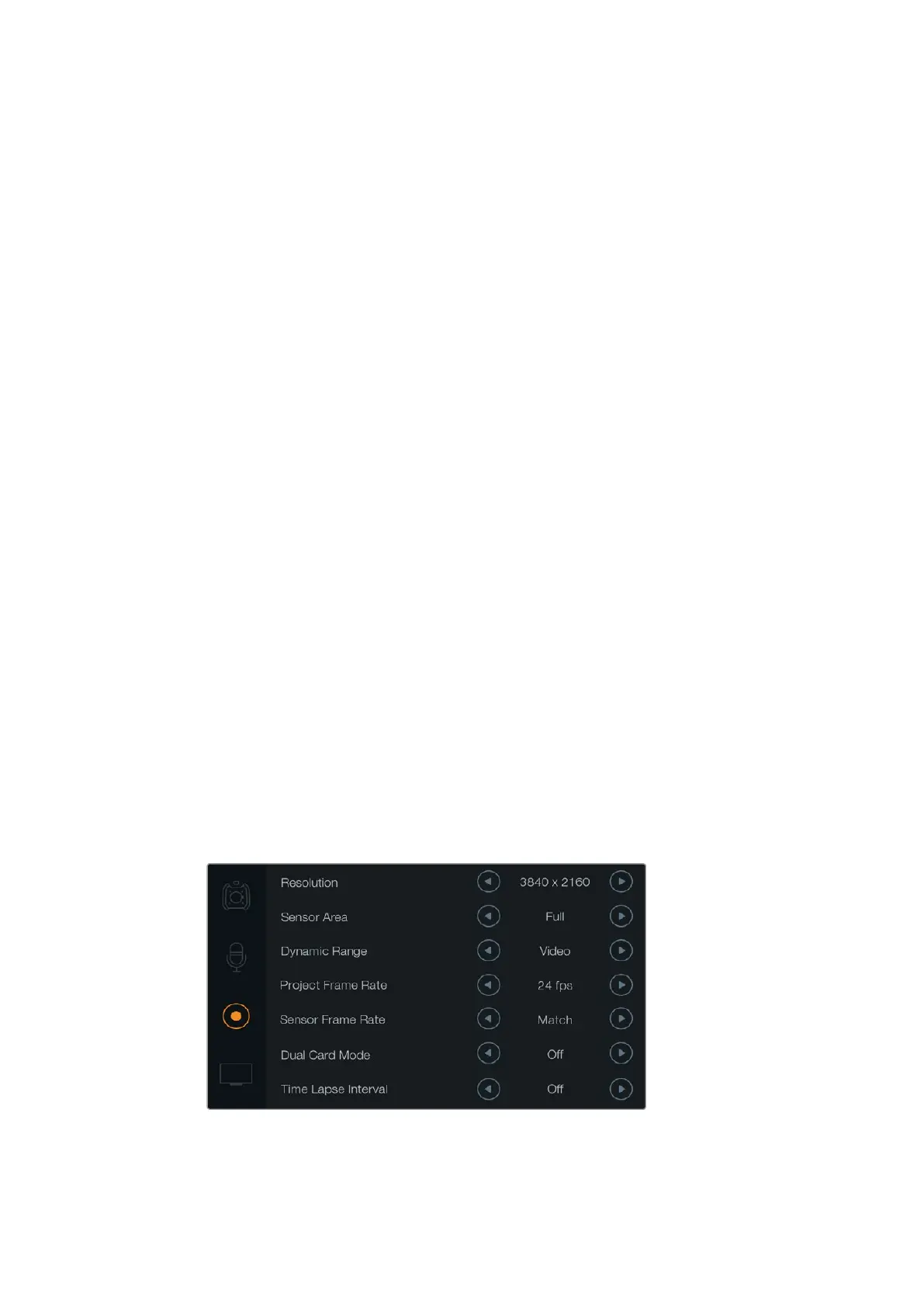
Adjust the ‘frame rate’ settings by tapping the frame rate arrow icons.
Blackmagic URSA has two frame rate settings; project frame rate and sensor frame rate.
Project Frame Rate
The project frame rate is URSA’s recording format frame rate and provides a selection
of common frame rates used in the film and television industry. For example, 23.98
frames per second using 4K ProRes HQ. This frame rate is normally set to match your
playback speed used in your post production workflow.
Your Blackmagic URSA has 8 project frame rate settings including 23.98, 24, 25, 29.97,
30, 50, 59.94 and 60 frames per second.
Sensor Frame Rate
The sensor frame rate sets how many actual frames from the sensor are recorded
every second. This frame rate will affect how fast or slow your video will play back
at your set project frame rate. For standard playback speed, make sure you set your
sensor frame rate to match your project frame rate by selecting ‘match’ in the sensor
frame rate settings.
For information on the maximum frame rates available for each recording format and
codec, refer to the ‘maximum sensor frame rates’ table in the ‘recording’ section of
this manual.
Variable Frame Rates
You can create dynamic and interesting speed effects in your clips by varying the sensor frame
rate. Setting the sensor frame rate higher than your project frame rate will create slow motion
during playback.
Alternatively, the lower your sensor frame rate, the faster your clips will appear. The principle is
similar to overcranking and undercranking a film camera. Overcranking speeds up the sensor
frame rate so you can stretch out moments in time during playback to enhance emotion.
Undercranking slows down the sensor frame rate so you can increase the action in fast moving
scenes. The creative possibilities are endless and entirely up to you!
A sensor frame rate higher than your project frame rate will result in
slowmotion. To ensure your recordedclips play back at standard speed,
set the sensor frame rate to match the project frame rate.
33Blackmagic URSA Settings












 To Next Page