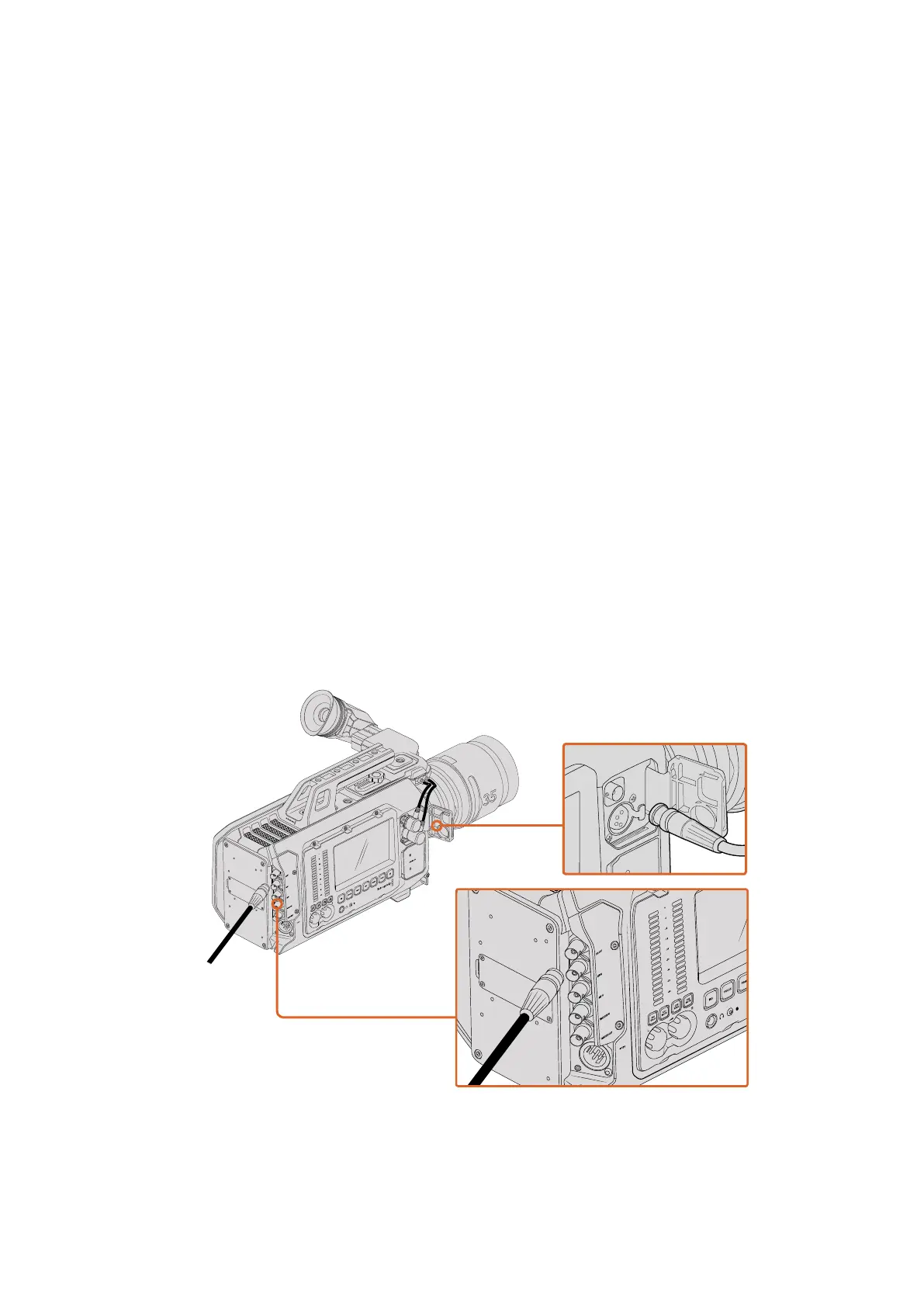
Camera Video Output
HD Monitoring Output
Blackmagic URSA’s down converted 3G-SDI out connector always outputs 1080HD video so
you can easily connect to routers, monitors, SDI capture devices, broadcast switchers and other
SDI devices. This output is labeled ‘Front SDI’ in the touchscreen settings menu.
12G-SDI Output
The 12G-SDI out connector on the rear panel supports HD and 4K video including High
Pformats such as 2160p50, 59.94 and 60 on a single SDI cable. Interlaced HD formats are also
supported including 1080i50, 59.94 and 60. You can use the 12G-SDI output to connect to
anySDI monitor as well as 4K switchers such as ATEM Production Studio 4K. This output can be
switched between HD and Ultra HD by selecting 1080p or 2160p from ‘display settings/SDI
mode’ on the touchscreen.
Connecting to Video Switchers
The SDI outputs allow you to use your camera for live television production. You can connect
the rear panel SDI output directly to production switchers for live production work, or to
ATEMCamera Converters to convert your signal to optical so you can send it hundreds of
meters to a broadcast truck on location.
When connected to a switcher, you can easily view the switcher’s program output on your
Blackmagic URSA. To do this, first connect the switcher to your camera’s rear 12G-SDI input.
Now press the ‘program’ button marked PGM on your camera’s fold out monitor. To switch back
to the camera image, simply press the PGM button again.
You can connect the 12G-SDI output to any 1080 HD or Ultra HD live production
switcher or monitor. The HD monitoring output can be plugged into an external
viewfinder, such as the Blackmagic URSA Viewfinder, or plugged into an external
monitor when mounted to production equipment. For example a jib arm or crane.
0
-6
-12
-18
-24
-30
-36
-42
-48
REF IN
SDI IN
SDI OUT
TIMECODE IN
TIMECODE OUT
CH1
SOLO
L
R
CH1
MUTE
CH2
SOLO
CH2
MUTE
IRIS
FOCUS
PEAK
DISP
MENU
SLATE
AUDIO IN
1
2
1
2
V
IRIS
FOCUS
PEAK
DISP
AUDIO IN
MENU
SLATE
CH1
SOLO
CH1
MUTE
CH2
SOLO
CH1
MUTE
SDI OUT
SDI IN
REF IN
TIMECODE IN
TIMECODE OUT
L
R
0
-6
-12
-18
-24
-30
-36
-42
-48
0
-6
-12
-18
-24
-30
-36
-42
-48
REF IN
SDI IN
SDI OUT
TIMECODE IN
TIMECODE OUT
CH1
SOLO
L
R
CH1
MUTE
CH2
SOLO
CH2
MUTE
IRIS
FOCUS
PEAK
DISP
MENU
SLATE
AUDIO IN
1
2
1
2
V
41Camera Video Output












 To Next Page