You can use industry standard third party external batteries such as V-mount or gold mount
batteries with your URSA. Refer to the ‘Mounting Batteries’ section for more information about
mounting the different types of battery plates to support different batteries.
To turn your camera on:
1 Press and promptly release the ‘power’ button. The power button is located
on the DOP station and camera assist and audio station. You are now ready to
insert CFast 2.0 cards and start recording!
2 To turn your camera off, simply press and hold the power button.
CFast Cards
Blackmagic URSA uses CFast 2.0 cards to record 4K, Ultra HD or HD video. CFast 2.0 cards are
capable of very high data rates so are perfect for recording HD and 4K video at high frame
rates. Refer to the record duration table in the ‘recording’ section for details on the maximum
frame rates that can be recorded in each format.
Inserting a CFast Card
To insert a CFast card.
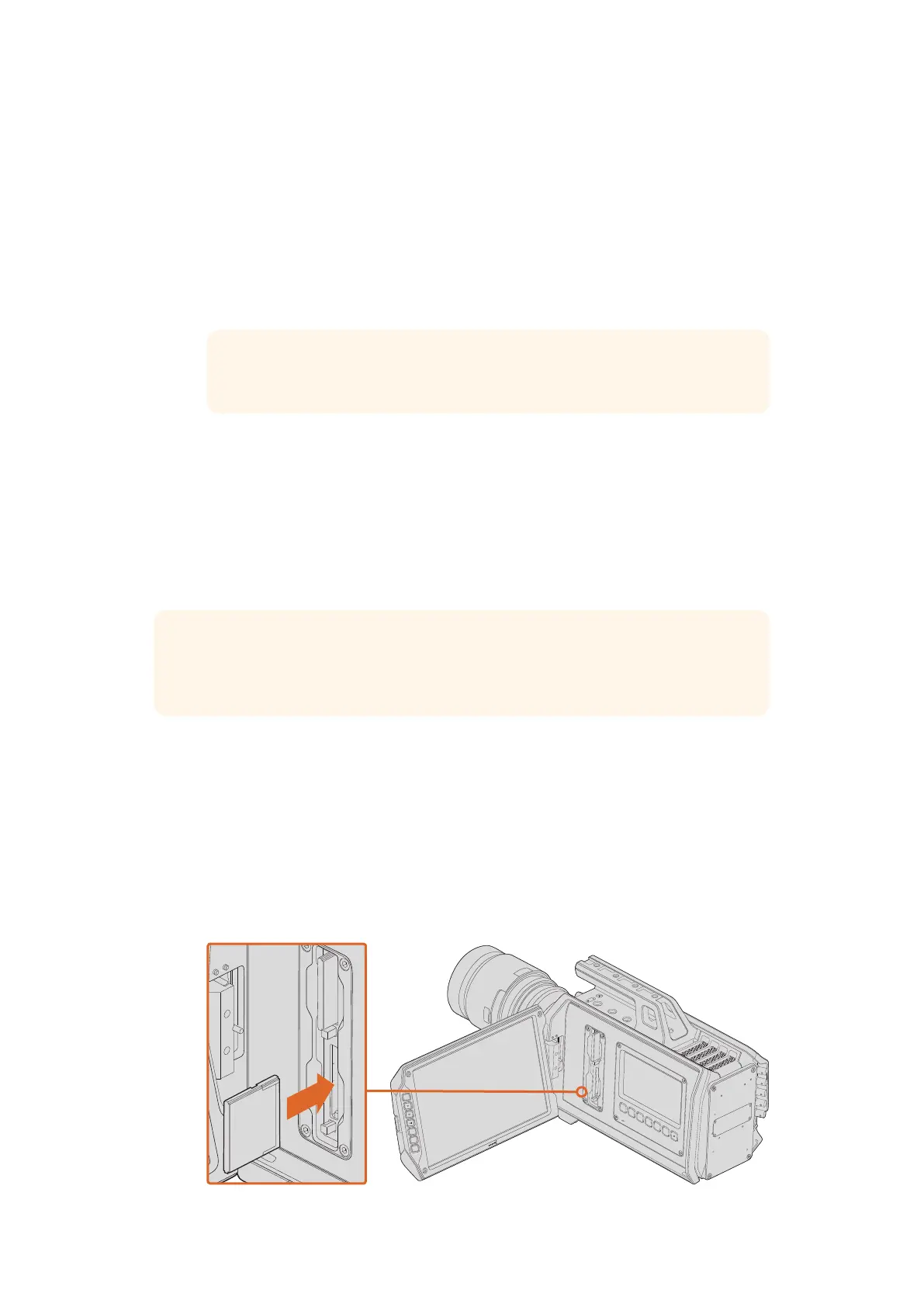
1 Open the fold out monitor to access the CFast slots.
2 With the label on the CFast card facing the touchscreen, insert the card until you feel it
lock into place.
3 On URSA, the status strip will display a moving dot while the camera checks the CFast card and
then it will say 'ready.' The touchscreen media timeline will display a time remaining indicator.
Inserting a CFast 2.0 card into one of Blackmagic URSA’s twoCFast slots.
TIP When turning the camera on, make sure you promptly press and
releasethe button. When turning off, press and hold.
TIP While CFast 2.0 cards are generally fast, some cards have slower write speeds compared
to read speeds, and maximum data rates can differ between models. Toensure reliable
recording in your chosen frame rates, use only the recommended cards listed in this manual.
IRIS
FOCUS
PEAK
DISP
MENU
SLATE
REC
ZOOM
DISP
PGM
IRIS
FOCUS
PEAK
DISP
MENU
SLATE
REC
ZOOM
DISP
PGM
9CFast Cards












 To Next Page