Blackmagic URSA
OverviewandConnectors
Your Blackmagic URSA is built with three workstations including the DOP station on the
operator side of the camera, plus the camera assist and audio station on the opposite side.
Thisprovides access to separate monitors and buttons so camera and audio crew can
changesettings and controls during a shoot.
Industry standard BNC connectors are built into the rear panel and the camera assist and audio
station. This lets you connect 12G-SDI video to and from the rear connectors, plus output
3G-SDI HD video from the camera assist and audio station for when connecting an HD signal to
accessories such as Blackmagic URSA Viewfinder.
Power is connected via the 4 pin XLR connector on the rear panel, and you can power accessories
and other video equipment via the 12V power XLR output on the camera assist and audio station.
DOP Station
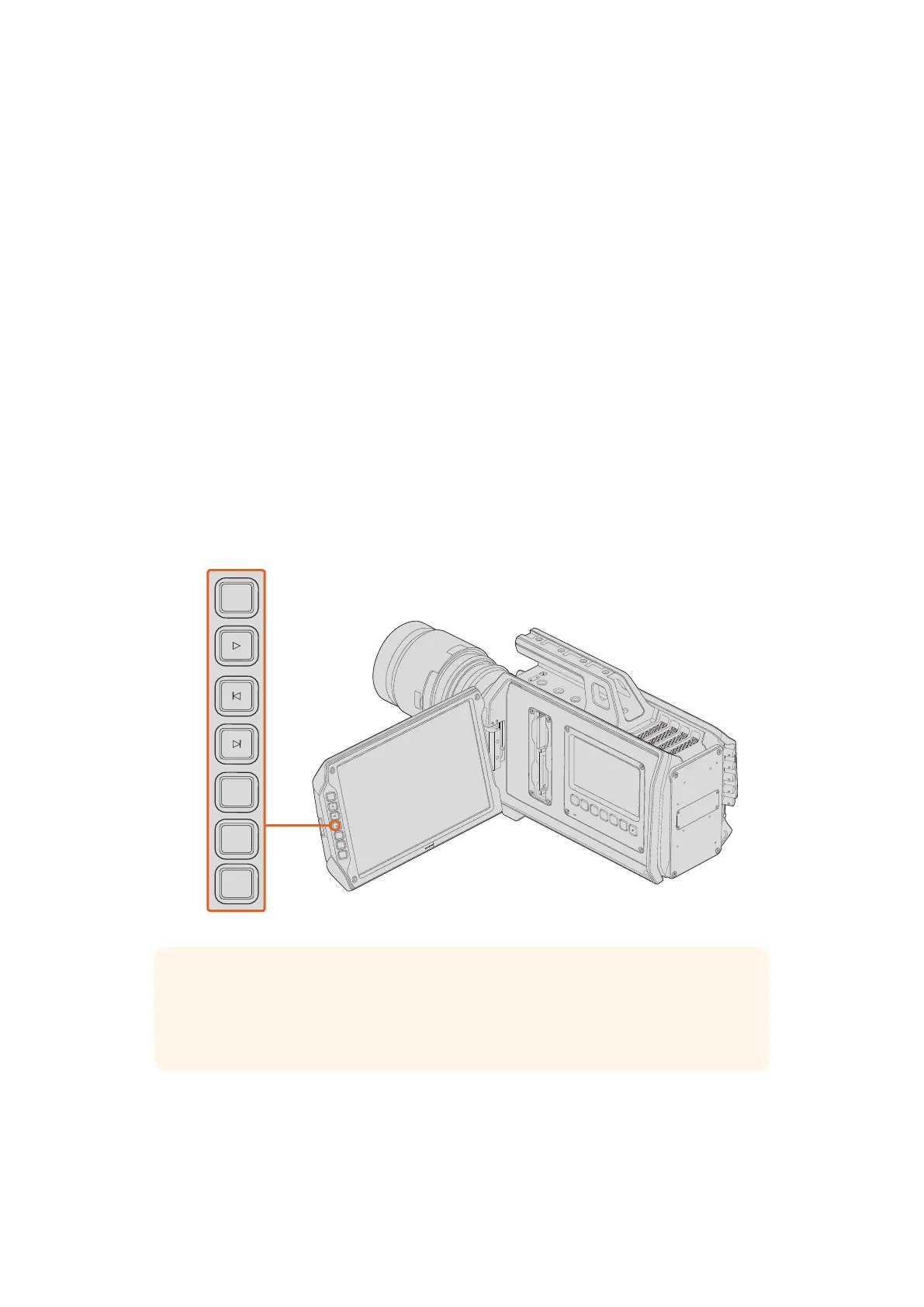
The DOP station provides the camera operator with a large 10” fold out monitor for accurate
focusing and framing. The size of the monitor lets you catch fine details and action in your
shotsthat could be easily missed on a smaller monitor.
10” LCD Viewfinder
The large fold out LCD monitor pivots up and down so you can shoot high and low angles.
Thesize of the monitor makes it easier to see the finest details in your image for more accurate
focusing, checking color, and general confidence in the shot.
IRIS
FOCUS
PEAK
DISP
MENU
SLATE
REC
ZOOM
DISP
PGM
REC
REC
ZOOM
ZOOM
DISP
DISP
PGM
PGM
TIP All the controls you need to record and play back your clips are on the outside
edge of the fold out monitor. These include transport controls, a display button for
turning overlays on and off, ‘zoom’ feature for focus assistance, and a program button
for switching the monitor between the camera image and the program input.
18Blackmagic URSA Overview and Connectors












 To Next Page