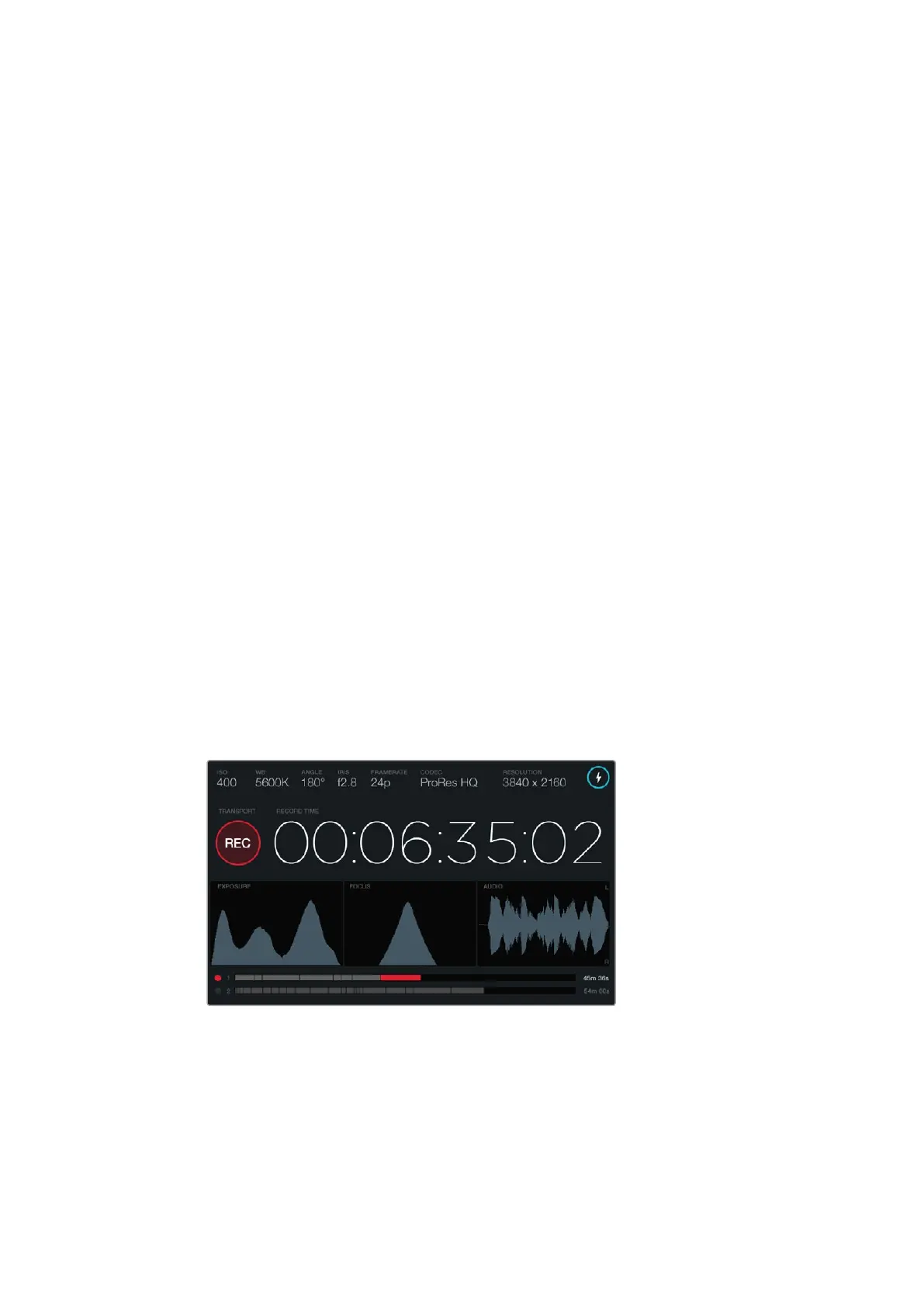
Duration Display
The duration display provides a timecode counter for checking the duration of your clips and monitoring
timecode during recording and playback. The counter displays a time sequence showing
Hours:Minutes:Seconds:Frames and will progress through the sequence as you record or play back clips.
The displayed duration of each clip starts from 00:00:00:00 for the first clip, or from the end of
the previous recorded clip. For example, if a clip stopped recording at 00:06:25:00, the next
clip will start recording at 00:06:25:01.
Clip duration is displayed on the touchscreen, however time of day timecode is embedded into
your clips for post production, so it’s worth regularly checking the time settings in the ‘camera’
settings menu to make sure they are always accurate.
Transport Display
The transport display provides a bright colored icon that indicates which transport buttons are
being used. The icon also provides a dropped frames alert if frames are dropped during
recording, and displays FULL when recording has reached maximum capacity.
Exposure Scope
The exposure scope displays a histogram which shows the contrast between whites and blacks
along a horizontal scale. The left edge of the histogram displays shadows, or blacks, and the far
right displays highlights, or whites. When you close or open the lens aperture, you’ll notice the
information in the histogram moves to the left or rightaccordingly.
To achieve optimum exposure, set your lens aperture so the information is distributed towards
the right of the histogram and curves to a point at the bottom right edge. This is known as ETTR,
or exposing to the right.
Focus Scope
The focus scope displays a bell curve that moves up and down as you focus and defocus your
lens. The height of the curve depends on the amount of detail in your picture. For example, in
images containing lots of detail, the curve will be higher and more pronounced. When the curve
peaks relative to the amount of detail in your image, you’ll know your image is in perfect focus.
When the peak of the focus scope curve reaches its highest
point, you’ll know your image is in focus.
Audio Scope
The audio scope displays a continually updating waveform showing the previous 3 seconds of
audio. If you hear a loud sound while recording, you can easily check if your audio is clipped
because the waveform will display red tips on the waveform spikes. You can make adjustments
to avoid clipping by turning the audio level adjustment knobs counterclockwise until the audio
meter stops rising above 0dB.
2727Blackmagic URSA Overviewand Connectors












 To Next Page