CAPINTEC, INC. CAPTUS
®
4000e
7-8 THYROID UPTAKE November 16
Figure 7-4
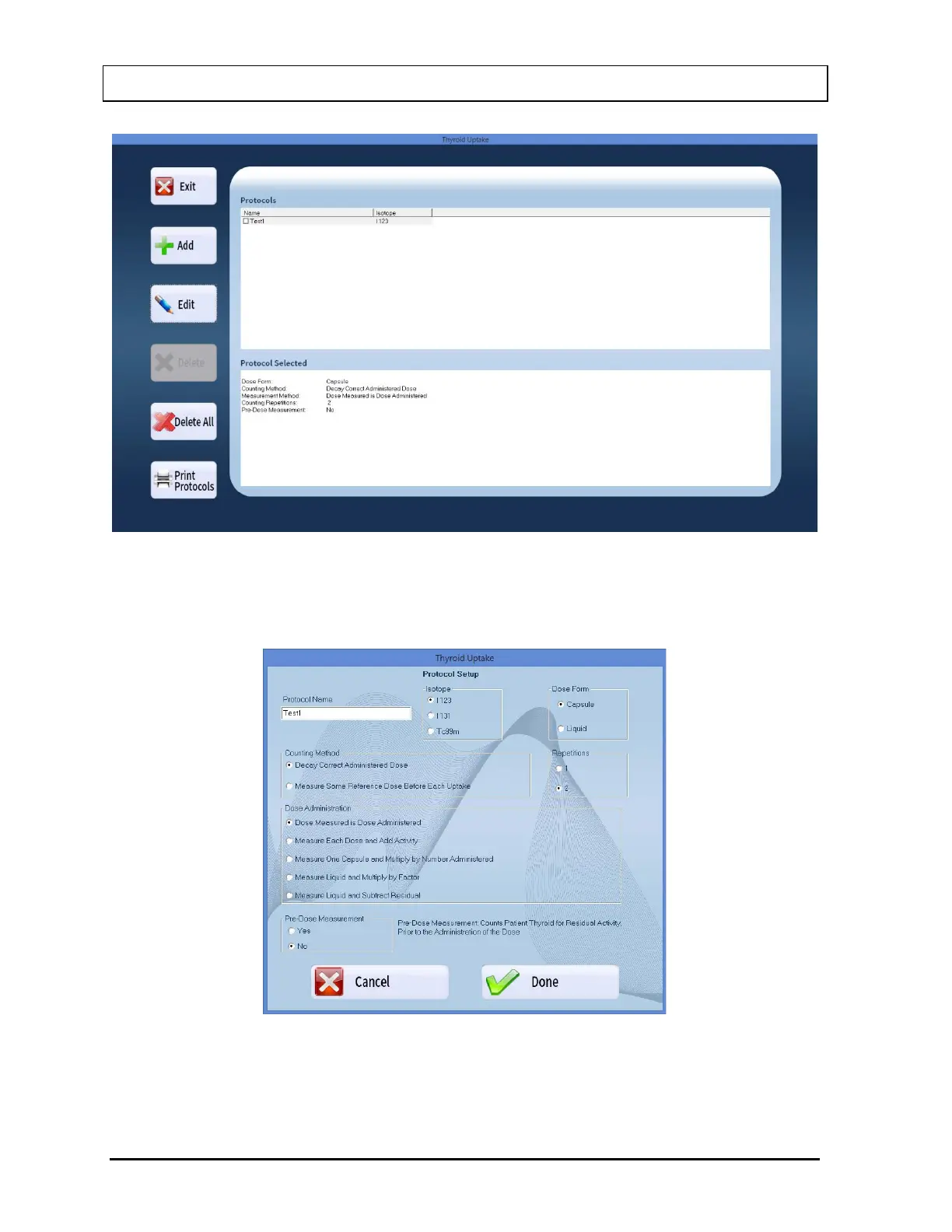
2. Select the Edit button to edit any settings. Figure 7-5 will appear populated with the
selected Protocol’s settings.
Figure 7-5
3. Select the appropriate radio button(s) to make new selections. To change the name of
the protocol, click in the Protocol Name text box and type over the existing name.



 To Next Page