CAPINTEC, INC. CAPTUS
®
4000e
August 15 ABSORBED DOSE ALERT 9-25
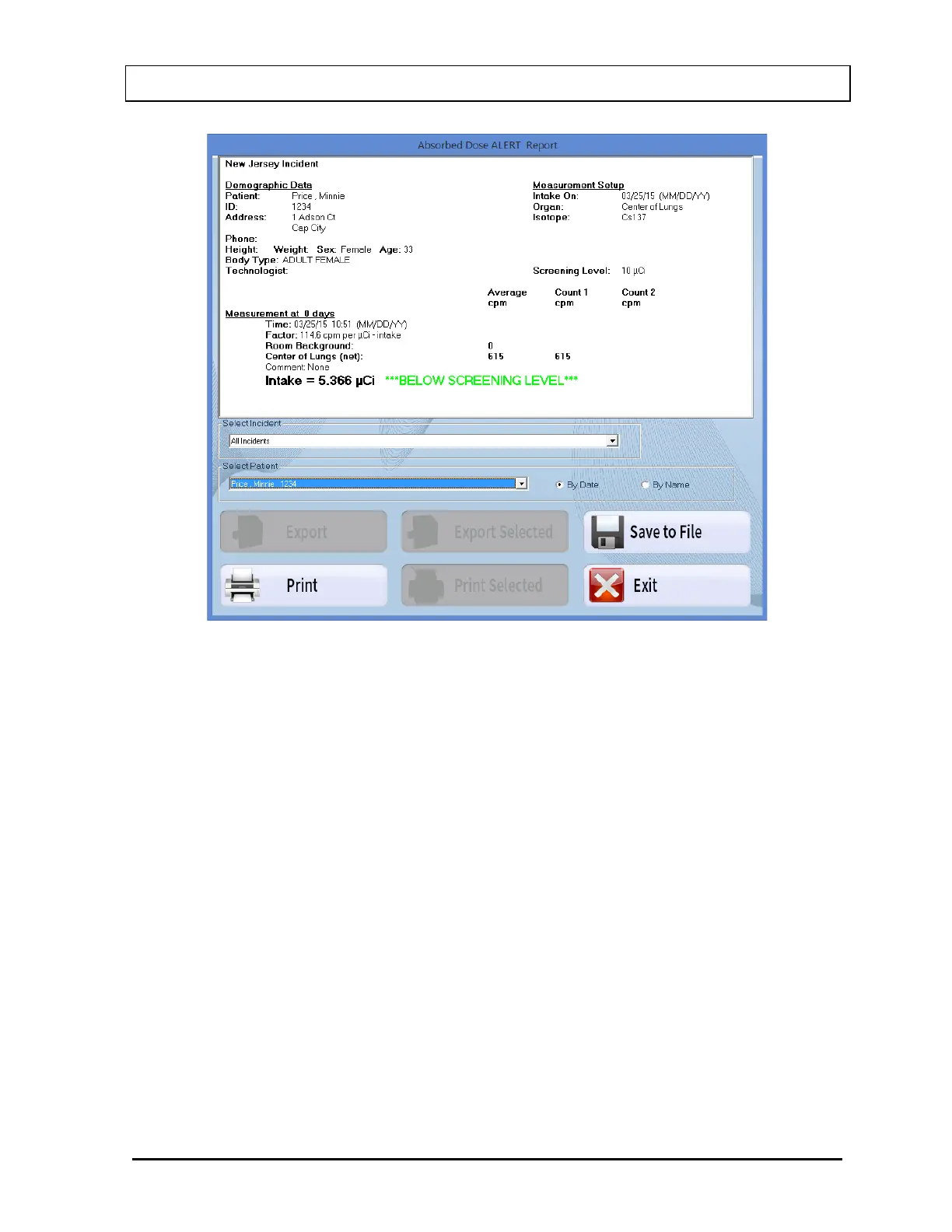
Figure 9-33 Patient Report
For each measurement, the following information is displayed:
• Measurement at x days: Elapsed Time in days
• Time: Date/time of the measurement
• Factor: Conversion factor in cpm/µCi; (in cps/Bq for Becquerel mode)
• Room Background: Background measurement
• Organ: Net cpm (cps in Becquerel mode) for the measured organ. Includes
counts for the first and second repetition
• Comments: User comments, as necessary
• Intake: Calculated intake displayed in µCi (MBq in Becquerel mode). Note: If
the Screening Level was entered, “BELOW SCREENING LEVEL” or “ABOVE
SCREENING LEVEL” will be displayed.
7. Select the Print button to print a detailed report for the patient.
8. To save the displayed report or summary, select the Save to File button or press
Alt+S. The Save As box appears as shown in Figure 9-34. Reports are saved as an
RTF file in the Reports folder by default.



 To Next Page