CAPINTEC, INC. CAPTUS
®
4000e
August 15 TIME ACTIVITY ANALYSIS 12-3
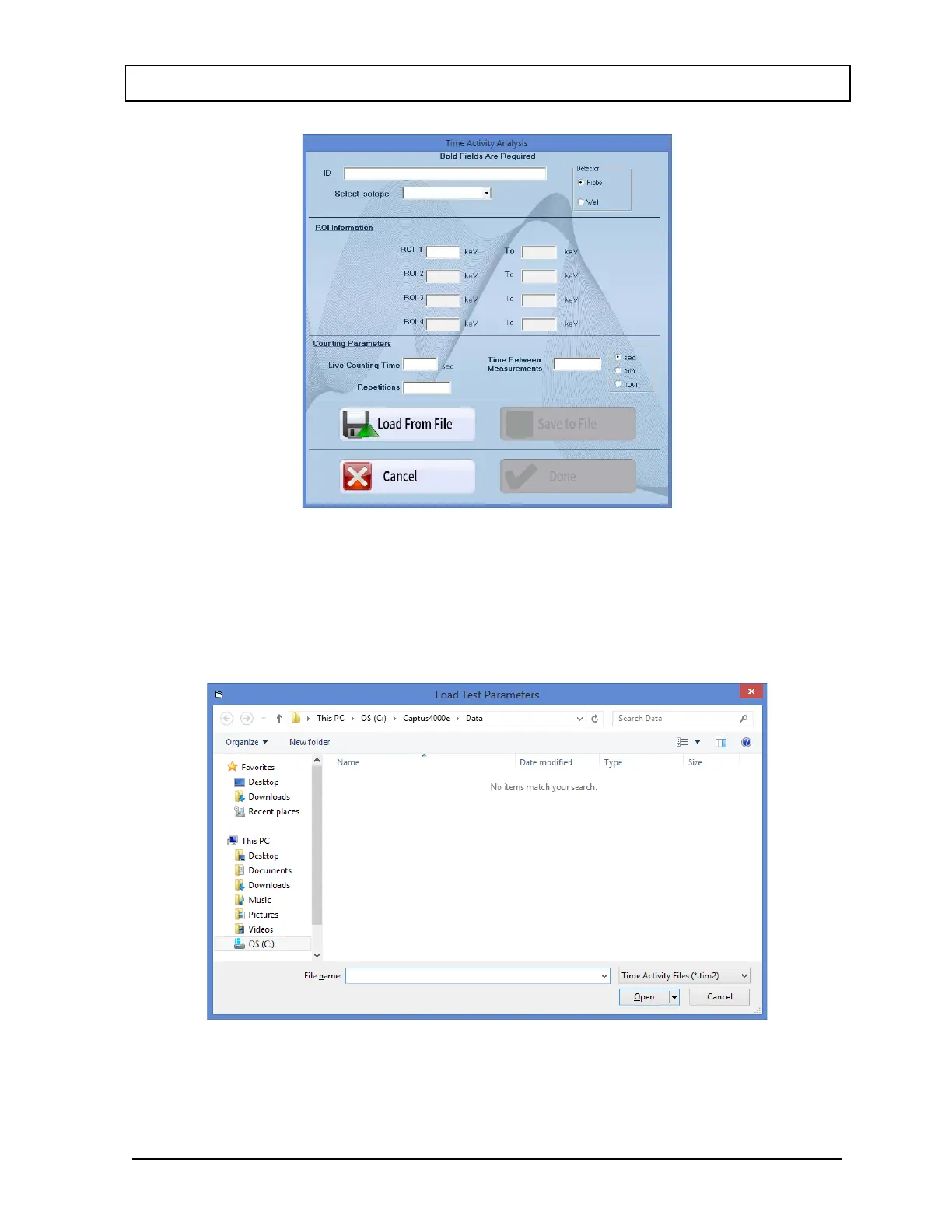
Figure 12-2
a. To input parameters from a previously saved .tim2 file, select the Load From File
button or press Alt+L. The screen appears as shown in Figure 12-3. Select the file
name to open it. Parameters are automatically entered into the appropriate boxes.
Note: Only .tim2 files can be loaded on this screen.
Figure 12-3
b. To manually input parameters, perform the following steps:



 To Next Page