CAPINTEC, INC. CAPTUS
®
4000e
August 15 MCA 13-9
• Define an ROI by typing – Type in the lowest channel of the ROI in the Start
Channel text box, and the highest channel in the End Channel text box.
• Define an ROI by clicking in the spectral display area – Place the arrow on the left
side of the ROI and left-click. The channel number will appear in the Start Channel
text box. Place the arrow on the right side of the ROI and left-click. The channel
number will appear in the End Channel text box.
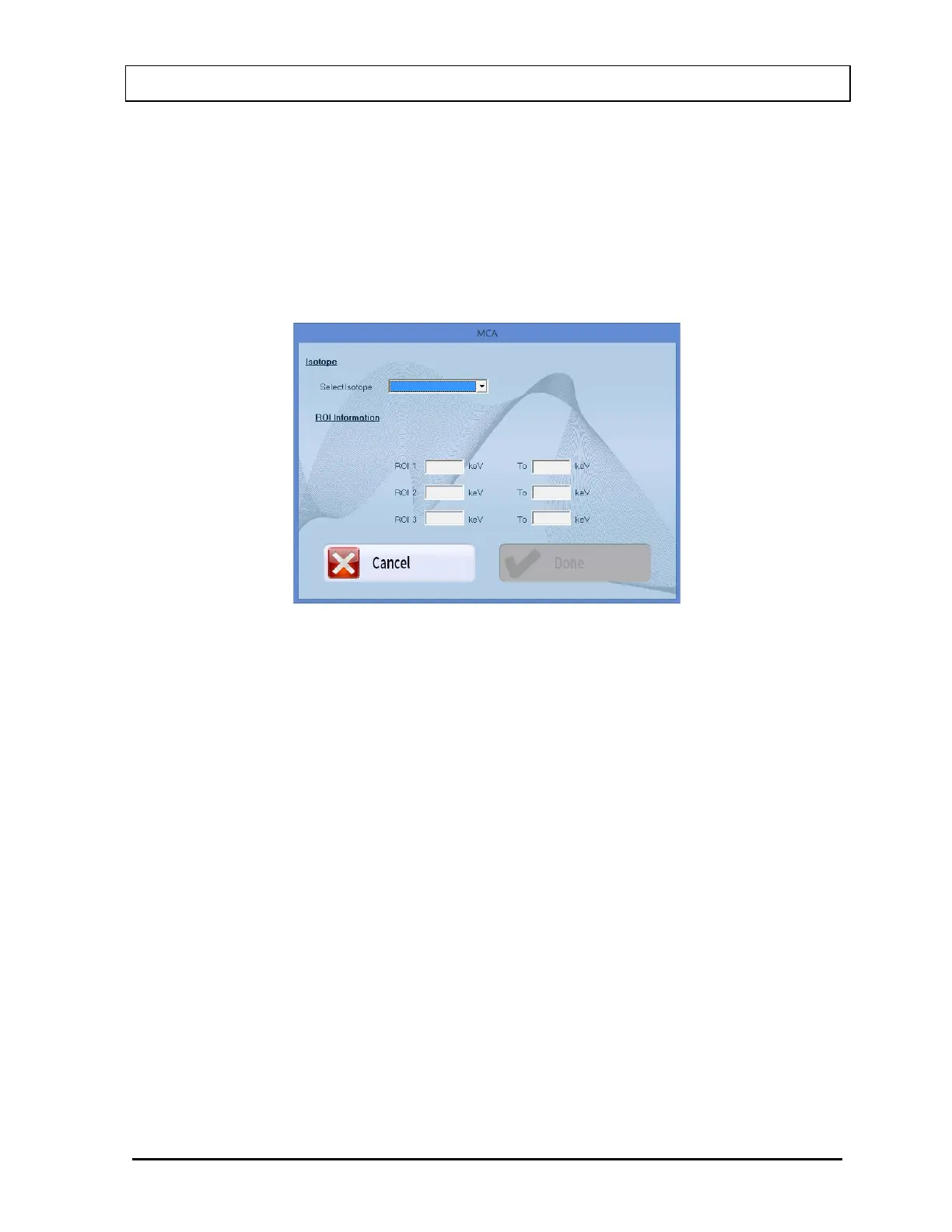
• Define an ROI from an Isotope – Select the ROI From Isotope button on Figure
13-1 MCA Main Screen. The screen shown in Figure 13-10 will appear.
Figure 13-10
Select the desired isotope by clicking on the down arrow in the Select Isotope drop-
down box to view the isotope list. Select the Done button to enter the displayed ROIs
into the MCA ROI list on Figure 13-1 MCA Main Screen. (Note: any previous MCA
ROI entries will be deleted).
After both start and end channel numbers have been defined, the total number of counts in
the ROI will appear in the box labeled Integral contained in the ROI frame. The ROI will be
displayed in red on the spectral display area as shown in Figure 13-2.
To delete an ROI that has already been defined, use the up and down arrow keys beside the
ROI number box to select the correct ROI number. Select the Clear This ROI button. All
ROIs can be deleted with the Clear All ROIs button.
ROIs are retained only while in the MCA module. They are not transferred to any other
module. ROIs defined in the MCA module must be saved to disk and recalled for future use.
Detailed instructions for saving and recalling count data or MCA settings are provided in the
SAVE AND RESTORE COUNT DATA OR MCA SETTINGS section. The count data and ROI
information are also printed on the hard copy report of any spectrum.



 To Next Page