CAPINTEC, INC. CAPTUS
®
4000e
5-4 QUALITY ASSURANCE August 17
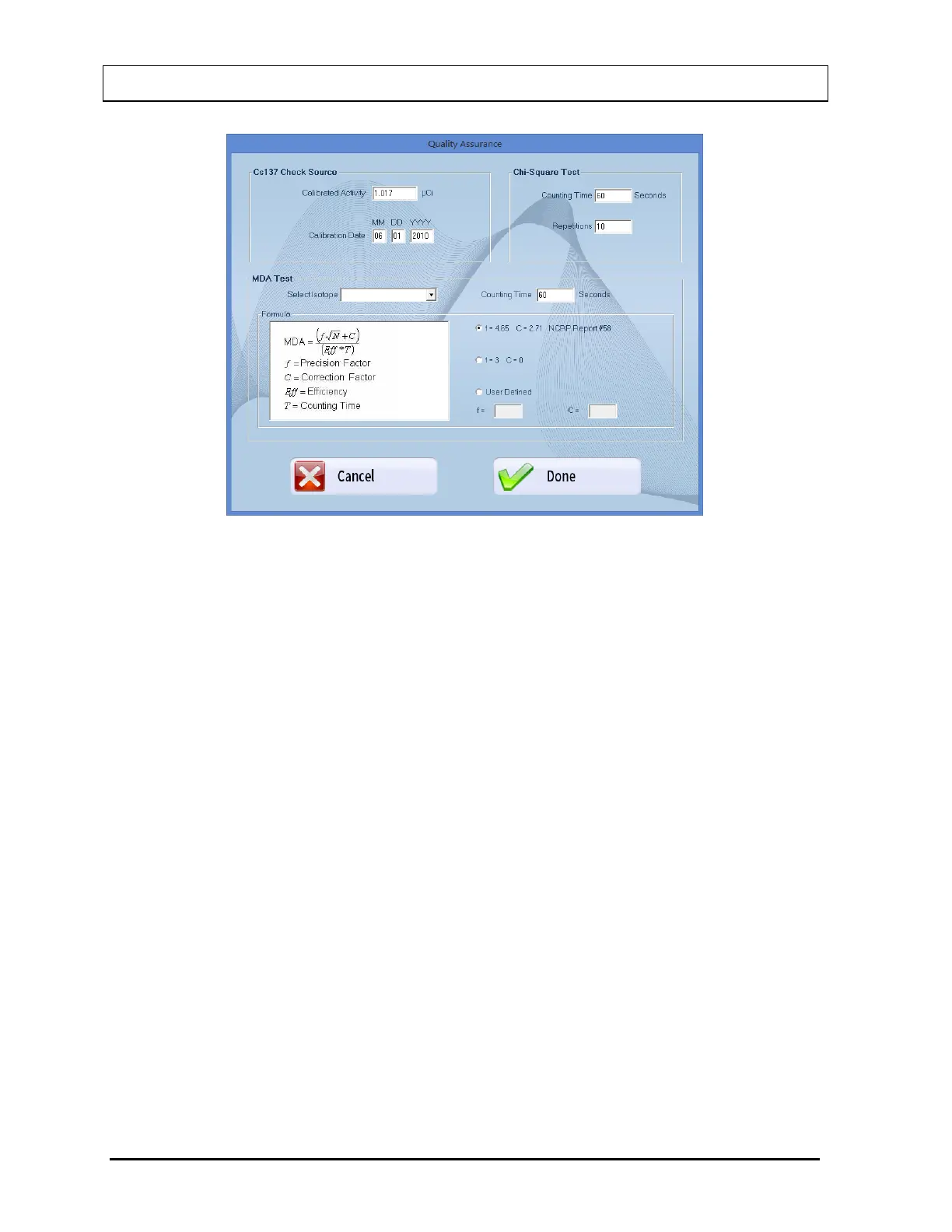
Figure 5-2 Quality Setup Screen
2. Constancy Test Parameters – These are provided in the Cs137 Check Source frame.
Enter the Calibrated Activity and Calibration Date in the appropriate text boxes marked
on the Cs137 standard source.
3. Chi-Square Test – Counting Time is the duration over which counts are collected each
time and Repetitions is the number of times the counts are collected. They are set by
default to a value of 60 seconds and 10 repetitions, respectively. To change these
values, click in the appropriate text box in the Chi-Square Test frame and type in the
new values. Restrict the Repetition value to 5, 10, 15 or 20.
4. MDA Test Parameters
a. Click in the Select Isotope drop-down box. View the drop-down list and select the
desired isotope. This defines the ROIs over which the activity will be measured.
Without an isotope selection, the MDA Test cannot be performed.
b. To change the default Counting Time, click in the Counting Time box in the MDA
Test frame and type in the new value.
c. To alter the values being used in the formula (as shown on the left side) for MDA
calculation, select the desired radio button in the Formula frame.
Note: The default settings for Precision Factor (f) and Correction Factor (C) are 4.65
and 2.71 respectively (Knoll method). Selecting the User Defined radio button
enables the text boxes for entering your own values of (f) and (C).
5. Select the Done button or press Alt+D to save the changes or select the Cancel button
to cancel the changes made and return to Figure 5-1 Quality Assurance Main Screen.



 To Next Page