CAPINTEC, INC. CAPTUS
®
4000e
5-12 QUALITY ASSURANCE August 17
Note: This is a one-time procedure and should not to be repeated unless the
Constancy Test is unsuccessful.
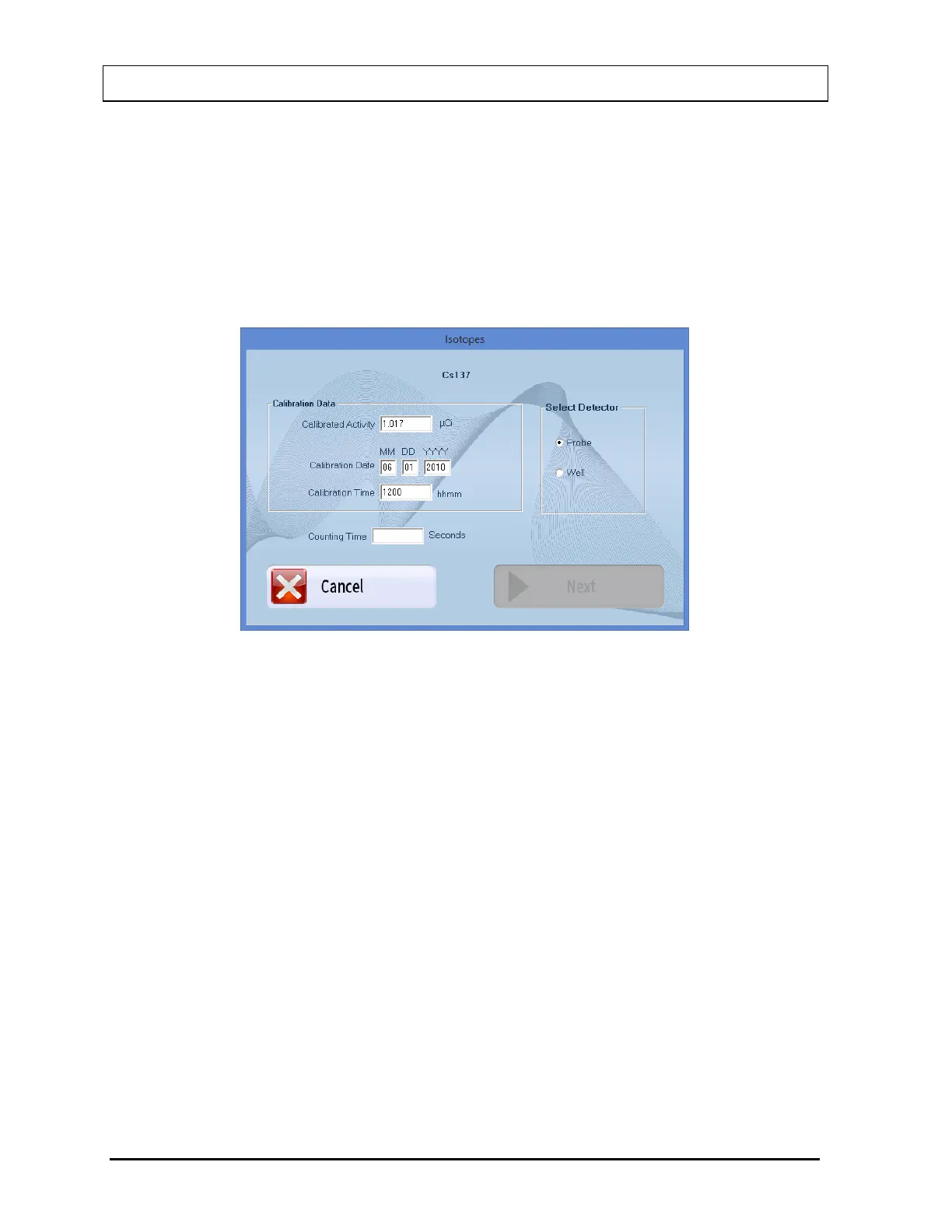
a. Select the Cs137 Efficiency button at the top of the screen or press Alt+C. The
screen appears as shown in Figure 5-12. Calibrated Activity and Date are already
entered from the QA Setup performed above.
Note: Cs137 Efficiency is enabled only after Auto Calibration has been performed
that day.
Figure 5-12
b. Input the Counting Time in seconds.
c. Note the detector selection. To change the selection, select the appropriate radio
button in the Select Detector frame.
d. Select the Next button. Figure 5-13 will appear.



 To Next Page