AlterPath ACS Installation, Administration, and User’s Guide 137
Applications
3. Click “apply changes.”
Software Upgrade [for the AlterPath PM]
On the “Software Upgrade” form under Applications > IPDU Power Mgmt.,
you can upgrade the software on AlterPath PM IPDUs.
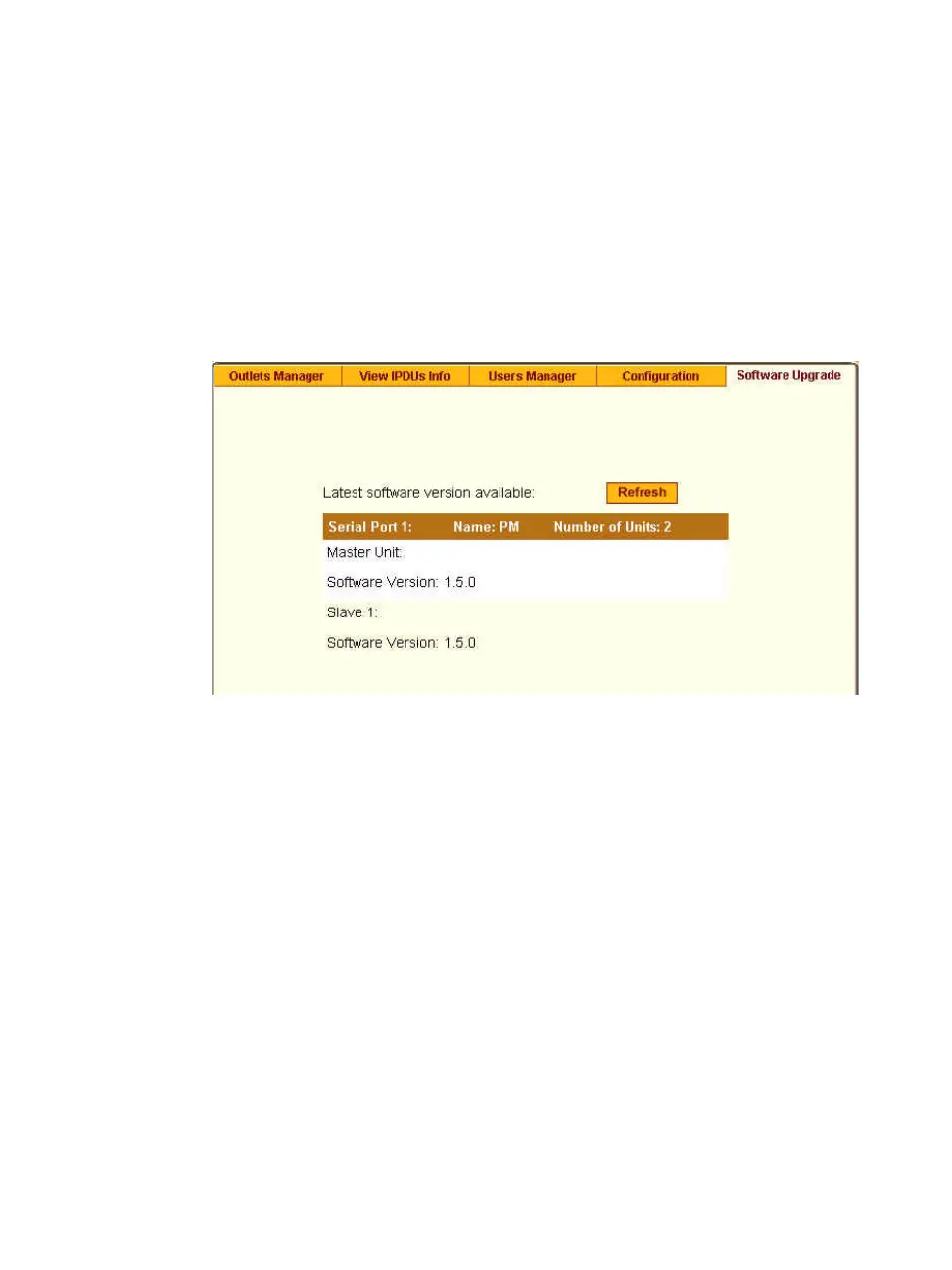
The following figure shows the Software Upgrade form listing the current
software version on the AlterPath PM IPDU connected to Serial Port 1.
Figure 7-13:Expert > Applications > IPDU Power Mgmt. > Software
Upgrade
An entry for each serial port configured for power management, and
information about each directly-connected PM is displayed. The primary
connected IPDU is referred to as the “master”, and any daisy-chained PMs are
called “slaves.” The form displays the version number of the software that is
currently installed on each PM.
To upgrade IPDU software using this form, you first must download a more-
recent version of the AlterPath PM software into the ACS’s /tmp directory
with the filename pmfirmware. Clicking the “Refresh” button checks for a
more-recent version of the PM firmware in the /tmp/pmfirmware file. If
the /tmp/pmfirmware file is present and the software version it contains
is more recent than the installed version, information about the new version is
displayed, and an “Update” button appears on the form.



 To Next Page