Ports Menu & Forms
296
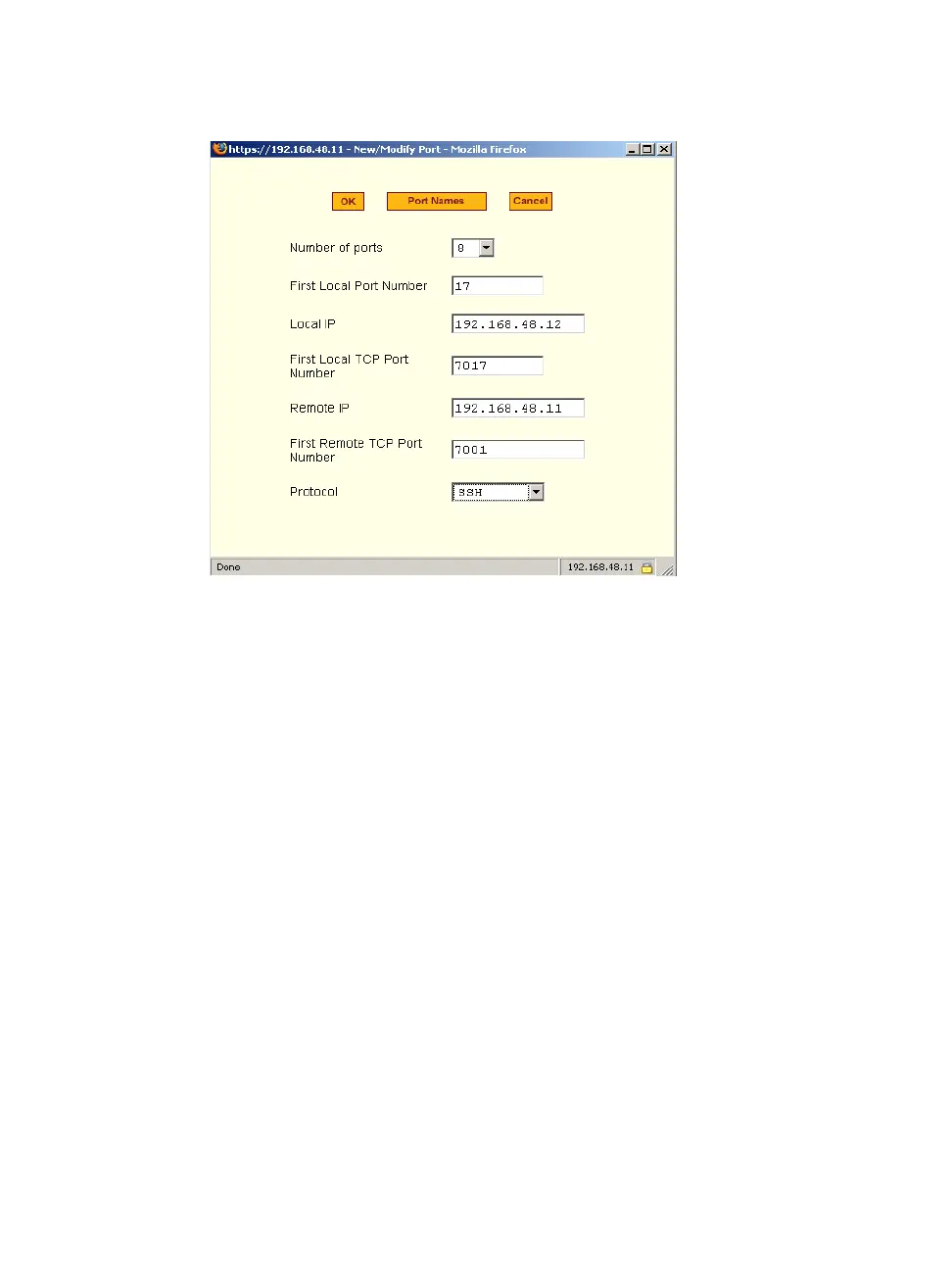
Figure 10-35: Expert > Ports > Virtual Ports > New/Modify Port Dialog Box
2. From the drop-down menu select the number of ports that you want to
assign as slaves.
Choices are 1, 4, 8, 16, 32 and 48.
3. Enter the “First Local Port Number”.
This is the first port number on the master, after the last port number on
the master.
4. Enter the “Local IP” address.
This is the IP address of the master.
5. Enter the “First Local TCP Port Number”.
This is the first TCP port number on the master, after the last port number
on the master.
6. Enter the “Remote IP” address.
This is the IP address of the slave.
7. Enter the “First Remote TCP Port Number”.



 To Next Page