AlterPath ACS Installation, Administration, and User’s Guide 285
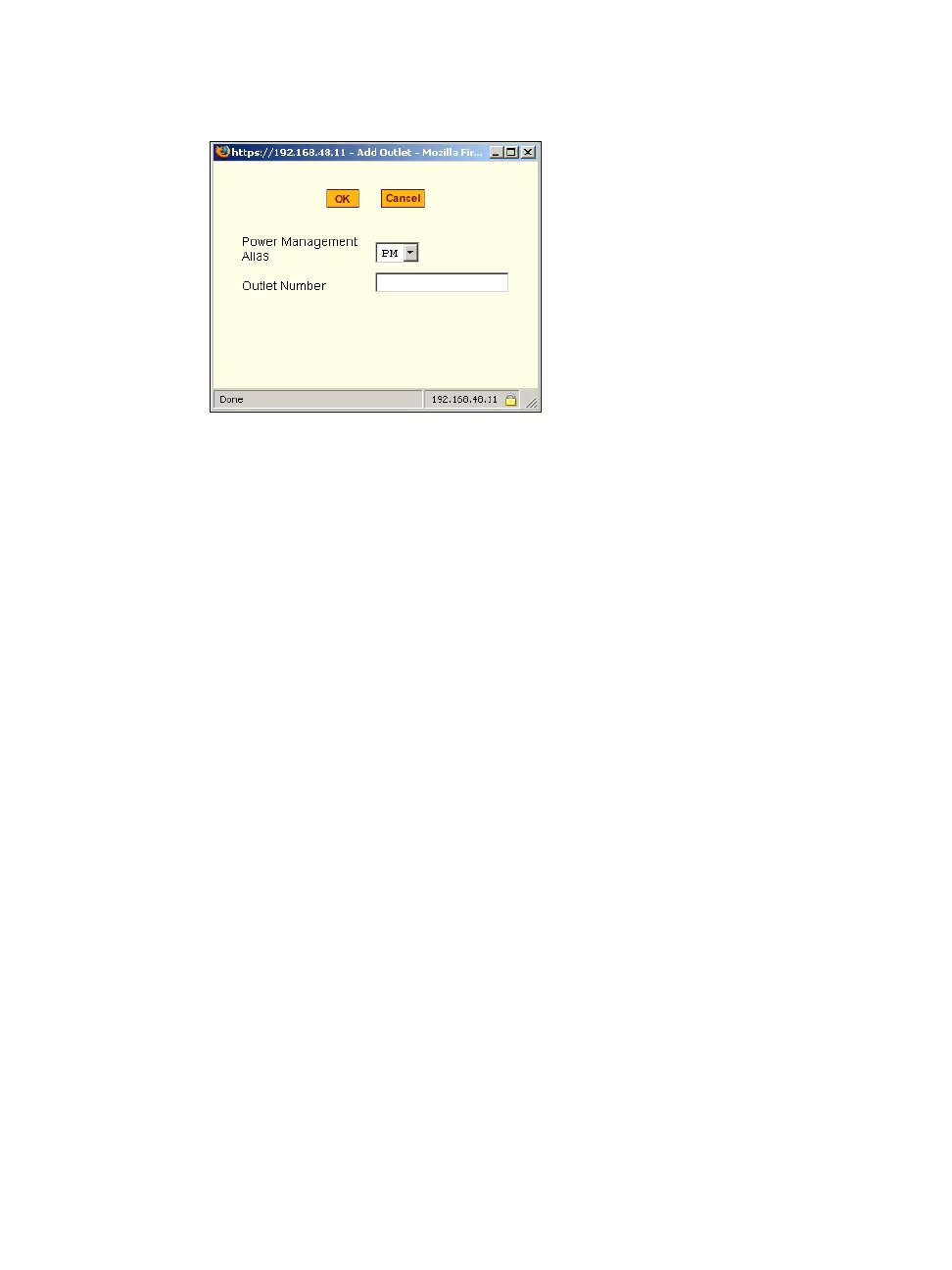
Figure 10-28: Expert > Ports > Physical Ports > Power Management > Add
Outlets Dialog Box
The “PM” on the “Power Management Alias” pull-down menu in the example
figure indicates that a serial port is configured for power management, and an
IPDU is connected to the configured port. Entered outlet numbers are
separated by commas. You would specify outlet number 1,2,3,4 as shown in
the figure.
T To Configure a Serial Port for IPDU or IPMI Power
Management
1. Go to Ports > Physical Ports, select a port or ports to modify, click the
appropriate Modify Ports button, and the Power Management tab.
2. To enable Power Management of a device connected to the current port
and plugged into a connected IPDU, click “Enable Power Management on
this port.” and perform the following steps.
a. Select the name of a port configured for power management and click
the “Add” button.
The “Add Outlet” dialog box appears.
b. Enter the outlet number(s) into which the device is connected to
separated by commas.
c. Click OK.
The power management port and the specified outlet numbers display
on the PowerMgmt Port list.



 To Next Page