Ports Menu & Forms
268
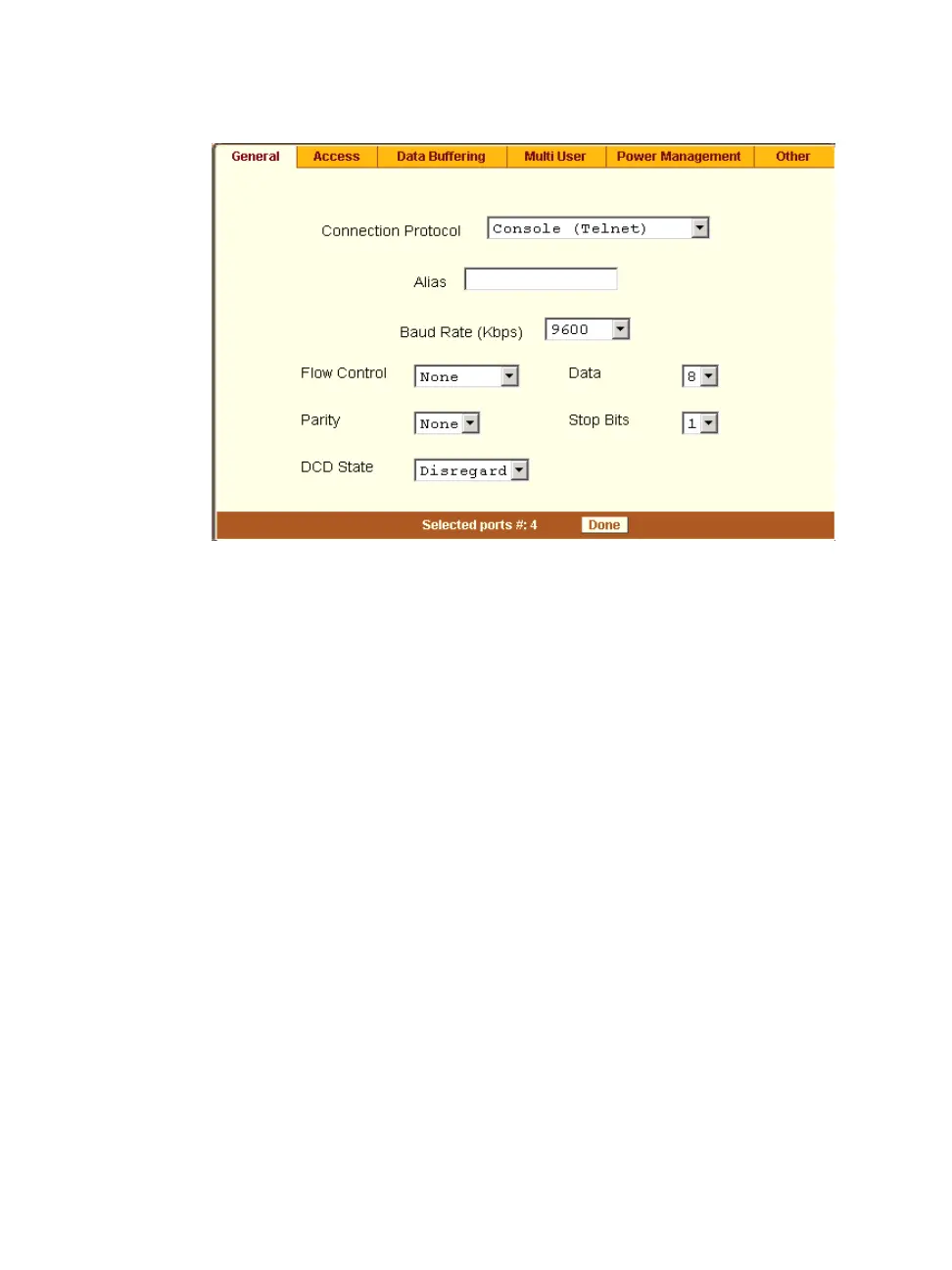
Figure 10-21: Expert > Ports > Physical Ports > Serial Port Settings
2. To change the baud rate, select an option from 2400 to 921600 Kbps from
the Baud Rate pull-down menu.
The default is 9600, which is the most common baud rate for serially-
managed devices.
3. To change the flow control, select None, Hardware, or Software from the
Flow Control pull-down menu.
The default is None.
4. To change the parity, select None, Odd, or Even from the Parity pull-down
menu.
The default is None.
5. To change the data size, select an option from 5 to 8 from the Data pull-
down menu.
The default is 8.
6. To change the stop bits, select 1 or 2 from the stop bits pull-down menu.
The default is 1.



 To Next Page