Security Menu & Forms
232
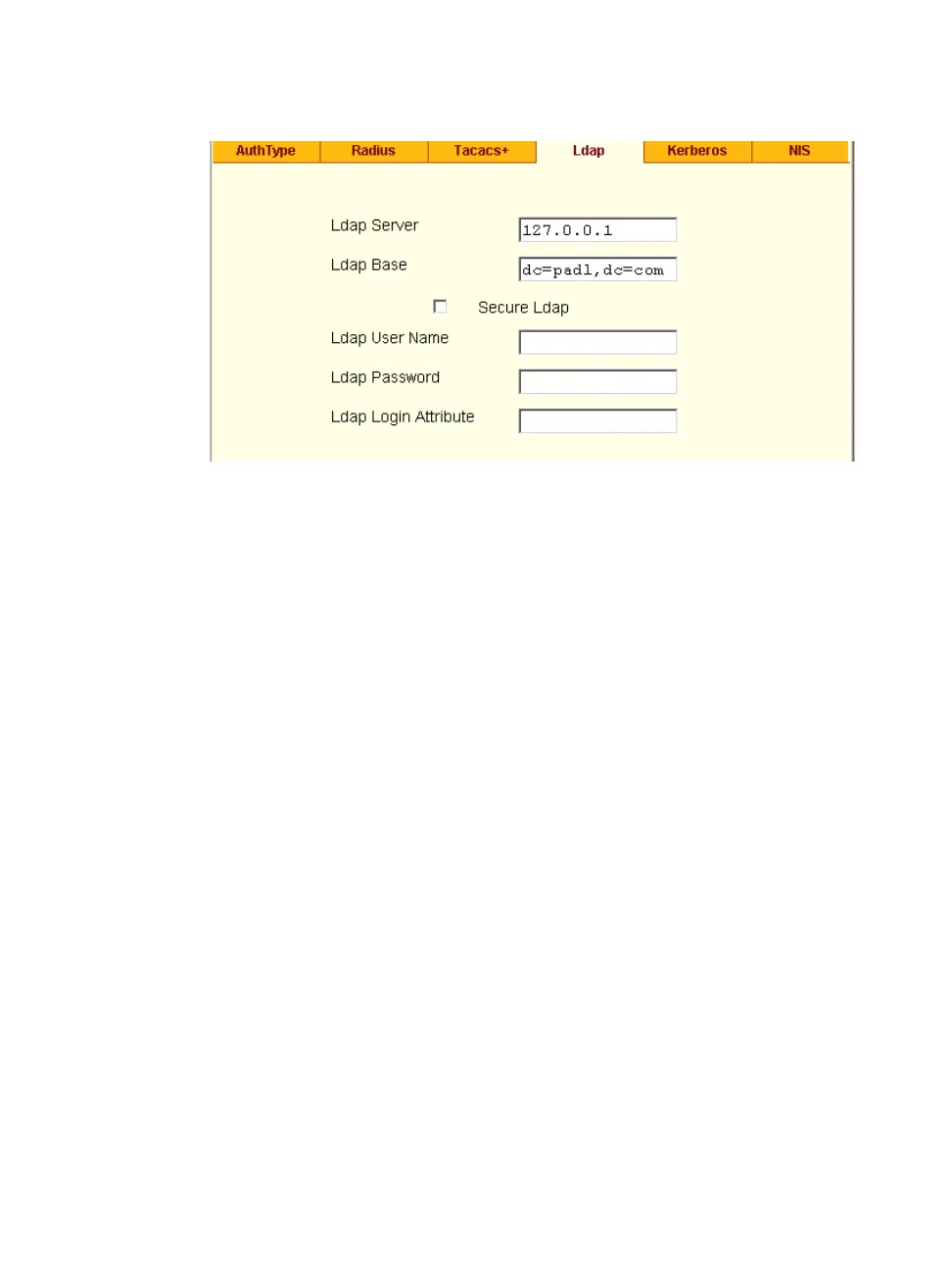
Figure 9-9: Expert > Security > Authentication > LDAP
2. Supply the IP address of the LDAP server in the “LDAP Server” field.
3. If the LDAP authentication server uses a different distinguished name for
the search base than the one displayed in the “LDAP Base” field, change
the definition.
The default distinguished name is “dc,” as in dc=value,dc=value. If
the distinguished name on the LDAP server is “o,” then replace dc in the
base field with o, as in o=value,o=value.
4. Replace the default base name with the name of your LDAP domain.
For example, for the LDAP domain name cyclades.com, the correct entry
is: dc=cyclades,dc=com.
5. Enable “Secure LDAP”, if required.
6. Enter optional information in “LDAP User Name”, “LDAP Password”,
and “LDAP Login Attribute” fields.
7. Click “apply changes.”
The changes are stored in /etc/ldap.conf on the ACS.



 To Next Page