1‑95
Chapter 1 Troubleshooting
Version 2 2007.05.22
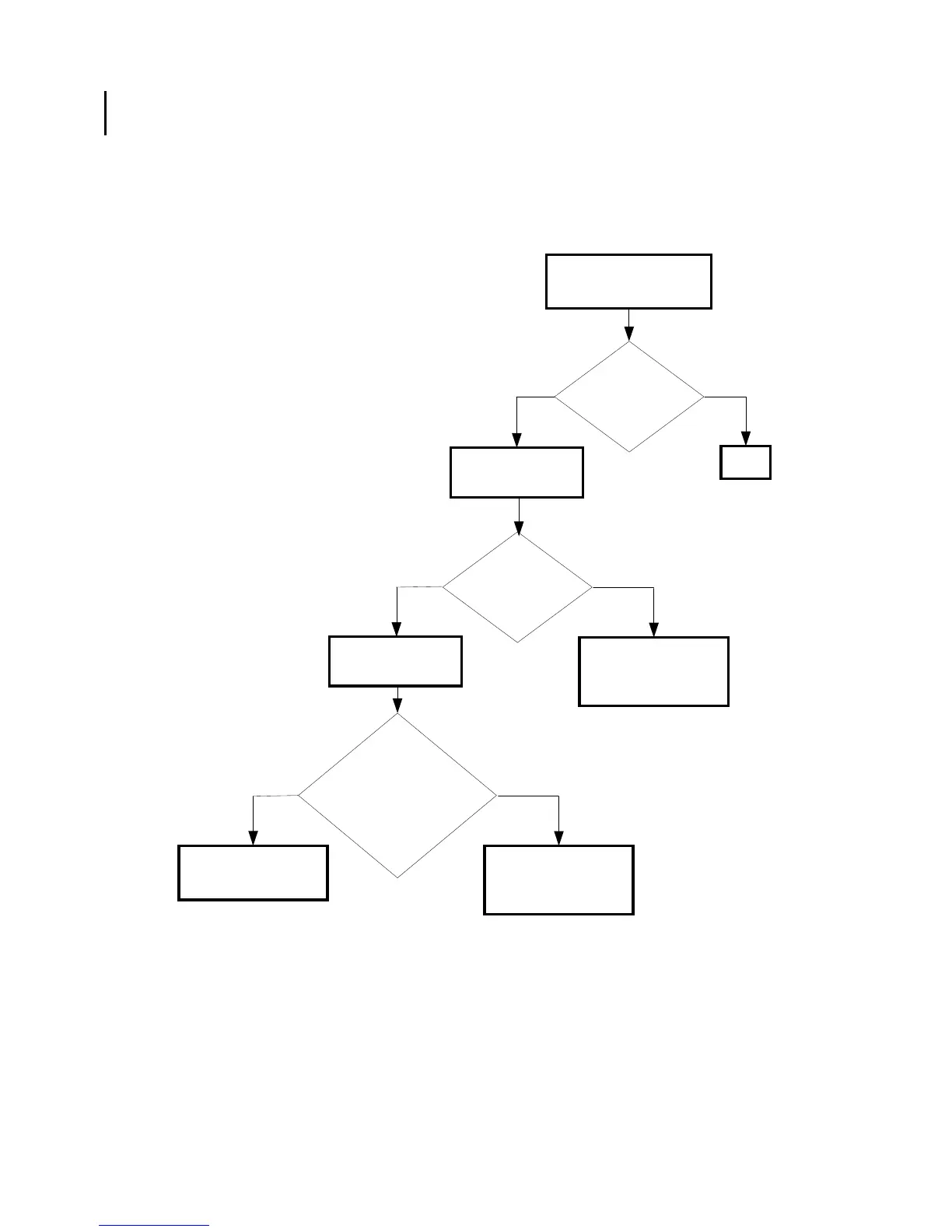
FIP-1. 12 Restart Printer 007-344/007-348/007-351/007-353/007-354/007-357/007-359/
007-360/007-362/007-363/007-364/007-366/007-367/007-368/007-369/007-370
NoYes
Possible causative parts:PWBA MCU (PL9.1.20)
550 OPTION FEEDER (PL13.7.1)
Checking the paper
cassette installation
Reseat the paper cassette.
Checking the Feed
Motor.
No
Yes
Replace the PWBA
MCU. (Removal 67/
Replacement 55)
Does the error still
occur when turning
on the power?
END
Does the
Feed Motor function
normally?
Checked by [Digital output]-
[D0-19] in [IOT Diagnosis]
In the test, close the
front cover.
Replace the 550
OPTION FEEDER.
(Removal 42/
Replacement 4)
Are the rolls
rotated smoothly?
Check rolls by your
finger.
No
Replace the 550
OPTION FEEDER.
(Removal 42/
Replacement 4)
Yes
Checking the turn
roll and feed rolls.















 To Next Page