EasyManua.ls Logo

Dell 3115CN - Page 324

Dell 3115CN
823 pages
Print Icon
To Next Page IconTo Next Page
To Previous Page IconTo Previous Page
Loading...
1‑298
Chapter 1 Troubleshooting
Version 1 2006.11.21
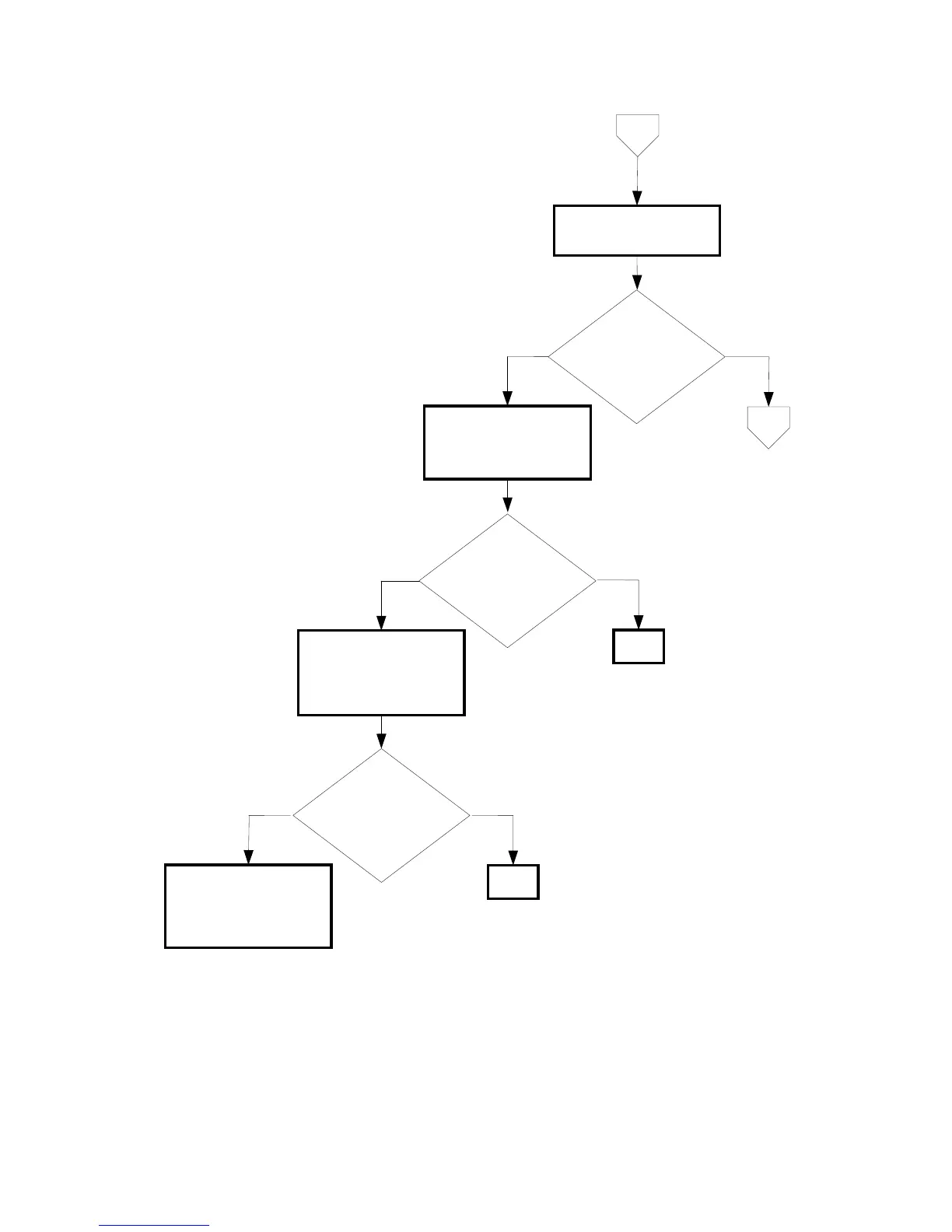
B
Checking the Sub Motor.
No
Yes
Checking the Toner
Cartridges installation
Reseat the all Toner
Cartridges.
No
Yes
Checking the DRIVE ASSY
MAIN installation
Reseat the DRIVE ASSY
MAIN. (Removal 36/
Replcement 10)
END
No
END
Does the noise
arise from the printer?
Checked by [Digital
Output]-[DO-5] in [IOT
Diagnosis].
Does the noise
arise from the printer?
Checked by [Digital
Output]-[DO-5] in [IOT
Diagnosis].
Does the noise
arise from the printer?
Checked by [Digital
Output]-[DO-5] in [IOT
Diagnosis].
Yes
Try replacing the Yellow,
Magenta, Cyan, Black
Toner Cartridges and the
DRIVE ASSY MAIN one
after another.
C

Table of Contents