2 - 22
Chapter 2 Operation of Diag.
Version 1 2006.11.21
-Checking the Sensor and Switch
Sensor name (Diag. Code) Confirmation procedures
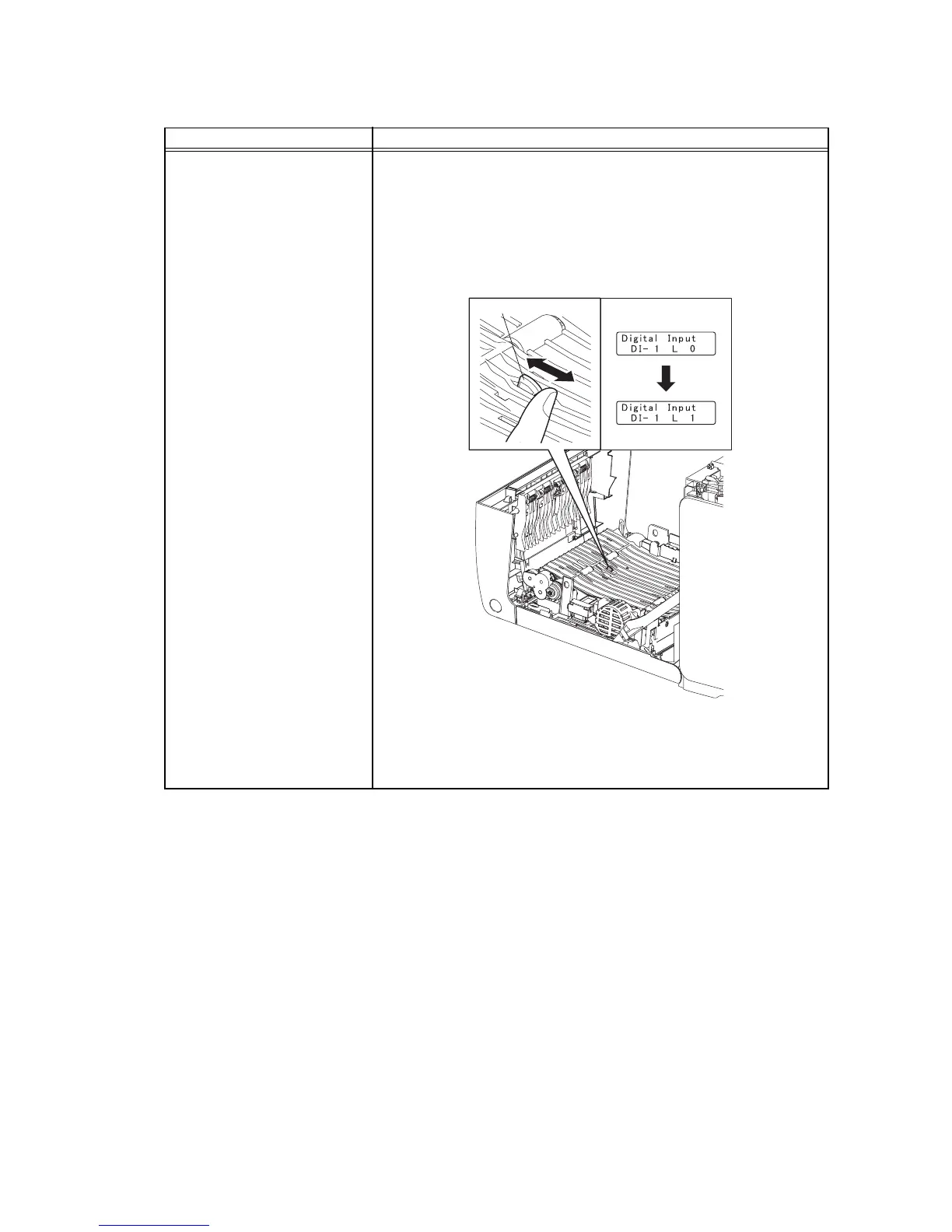
Duplex Jam Sensor (DI-1)
NOTE:When performing operation for five minutes or longer with the
front cover open, remove all toner cartridges, and cover the drum to
avoid exposure to light.
1) Turn on the power and enter the Printer Diag.
2) Exeecute the DI-1.
3) Open the Front Cover.
4) Remove the Transfer Belt.
5) Check the sensor.
6) Press the "Cancel" key to stop the test.
7) Replace the Transfer Belt.
8) Close the Front Cover.
Kmy02003KA
Operator Panel
Normal
Actuator















 To Next Page