2 - 23
Chapter 2 Operation of Diag.
Version 1 2006.11.21
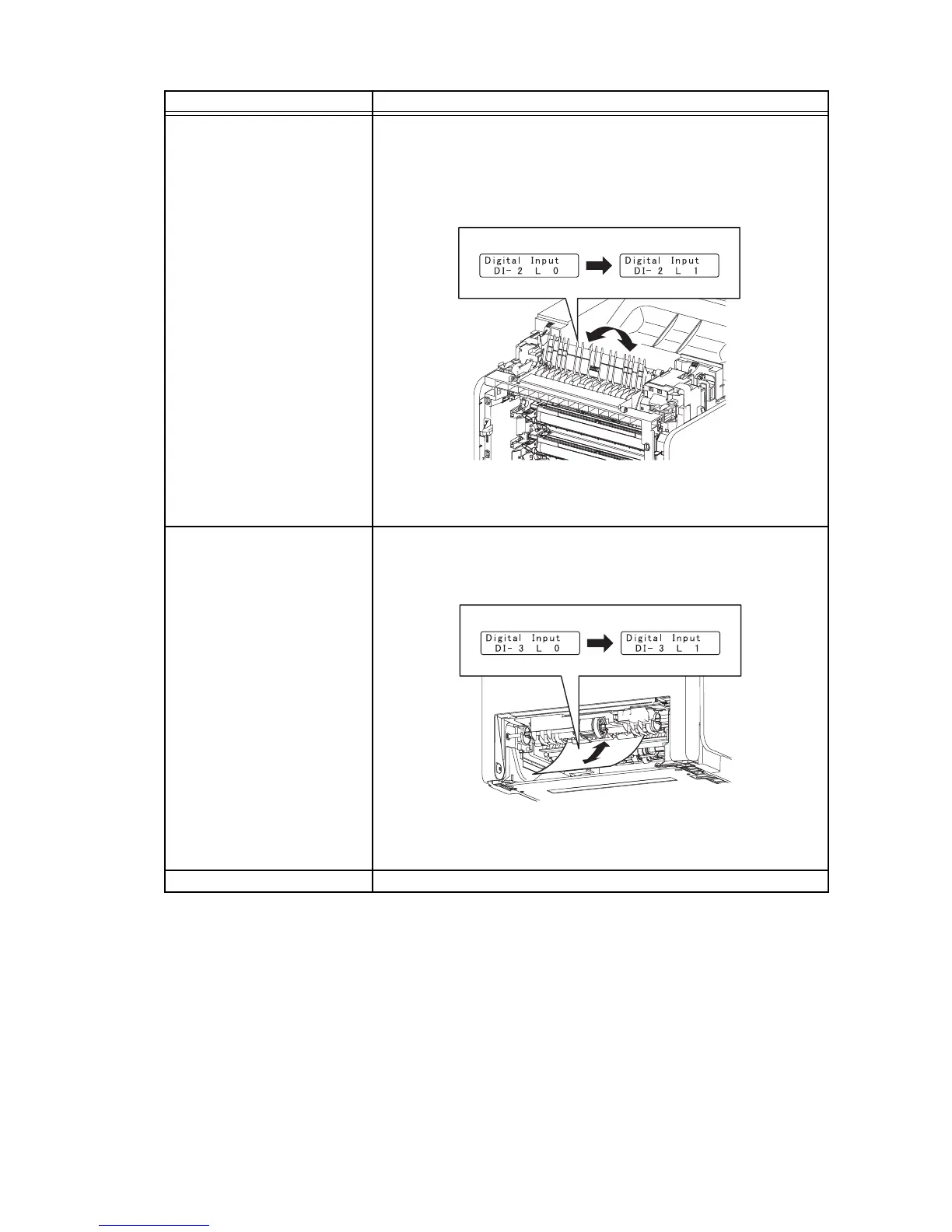
Exit Sensor (DI-2)
NOTE: Fuser is very hot, so pay sufficient attention at work to above
burns, etc.
1) Turn on the power and enter the Printer Diag.
2) Execute the DI-2.
3) Open the Front Cover.
4) Check the sensor.
5) Press the "Cancel" key to stop the test.
6) Close the Front Cover.
Regi Sensor (DI-3)
1) Turn on the power and enter the Printer Diag.
2) Execute the DI-3.
3) Remove the 250 paper cassette.
4) Insert the paper into the paper path of the Regi assy.
5) Press the "Cancel" key to stop the test.
6) Replace the 250 paper cassette.
ROS Ready (DI-4) Internal signal.
Sensor name (Diag. Code) Confirmation procedures
Gnb02004KA
Operator Panel
Normal
Kmy02005KA
Operator Panel
Normal















 To Next Page