2 - 28
Chapter 2 Operation of Diag.
Version 1 2006.11.21
OHP Sensor (DI-14) Not used
FAN Alarm (DI-15) Internal signal.
PH Motor Alarm (DI-16) Internal signal.
DEVE Motor Alarm (DI-17) Internal signal.
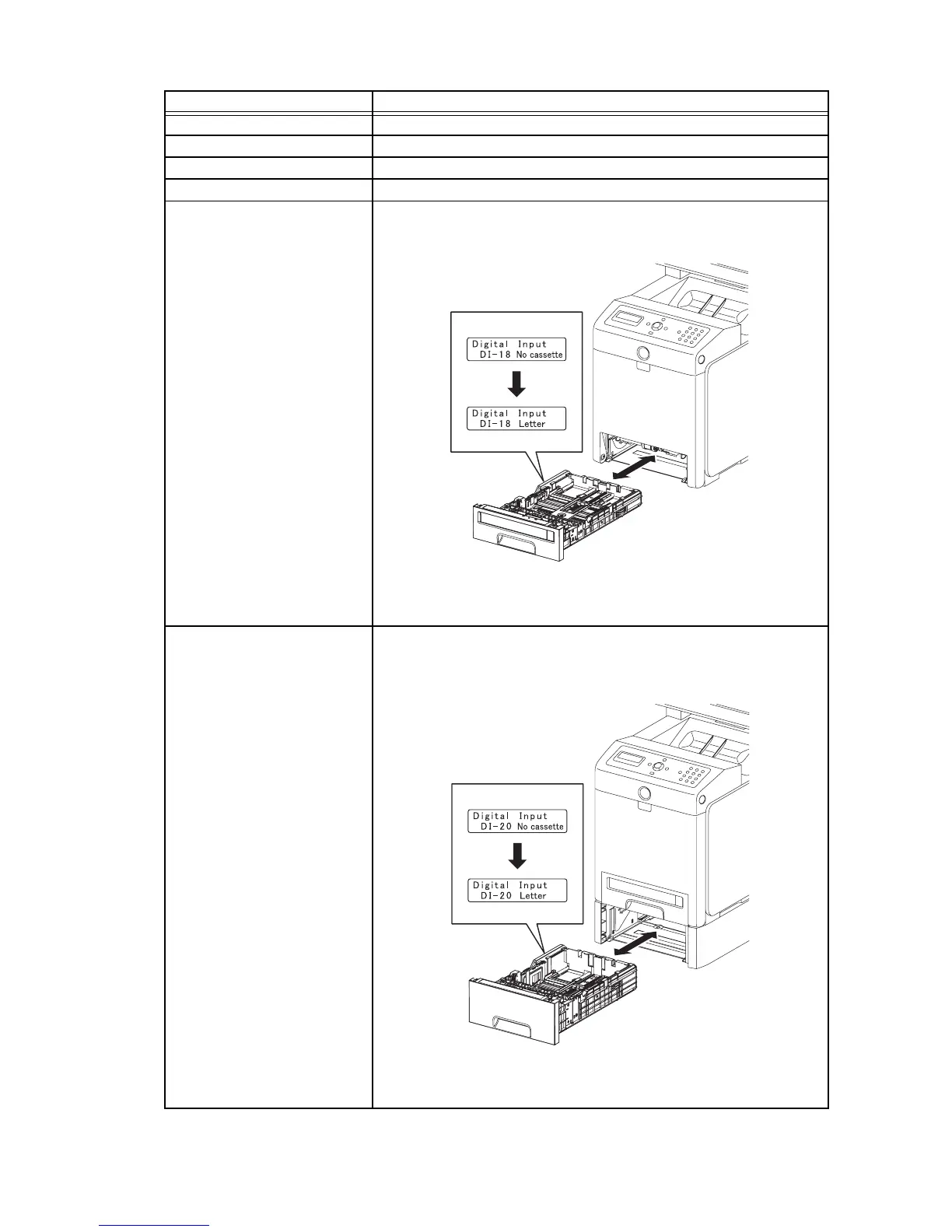
Tray 1 Paper Size Switch (DI-
18)
1) Turn on the power and enter the Printer Diag.
2) Execute the DI-18.
3) Check the switch.
4) Press the "Cancel" key to stop the test.
5) Replace the paper cassette.
Tray 2 Paper Size Switch (DI-
20)
NOTE: The size switch is in the option feeder.
1) Turn on the power and enter the Printer Diag.
2) Execute the DI-20.
3) Check the switch.
4) Press the "Cancel" key to stop the test.
5) Replace the paper cassette.
Sensor name (Diag. Code) Confirmation procedures
Gnb02014KA
Displays the paper size
Operator Panel
Normal
Gnb02015KA
Displays the paper size
Operator Panel
Normal















 To Next Page