3 - 50
Chapter 3 Removal and Replacement Procedures (RRPs)
Version 2 2007.03.20
Removal 32 HIGH VOLTAGE POWER SUPPLY (PL5.1.17)
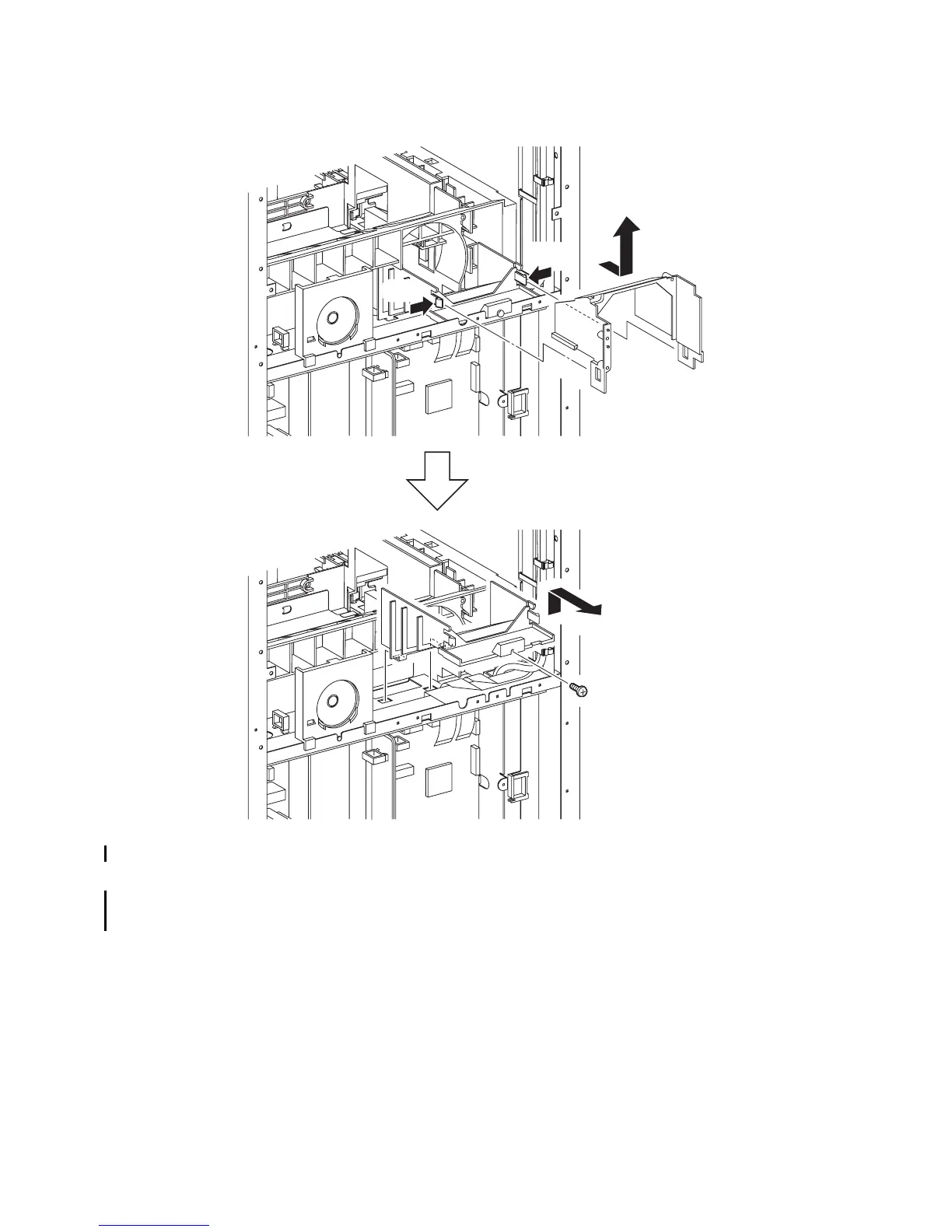
15) Release the two hooks of the DUCT LOWER (PL13.5.8) that fix the DUCT UPPER (PL13.5.7),
and then slide the DUCT UPPER backward to remove it.
16) Remove the one screw (silver, 6mm) that fixes the DUCT LOWER to the printer.
17) Release the two hooks on the bottom of the DUCT LOWER from the holes of the printer, and
remove the DUCT LOWER.
Continues to the next page.
Gnb03150KA
15)-1
15)-2
15)-1
16)
17)















 To Next Page