3 - 107
Chapter 3 Removal and Replacement Procedures (RRPs)
Version 1 2006.11.28
Removal 72 ADF SCANNER ASSY (PL13.8.1)
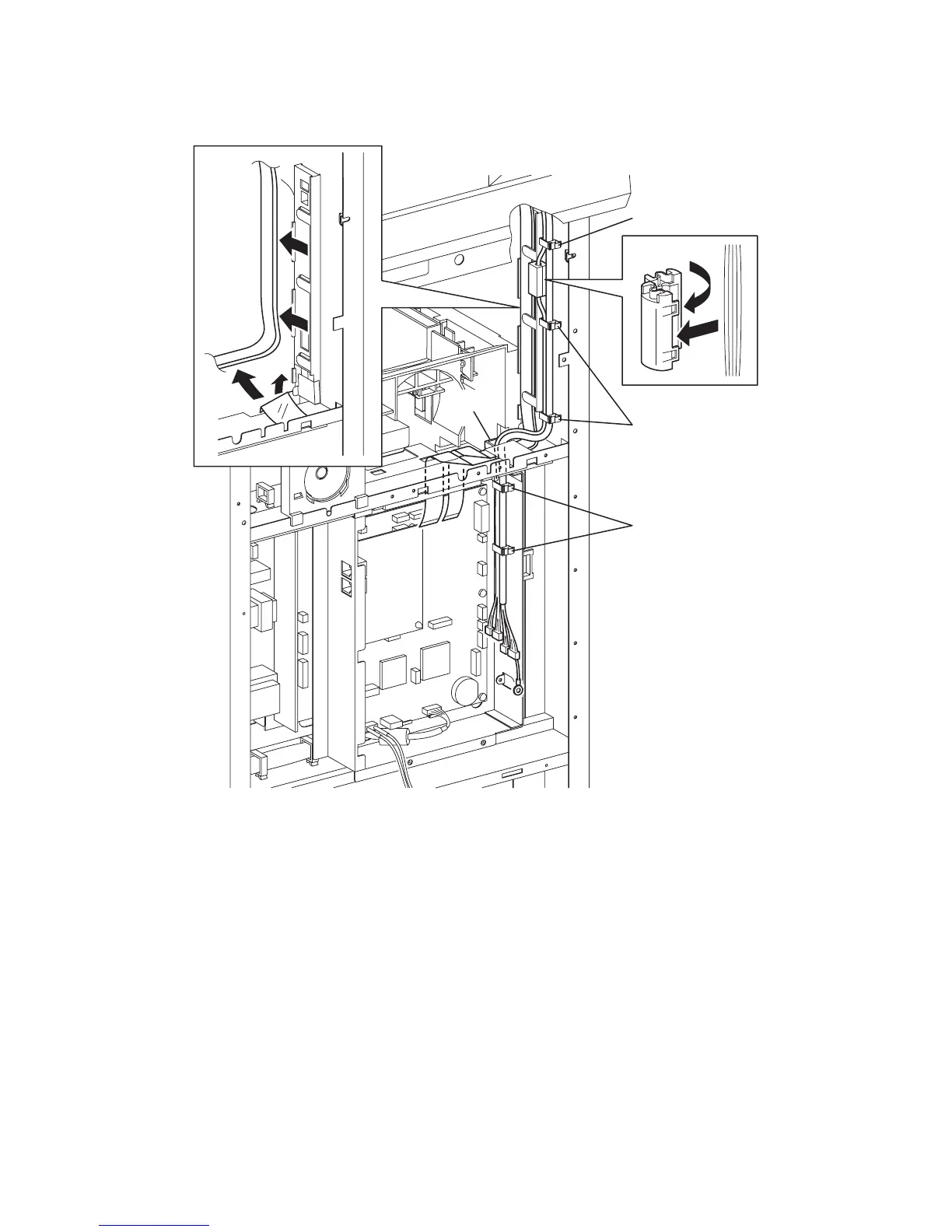
21) Release the harness of the ADF SCANNER ASSY from the six clamps and pull it out of the
slot on the PLATE ASSY FAX AIO (PL13.4.5).
22) Release the two hooks on the CORE SFT-25SN (PL13.8.11), remove the CORE SFT-25SN
from the harness.
23) Release the two flat cables from the under side of the film.
24) Release the two flat cables from the SPACER ASSY FFC (PL13.3.14).
Continues to the next page.
Gnb03183KB
21)
21)
24)
21)
22)-1
22)-2
21)
23)-1
23)-2















 To Next Page