3 - 131
Chapter 3 Removal and Replacement Procedures (RRPs)
Version 1 2006.11.28
Replacement 14 HIGH VOLTAGE POWER SUPPLY (PL5.1.17)
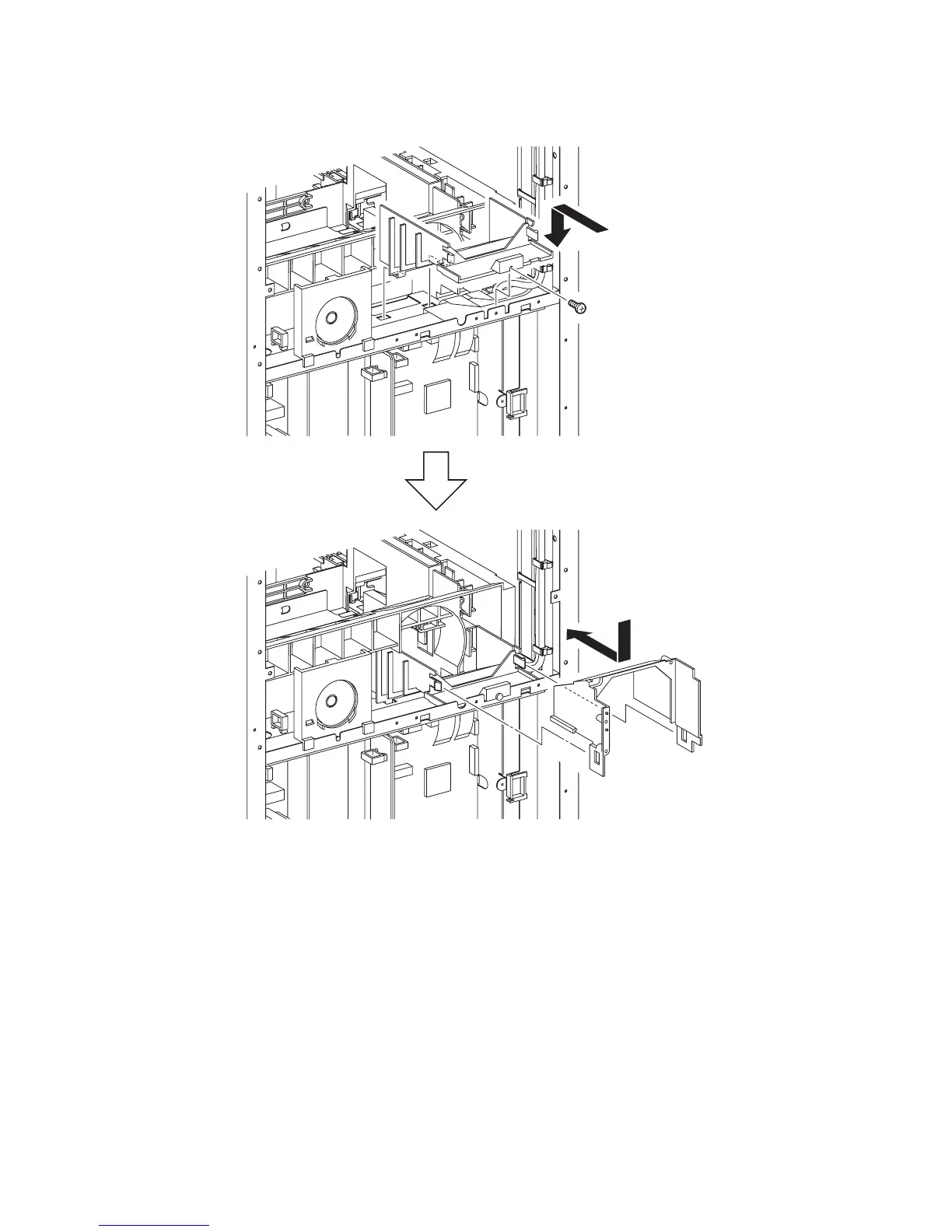
7) Insert the two hooks of the DUCT LOWER into the hole of the printer, and then replace the
DUCT LOWER to the printer.
8) Secure the DUCT LOWER to the printer using the one screw (silver, 6mm).
9) Place the DUCT UPPER on the DUCT LOWER. Slide the DUCT UPPER forward until the
DUCT UPPER is hooked by the two hooks.
Go to the next replacement step:
Replacement 51 FAN (PL13.5.10)
Gnb03153KA
8)
9)
7)















 To Next Page