3 - 156
Chapter 3 Removal and Replacement Procedures (RRPs)
Version 1 2006.11.28
Replacement 31 FEED DRIVE ASSEMBLY (PL8.1.7)
When performing the step described below, turn the flat surface of the SHAFT MSI face
upward for ease of work.
6) Replace the GEAR MSI to the SHAFT MSI and lock the hook of the GEAR MSI into the groove
of the SHAFT MSI.
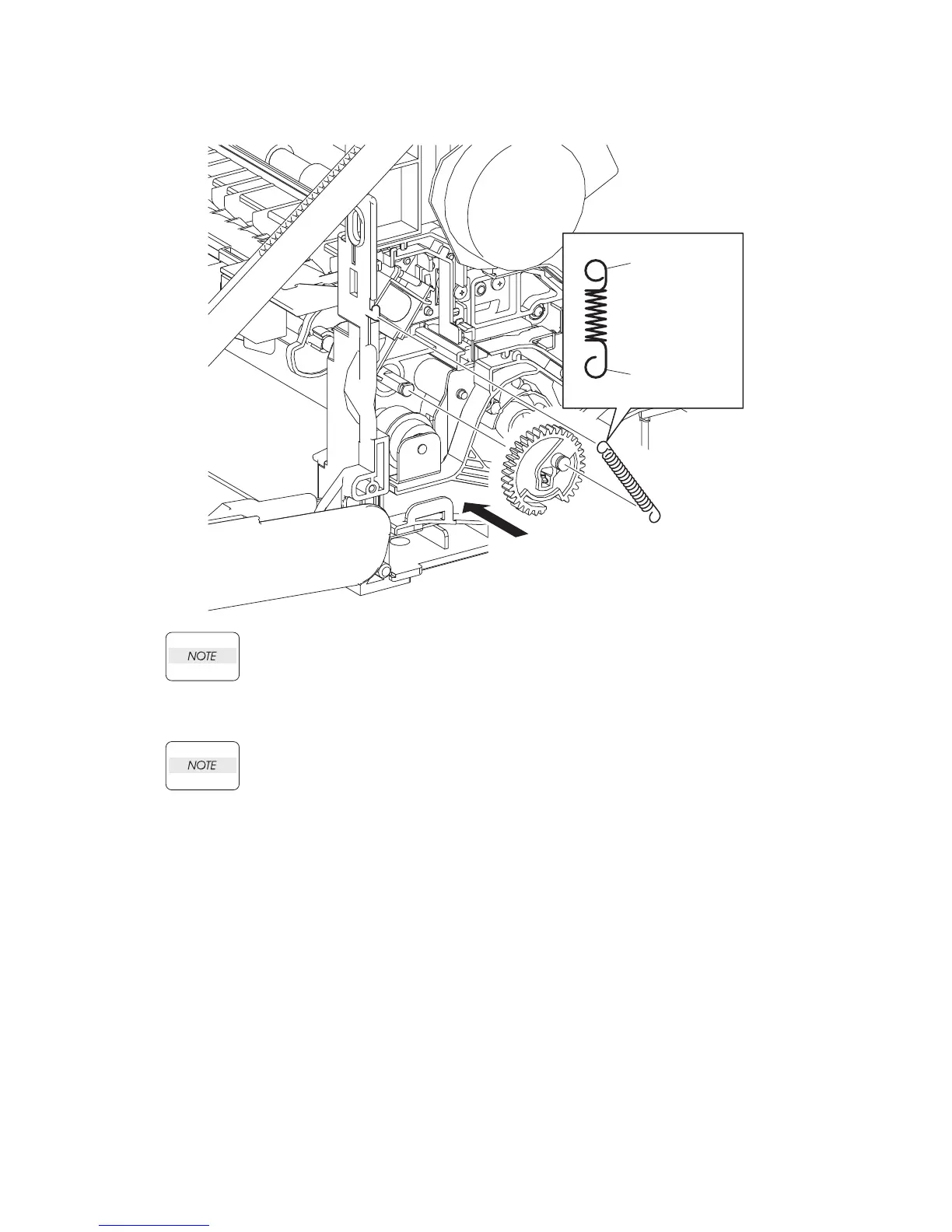
When performing the step described below, pay attention to the orientation of the
SPRING FEED MSI. Ensure that the longer J-shaped hook of the SPRING FEED MSI is
anchored to the GEAR MSI.
7) Anchor the SPRING FEED MSI to the GEAR MSI and the printer.
Go to the next replacement step:
Replacement 68 RIGHT COVER (PL13.1.9)
Printer Side
GEAR MSI Side
Kmy03080KB
6)
7)















 To Next Page