3 - 186
Chapter 3 Removal and Replacement Procedures (RRPs)
Version 1 2006.11.28
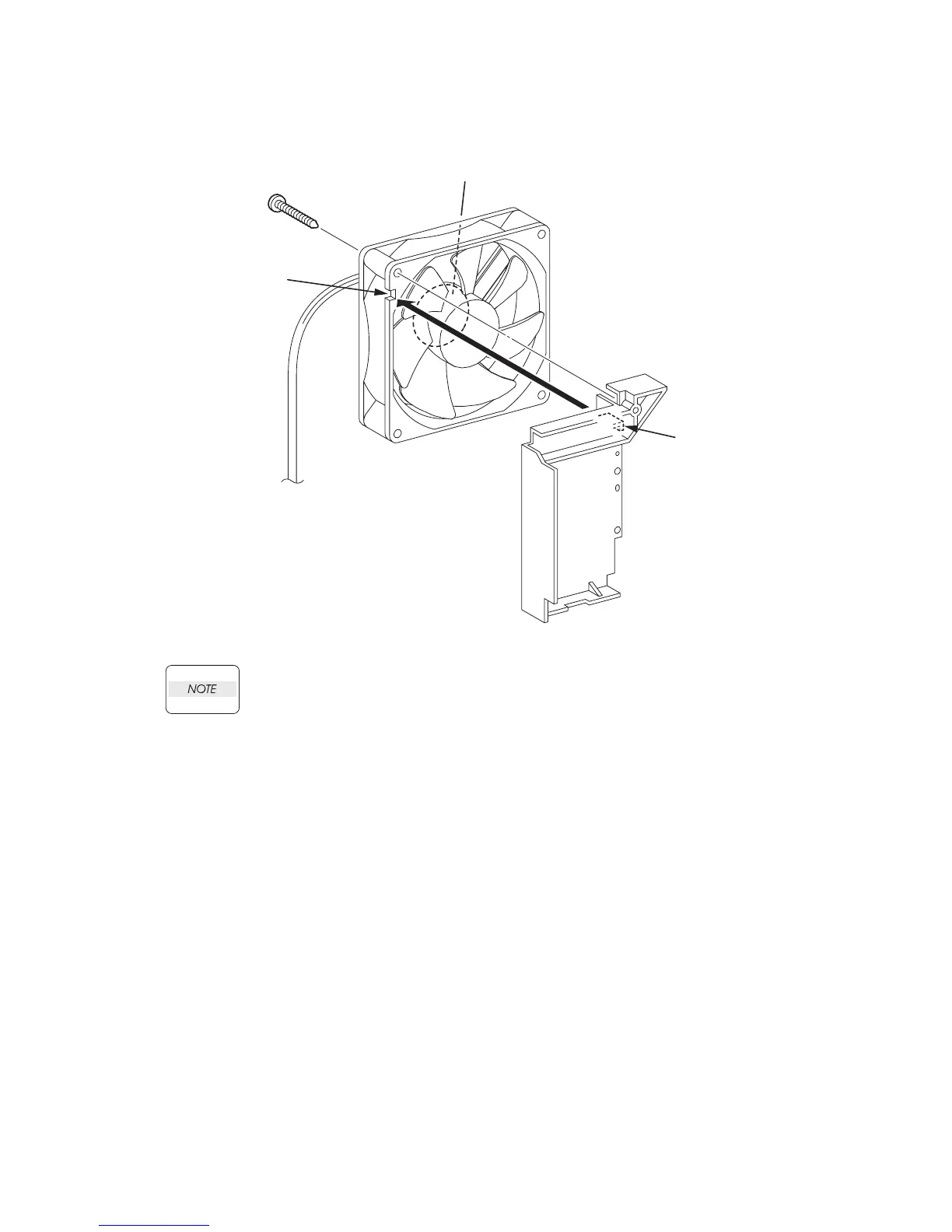
Replacement 51 FAN (PL13.5.10)
When performing the step described below, take care to check the orientation of the FAN.
Replace the PLATE DUCT to the opposite side of the label surface.
1) Mate the lug of the PLATE DUCT with the notch of the FAN, and replace the PLATE DUCT
to the FAN.
2) Secure the PLATE DUCT to the FAN using the one screw (silver,tap, 32mm).
Gnb03227KA
LABEL
[NOTE]
2)
1)
notch
lug















 To Next Page