3 - 213
Chapter 3 Removal and Replacement Procedures (RRPs)
Version 2 2007.03.20
Replacement 66 OPERATOR PANEL (PL13.2.97)
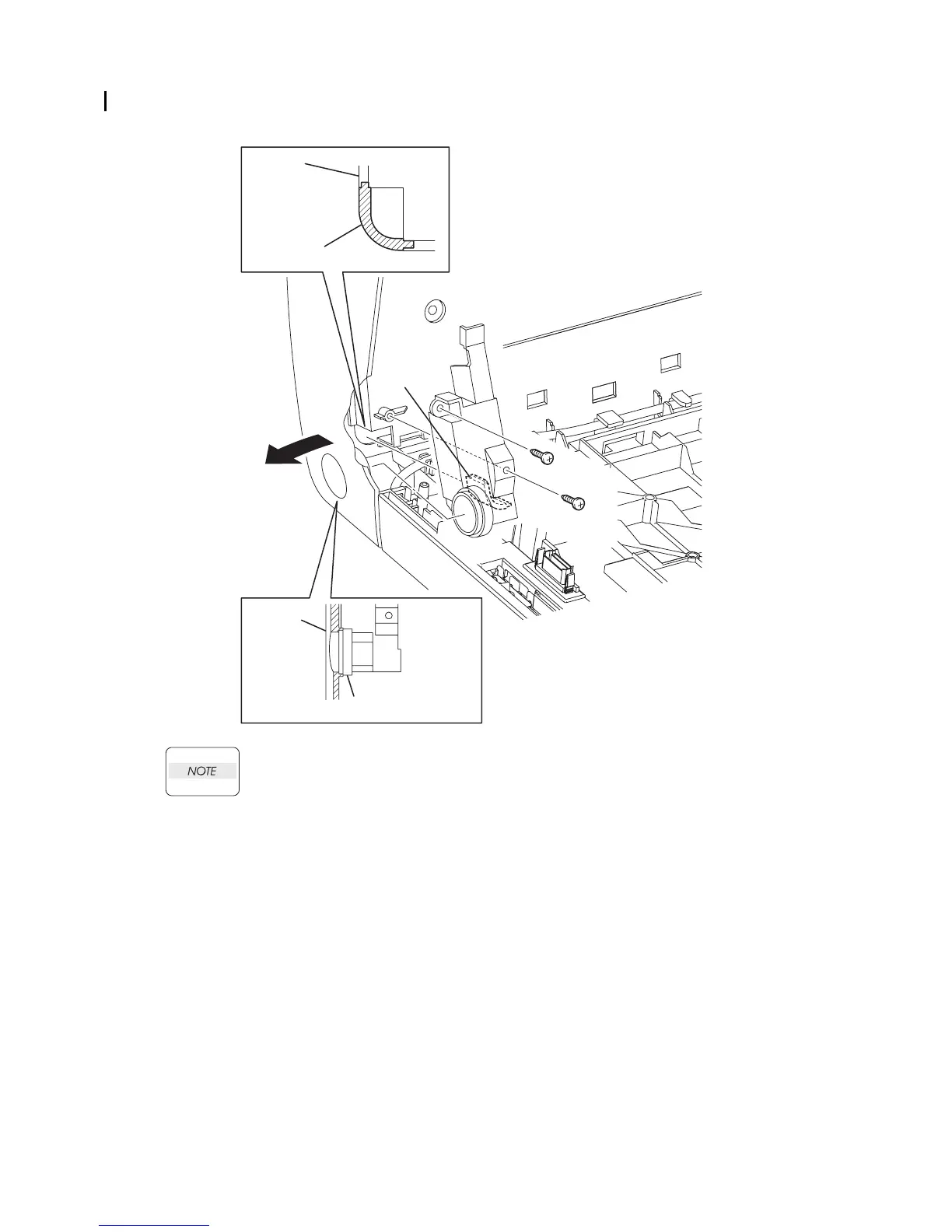
When performing the step descrided below, ensure that the COVER HARNESS is
installed in location as shown in the figure.
6) Mate the rim of the BUTTON TOP with the hole of the FRONT COVER.
7) Put the rim of the COVER HARNESS into the FRONT COVER by spreading the FRONT
COVER.
8) Secure the COVER HARNESS to the FRONT COVER using the two screws (silver, tap,
10mm).
Continues to the next page.
Gnb03223KA
8)
8)
7)-1
7)-2
6)
FRONT
COVER
COVER HARNESS
FRONT
COVER
COVER HARNESS
NOTE















 To Next Page