1122 Matrix ETERNITY NE System Manual
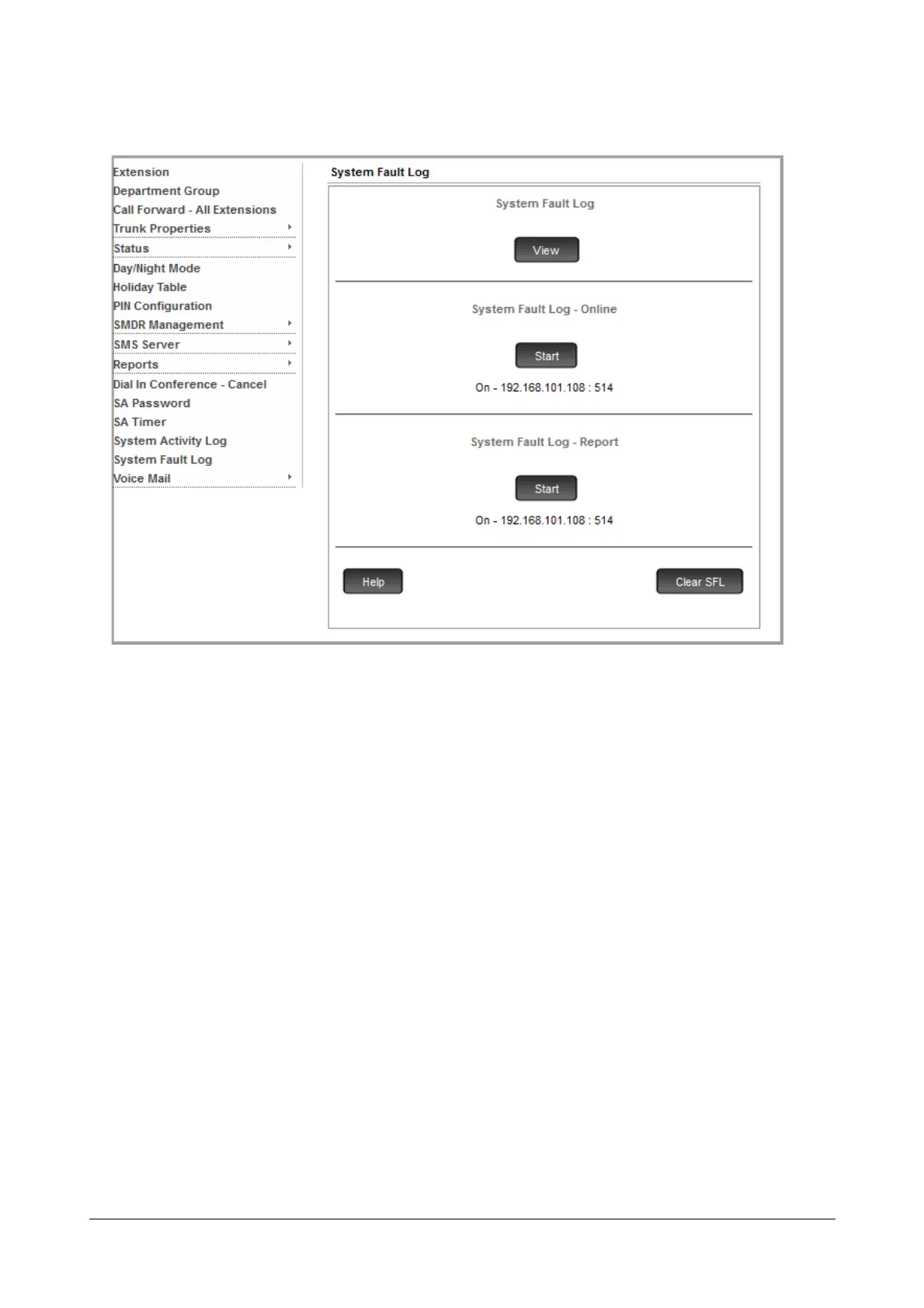
• Click System Fault Log.
• To start capturing the System Fault Log - Online, click Start.
• To stop capturing the System Fault Log - Online, click Abort.
• To start capturing the System Fault Log - Report, click Start.
• To stop capturing the System Fault Log - Report, click Abort.
• To clear System Fault Logs from the buffer, click Clear SFL.
By default, the online and offline reports are printed on the destination port assigned by you.


 To Next Page