1138 Matrix ETERNITY NE System Manual
To know more about this feature, see “Presence”.
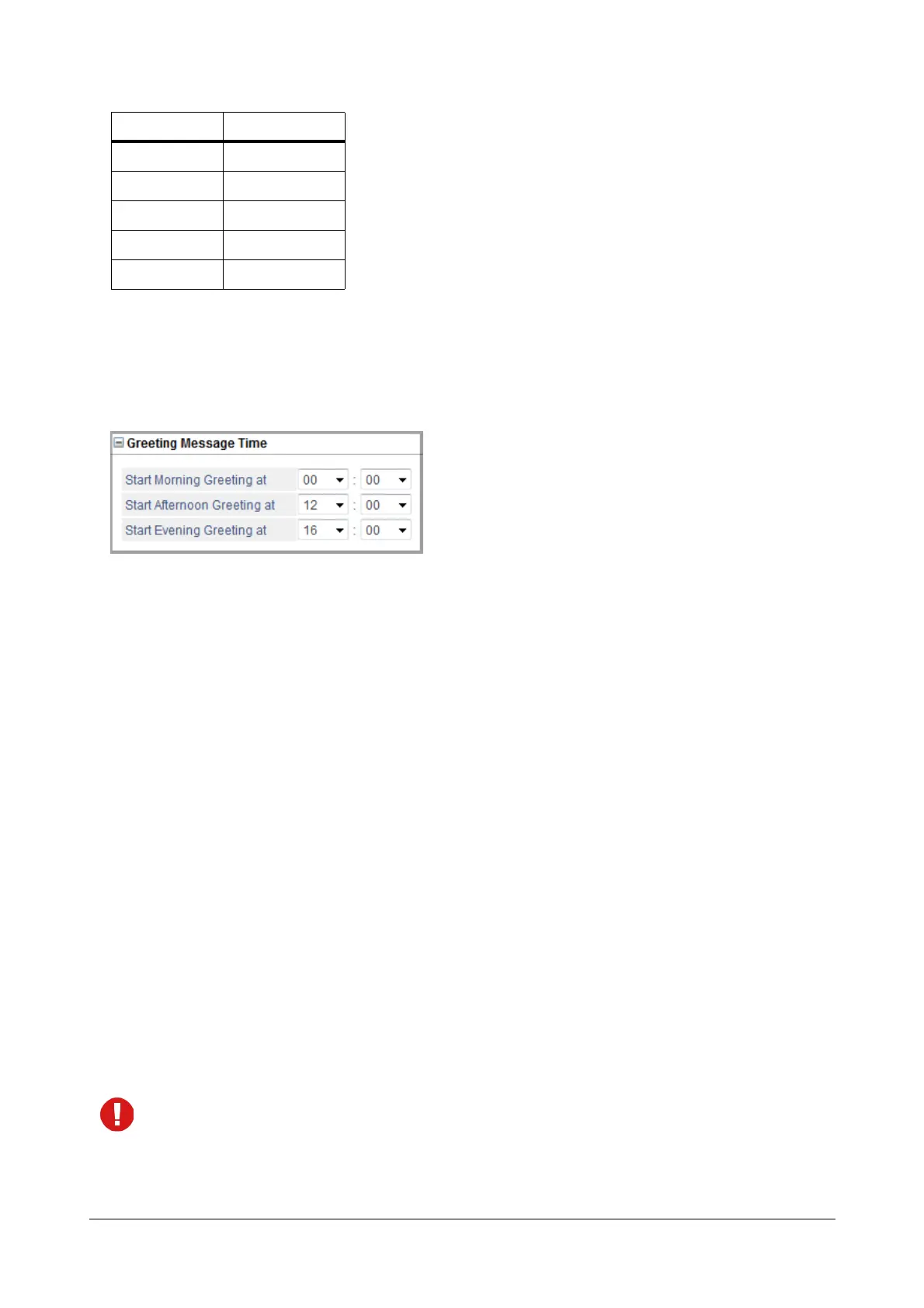
Greeting Message Time
• Click Greeting Message Time to expand.
• When Auto Attendant is enabled on trunks, the greeting messages are played to the callers according to
the time of the day, morning, afternoon, evening.
• If Built-In Auto Attendant is enabled on trunks, the system answers the call and plays the greeting
message as per the voice modules.
•If Voice Mail Auto Attendant is enabled on trunks, the Voice Mail System answers the call and plays
the greeting message.
To know more about this feature see “Auto Attendant”.
• You can set the desired Start Time for Morning, Afternoon and Evening greetings.
In Start Morning Greeting at set the start time for the Morning Greeting Message. Similarly, in Start
Afternoon Greeting at and Start Evening Greeting at set the start time for the Afternoon and Evening
Greeting Message respectively.
The time must be in HH:MM format. The valid range for Hours (HH) is 00 to 23 and for Minutes (MM) is 00
to 59. By default the time in Start Morning Greeting at is set to 00:00, Start Afternoon Greeting at is set
to 12:00 and Start Evening Greeting at is set to 16:00.
The system plays the Morning Greeting Message between the Morning and Afternoon Greeting Start time,
the Afternoon Greeting Message between the Afternoon and Evening Greeting Start time and the Evening
Greeting Message between the Evening and Morning Greeting Start time.
As the system plays the Evening Greeting Message between the Evening and Morning Greeting Start time,
to prevent the Evening Greeting Message from being played after midnight, you are recommended to set
the Morning Greeting Start time to 00:00 hrs.
5 Do Not Disturb
6 I am Mobile
7 In Meeting
8 Out for Meal
9 Out of Office
Message No. Message Text



 To Next Page