152 Matrix ETERNITY NE System Manual
Call Forward
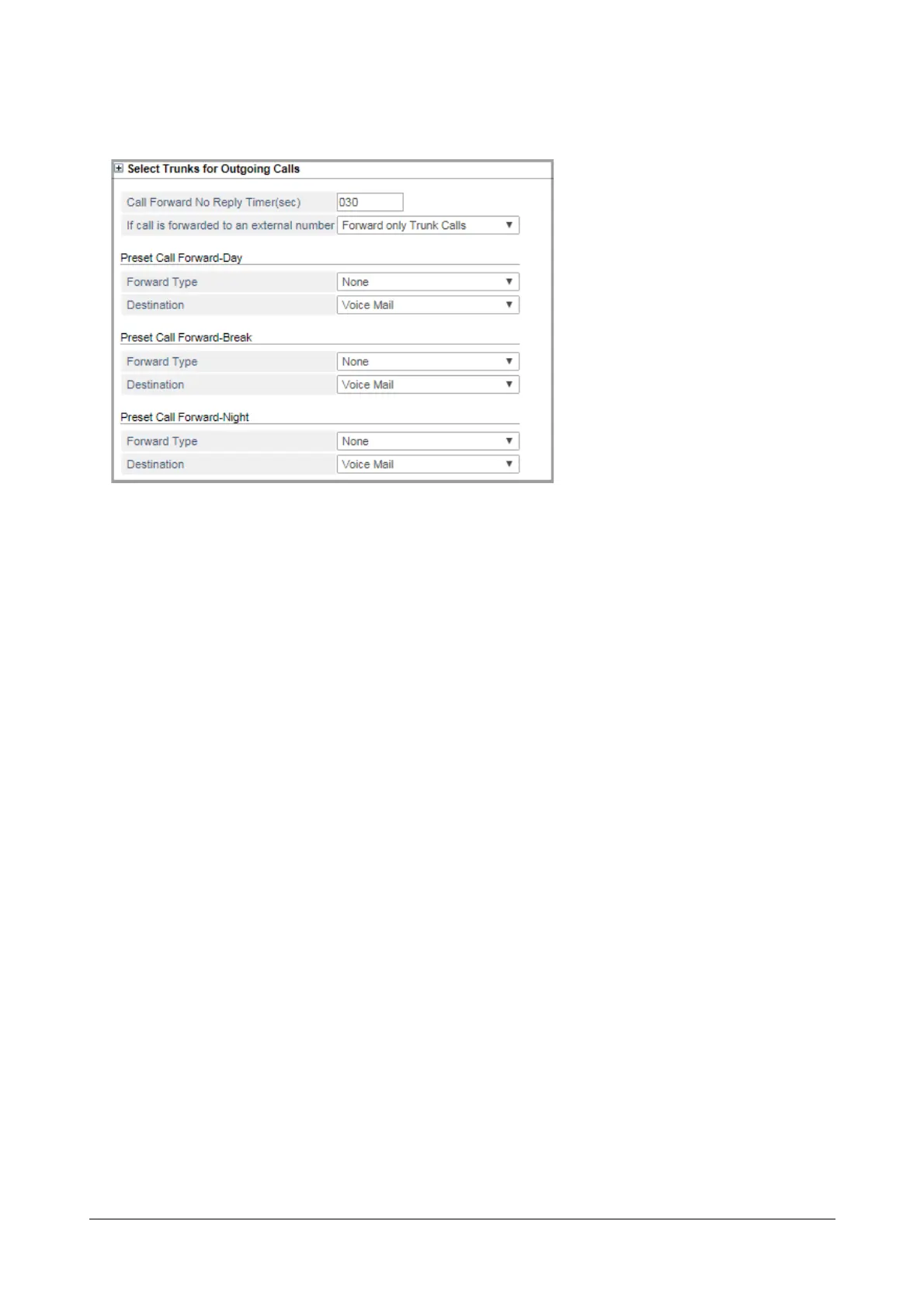
• Click Call Forward to expand.
• Set the Call Forward No Reply Timer (sec) to the desired value, if required. The range of this timer is
001-255. Default: 030 seconds.
Call Forward No Reply Timer signifies the duration for which the system will wait for an extension to
answer an incoming call, before forwarding the call to the programmed destination as Call Forward-No
Reply. By default the Timer is set to 30 seconds. This timer is applicable for both Call Forward and Preset
Call Forward. Refer the feature description for “Call Forward” and “Preset Call Forward” to know more.
• Select the type of calls to be forwarded If Call is forwarded to an external number. You may select from
the following options:
• Forward only Internal calls
• Forward only Trunk calls
• Forward all calls (internal as well as trunk calls)
Default: Forward only Trunk calls.
This parameter is relevant for the features “Call Forward”, “Mobility Extension” and “Call Forward - When
Not Registered”.
• Select the Forward Type for Preset Call Forward - Day. You may select:
• None
• When Busy
• When No Reply
• When Busy or No Reply
Default: None
• Select the Destination to which the calls are to be forwarded for Preset Call Forward - Day.
Follow the instructions in steps 4 and 5 to configure Preset Call Forward - Break and Preset Call
Forward - Night.
See “Preset Call Forward” for more details.



 To Next Page