Matrix ETERNITY NE System Manual 199
• Acknowledge
• Local Menu
DSS Key Settings
You can connect four Direct Station Selection Consoles (DSS532) to SPARSH VP510, to increase the number of
keys for providing more buttons, for direct single-touch access to extensions and features of SARVAM UCS. For
connecting DSS Consoles, refer “Installing DSS532 with SPARSH VP510”.
The system will automatically detect the console, if it is connected. If you have connected the DSS532 to SPARSH
VP510, you may now configure the DSS Console keys.
To configure the DSS Keys,
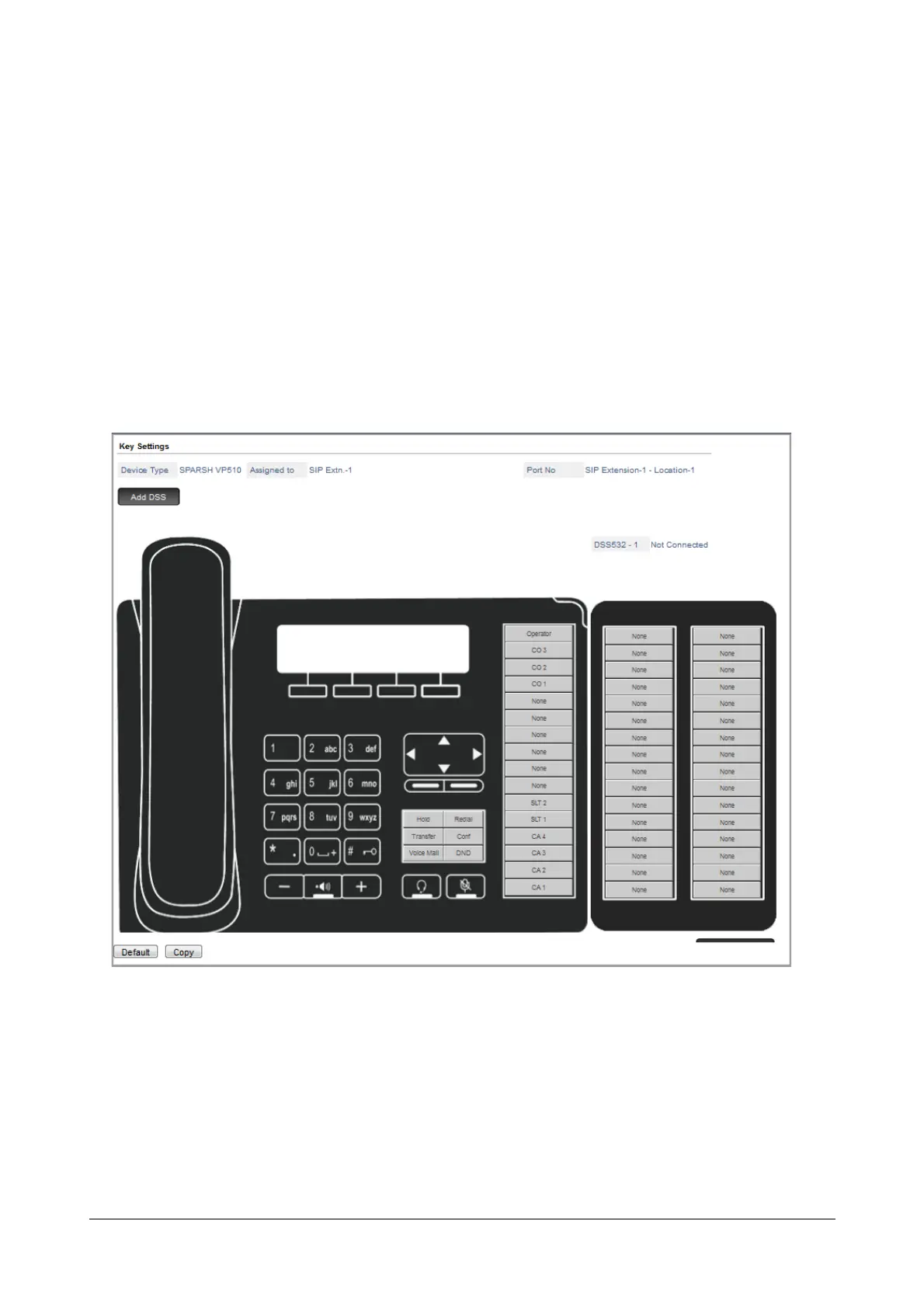
• Click Key Settings. The Key Settings page opens.
Phone Details
• Device Type displays SPARSH VP510.
• Assigned to displays the Extension number assigned to the phone.
• Port No displays the software port number as well as the Location, for example: SIP Extension -1 -
Location - 1.
• Click ADD DSS.
• The default key map of DSS532 appears on your screen.



 To Next Page